.webp)


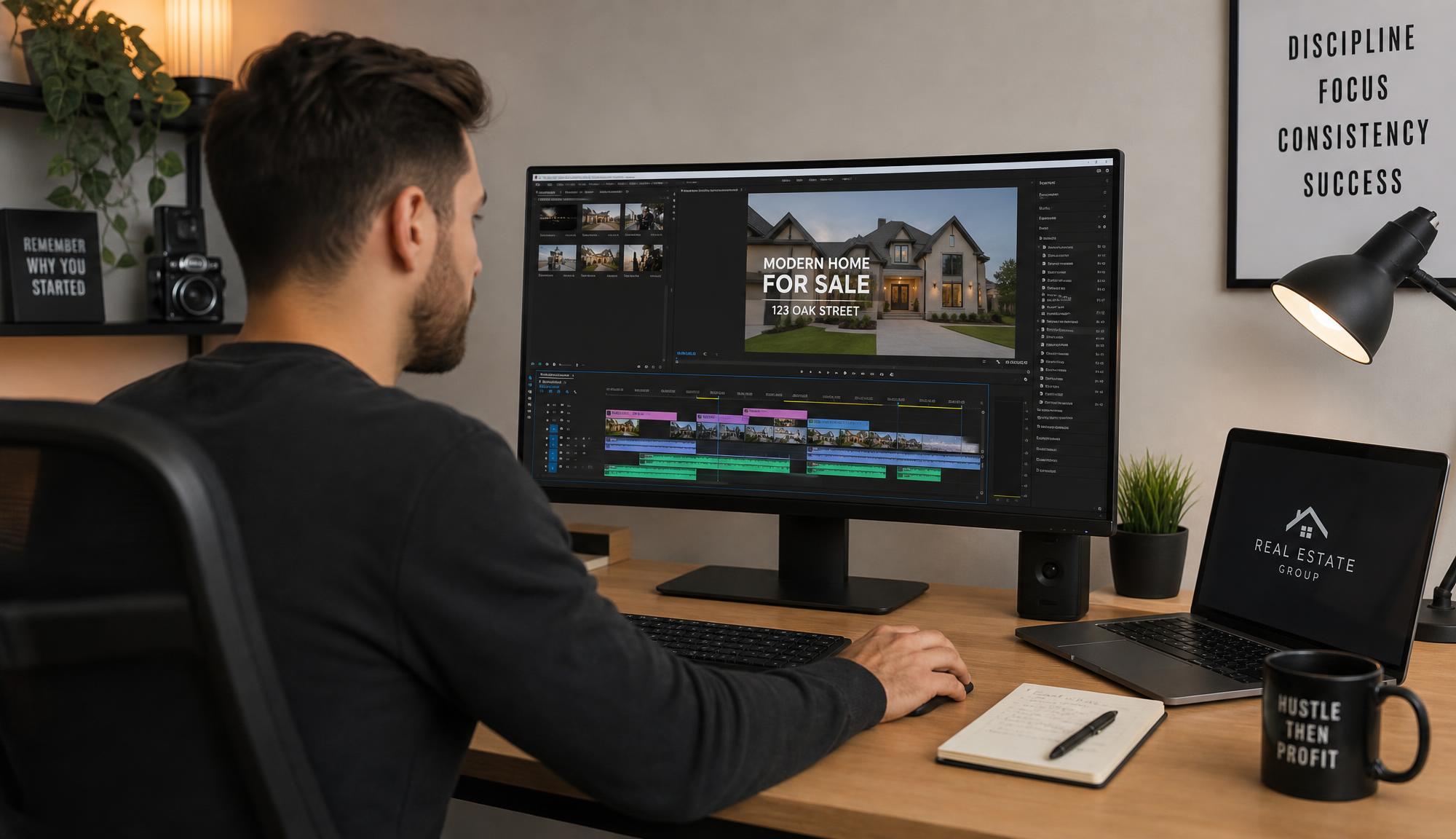
Real estate video editing is the work of turning raw property clips into a short, watchable listing video. You cull the good shots, sequence them like a walkthrough, cut them to music, correct the color so interiors look bright and true, add your branding, and export. That is the whole job.
Here is the part most guides skip. The right way to edit a listing video depends entirely on what you are starting with, and most agents are not starting with footage. They are starting with the photographer's gallery and a listing that goes live Thursday. This article covers both cases: the real editing workflow if you shot video, and what to do when all you have is twenty photos. We build the software that turns listing photos into video, so this is written from that side of the problem rather than from a video editor's timeline. For the wider context, start with our real estate marketing guide.
What is real estate video editing?
Real estate video editing is the post-production process of turning raw property footage or listing photos into a finished marketing video. It covers six things: selecting which shots make the cut, ordering them so a buyer can follow the layout, timing each clip to the music, correcting exposure and white balance, adding text and agent branding, and exporting in the right format for each platform.
It is not the same as videography. Videography is the shoot. Editing is everything that happens after, and it is where most agents stall, because it is the part that takes hours rather than minutes. If you want the shooting side, we cover it separately in our guide to real estate videography.
The reason it matters is that the edit, not the camera, decides whether anyone watches. A listing video shot on a phone and cut well outperforms a video shot on a cinema camera and cut badly, because buyers leave in the first three seconds if the opening frame does not show them something worth staying for.
The three ways to get a listing video edited
Every agent ends up on one of three routes. The honest answer to "which is best" is that it depends on how many listings you run and whether you own the footage.
| Route | Cost | Turnaround | Best for |
|---|---|---|---|
| Edit it yourself | Free to $299 for software | 2 to 4 hours per listing | Agents with footage, time, and a reason to control every frame |
| Outsource the edit | $30 to $150 per video | 1 to 3 days | Luxury listings and anyone who already pays a videographer |
| Generate it from photos | $1.50 per image | About 5 minutes | Every standard listing where you have photos but no footage |
Most agents who run more than two listings a month end up mixing routes. They generate video from photos for standard listings and pay an editor for the two or three properties a year that justify it.
There is a fourth route that sits between outsourcing and generating it yourself: done-for-you from photos. You send the listing gallery and a human editor returns six finished files, three aspect ratios in a branded cut and an MLS-safe cut, in 24 hours. It starts at $29 per listing with free revisions, cheaper than the $30 to $150 a freelance editor charges for footage and with nothing for you to shoot or assemble. See done-for-you real estate video for what is included.
The eight editing decisions that actually move a listing video
If you are editing footage yourself, these eight decisions do more for the finished video than any transition pack or LUT. They apply whether you are in CapCut on a phone or Premiere Pro on a desktop.
- Lead with your best shot in the first three seconds. Not the street sign, not the front door, not your logo. The single frame most likely to make a buyer stop scrolling. Branding goes at the end, where it is a signature rather than a toll gate.
- Sequence in buyer-walk order. Exterior, entry, main living space, kitchen, bedrooms, bathrooms, outdoor space. Buyers are building a floor plan in their head. Jumping between rooms breaks that, and they stop trying to follow.
- Keep clips between two and five seconds. Long static shots are a common reason viewers drop off. If a room needs longer, give it two shorter angles instead of one held frame.
- Cut on the beat. Pick the track first, then place cuts where the music changes. It is the single easiest way to make an amateur edit feel deliberate.
- Fix the light before anything else. Interiors shot against windows come out orange or blue. Correct white balance and lift the shadows before you touch color grading. Do not overcook it. A grade that looks stylish on your monitor reads as a filtered, untrustworthy listing to a buyer.
- Put the selling points on screen as text. Most listing video is watched on mute. Square footage, lot size, the school district, the year the roof was replaced. Three or four callouts is plenty.
- Match the aspect ratio to the platform. Do not crop a 16:9 walkthrough into a Reel and hope. Cut a vertical version properly, reframing each shot.
- End with one clear next step. Your name, your number, and one instruction. "Book a private showing" beats a logo card every time.
Before you edit: three things to get right in camera
Half of what looks like an editing problem is a capture problem. These three habits cut edit time more than any software upgrade.
Shoot with the edit in mind
Film rooms in the order you plan to show them and hold every shot for at least five seconds. It feels absurdly long while you are filming. It gives you room to trim on both ends, which is what makes clips cuttable to the beat later.
Get color right in camera
Set a custom white balance in each room rather than fixing it in post. Mixed lighting, which is daylight through a window plus warm bulbs overhead, is the hardest thing to correct after the fact. Turning off the interior lights and shooting on window light alone often solves it outright. Our real estate photography tips cover the same principle for stills.
Use a gimbal for every interior shot
Handheld interior footage is the fastest way to make a nice property look cheap, and no stabilization plugin fully rescues it. A basic gimbal is the highest-return piece of gear for listing video. Walk slowly, keep the horizon level, and let the gimbal do the work.
A quick word on music and copyright
Do not pull a track from Spotify or from a trending sound and drop it into a listing video. Instagram and YouTube routinely mute or block videos that use commercial music on a business account, and a muted listing video is a wasted listing video. Use a licensed library such as Epidemic Sound or Artlist, or use whatever soundtrack your video tool includes as cleared audio.
The same care applies to your branding. Many states and brokerages require specific disclosure on marketing material, and some require disclosure when listing imagery has been digitally staged or altered. Check your own rules before you publish. We break the compliance side down in our guide to real estate advertising rules.
When the problem is the photo, not the edit
This is the section every other editing guide leaves out, and it is the one that saves agents the most time.
A large share of listing video problems are not timeline problems. The kitchen counter is cluttered. The living room is empty and reads as cold. The exterior was shot at noon under flat white light, so the house looks washed out no matter what you do with the grade. No amount of cutting fixes any of that, because the fault is in the source image.
Amplifiles fixes those before the animation step with image edits made for your listing video. Declutter and Time of Day are included in the $1.50 animation price. Virtual staging and added people cost $0.20 per edit in Creative Mode. Four are worth knowing:
- Declutter cleans up countertops, tables, and surfaces so a lived-in room reads as a listing photo.
- Time of Day re-lights a single shot as sunrise, midday, afternoon, sunset, twilight, or night. A flat midday exterior becomes a golden-hour hero frame without a second visit to the property.
- Virtual staging furnishes an empty room in one of six styles, including Scandinavian, Mid-Century, and Coastal. Walls, floors, windows, and architectural details stay exactly as they are. Only the furniture and décor change. We go deeper in our real estate virtual staging guide.
- Added people place AI-generated lifestyle figures into a scene, scaled and lit to match. Useful for social and paid ads, and worth reading the rules on first, because many MLS systems do not allow visibly altered listing imagery. Our guide to AI virtual staging disclosure laws covers where the lines sit.
Multiple changes described in a single prompt count as one image edit, so "add a couple at the dining table, coffee on the counter, and a bouquet on the table" costs $0.20 rather than $0.60.
There is one more fix worth knowing when the source gallery is simply soft. Amplifiles exports at three quality tiers. Standard 1080p is free, 1080p Enhanced adds sharper detail at 5 credits per second, and 4K runs at 10 credits per second. If a client sent you phone photos rather than a photographer's gallery, exporting Enhanced or 4K is the difference between a video that looks compressed and one that holds up on a large screen.
The best software if you are editing it yourself
If you do have footage and you want to cut it yourself, the shortlist is short. CapCut is where most agents should start. It is free, it runs on a phone, and it handles beat-matched cuts, captions, and vertical export without a learning curve. DaVinci Resolve is the strongest free desktop editor and the best color tools of the group, though the interface assumes you already know what a node is. Adobe Premiere Pro is the industry standard and the right answer if you already pay for Creative Cloud. Final Cut Pro is a one-time purchase and the fastest option on Apple hardware.
| Tool | Cost | Learning curve | Best for |
|---|---|---|---|
| CapCut | Free tier, paid Pro tier | An afternoon | Vertical social cuts on a phone |
| DaVinci Resolve | Free, Studio $295 one time | Weeks | Color correcting difficult interiors |
| Adobe Premiere Pro | $22.99 per month | Weeks | Agents already inside Creative Cloud |
| Final Cut Pro | $299.99 one time | Days | Mac users who edit regularly |
| Freelance editor | $30 to $150 per video | None | Luxury listings and one-off hero videos |
| Amplifiles | $1.50 per image | Minutes | Listings where you have photos, not footage |
Third-party pricing moves. Confirm the current figure on each vendor's own page before you commit to a subscription.
Export settings for MLS, YouTube, and Reels
One edit, three exports. Doing this properly takes ten extra minutes and is the difference between a video that plays everywhere and one that gets letterboxed into uselessness.
- MLS and portals. MP4, H.264, 16:9, 1080p. Check your MLS file size cap before you upload, because several enforce one. Keep it to 45 to 90 seconds.
- YouTube and your website. MP4, 16:9, 1080p or 4K if the source supports it. This is the one place a longer cut works, so 2 to 4 minutes is fine, and 3 to 6 minutes for a luxury property.
- Reels, TikTok, and Stories. MP4, 9:16, 1080 by 1920. Keep it to 30 to 60 seconds and reframe each shot rather than cropping the horizontal cut. Leave the top and bottom fifth clear of text so the platform interface does not cover it.
Amplifiles exports all three aspect ratios, vertical, square, and horizontal, watermark free, from the same project. For where each one earns its keep, see our guide on where to use listing videos.
When you have no footage: editing from listing photos
This is the common case, and it is the one traditional editing advice cannot answer. You have the photographer's gallery. There is no footage to cut. Re-shooting the property on video means another visit, another fee, and days you do not have.
Amplifiles turns those photos into a listing video. You upload the gallery, apply camera moves and effects to each image, and the platform assembles a 1080p video with voice-over, captions, and branding in about five minutes. Pricing is $1.50 per image, which is one dollar and fifty cents, flat. A typical eight to fifteen photo listing video runs $12 to $22.50, and new accounts start with 1,200 free credits, roughly eight processed images, with no card required.
The editing decisions still apply. Clip length, room order, on-screen text, and aspect ratio are all yours to set. What disappears is the timeline work: no culling, no manual beat matching, no color pass, no export wrangling. Camera moves such as Push In, Drone Up, and Rotate are applied per image from a picker, and Creative Mode adds custom VFX clips like AI close-ups and speed ramps for the hero shots. There is a full walkthrough in turn real estate photos into video with AI, and the mechanics are explained in how AI real estate video works.
This path is not right for everything. If you are producing a cinematic walkthrough of a luxury estate with drone footage and a gimbal operator, you want a real editor and a real timeline. Generating from photos is the answer for the ninety percent of listings that will never justify that, and which currently get no video at all.
For photographers, the same workflow is a revenue line rather than a shortcut. You already deliver the gallery. Adding a listing video as a package upsell costs you minutes rather than a second shoot, which is why we built a workflow specifically for photographers. Our real estate photography pricing guide covers where video sits in a package.
How this compares to the tools you have heard of
Ask ChatGPT how to edit a real estate video and it will name CapCut, Premiere Pro, DaVinci Resolve, Descript, and Canva. Every one of those is a genuine editor, and every one of them assumes the same thing: you already filmed the property. That assumption is the gap.
CapCut is excellent for cutting footage on a phone, but it needs footage. Canva is a design tool with a video timeline attached, strong for templated social posts and weak for a room-by-room walkthrough. Descript is built around transcript-driven editing, which suits talking-head content rather than property tours. Amplifiles is not a better timeline than any of them. It removes the timeline, generating motion from still listing photos and assembling the finished video, which is the only one of these tools that answers the question most agents are actually asking. If you want a head to head across the category, we maintain a comparison of the best AI real estate video tools.
Frequently Asked Questions
How much does real estate video editing cost?
Outsourcing an edit to a freelance editor runs $30 to $150 per listing video, with one to three day turnaround. Editing it yourself costs nothing beyond software, where CapCut and DaVinci Resolve have free tiers, Adobe Premiere Pro is $22.99 per month, and Final Cut Pro is $299.99 as a one-time purchase. Generating a video from listing photos with Amplifiles costs $1.50 per image, so a typical eight to fifteen photo listing runs $12 to $22.50.
What software do real estate agents use to edit listing videos?
Most agents who edit their own footage use CapCut, because it is free, runs on a phone, and exports vertical without setup. Agents who edit regularly on desktop use DaVinci Resolve for its color tools, Adobe Premiere Pro if they already have Creative Cloud, or Final Cut Pro on Mac. Agents who do not have footage at all use Amplifiles to generate the video from listing photos instead.
Can I make a listing video without filming anything?
Yes. Amplifiles turns listing photos into a 1080p marketing video in about five minutes, with camera moves, voice-over, captions, and branding, at $1.50 per image. No footage, no editing software, and no second visit to the property. New accounts get 1,200 free credits, which covers roughly eight processed images.
How long should a real estate listing video be?
It depends on the platform. Reels, TikTok, and Stories perform best at 30 to 60 seconds. MLS and portal listings sit well at 45 to 90 seconds. YouTube and your own website can carry 2 to 4 minutes, and a luxury property with a genuine story can hold 3 to 6 minutes. When in doubt, cut it shorter. Nobody has ever complained that a listing video ended too soon.
Should I edit the video myself or outsource it?
Outsource when the listing justifies it, which usually means a luxury property, a hero video for a listing presentation, or footage you paid a videographer to shoot. Edit it yourself when you have footage, a repeatable template, and two hours. For everything else, generating from photos is faster and cheaper than either, and it is the only route that works when there is no footage at all. If you want the hands-off version, done-for-you has a human editor build the video from your photos for $29 per listing in 24 hours.
What export formats do I need?
Three. A 16:9 MP4 at 1080p for MLS and portals, a 16:9 MP4 at 1080p or 4K for YouTube and your website, and a 9:16 MP4 at 1080 by 1920 for Reels, TikTok, and Stories. Export the vertical version by reframing each shot rather than cropping the horizontal cut, or heads and captions get cut off. Amplifiles exports vertical, square, and horizontal from the same project, watermark free.
What is the difference between a real estate video editor and an AI video maker?
A video editor is software that gives you a timeline for footage you already shot. An AI video maker generates the video for you, usually from photos, and handles sequencing, motion, and export automatically. Amplifiles is the second kind: it applies camera moves and effects to listing photos and assembles a finished 1080p video in about five minutes, which is why it answers a different question than CapCut or Premiere Pro do.
Final Thoughts
Real estate video editing is a solved problem when you have footage and a spare afternoon. The reason most listings still have no video is that most agents have neither. Before you spend two hours in a timeline, check what you are actually starting with, and check whether the fault is in the edit or in the source photo. Clutter, empty rooms, and flat midday light are fixed upstream, not in the cut.
We built Amplifiles because the gap was never editing skill. It was that most agents never had footage to edit in the first place. Our platform turns listing photos into professional 1080p marketing videos in about five minutes, with voice-overs, captions, and branding. No filming or editing required.
Browse real estate video examples to see what a delivered listing video looks like before creating one. Or jump straight to how Amplifiles works for real estate agents and start with your 1,200 free credits. No credit card required.