
Real estate listing video: the complete guide in 2026
A listing video is more than a property showcase. It is one of the most effective marketing tools an agent has: listings with video get 403% more inquiries than photo-only listings. This guide covers where to post your video, what makes one work, and how to make one from your listing photos in minutes.
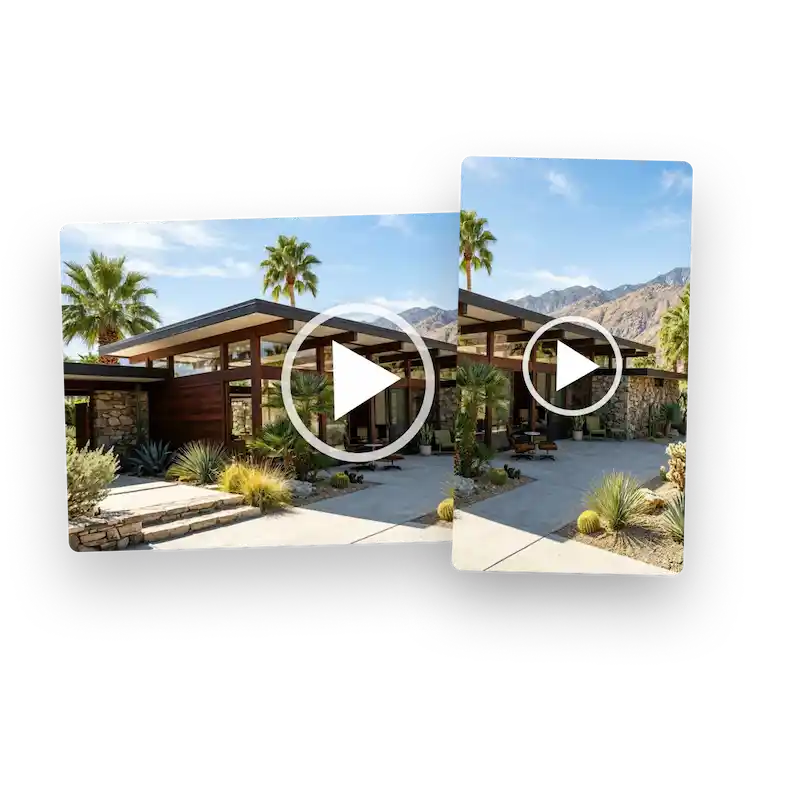
Why listing videos work
The shift to video in real estate is not a trend. It is a change in how buyers search for homes. Buyers scrolling Zillow, Hemnet or Instagram make split-second decisions, and video stops that scroll in a way photos can't.
more inquiries than photo-only listings (Show My Property)
more views on Hemnet listings with video (Hemnet)
of buyers expect a video tour as standard (NAR)
of sellers prefer to list with an agent who uses video (NAR)
Where to post your real estate listing video
The same video, or a simple reformat of it, works across every channel below. Here is how to get the most from each one.
MLS and real estate portals
Make your property listing stand out by adding a video alongside the images to real estate listing websites.
Zillow, Realtor.com and similar portals
Add the video to your MLS listing and the portals pull it from there. Many MLSs only accept an unbranded video, with no agent name, logo or contact details, and some reject YouTube or Facebook links, so keep a clean version for the MLS and a branded one for social. Use horizontal 16:9 at 1080p. On Zillow, premium listings can also show a short video in the photo carousel through Zillow Showcase.

Paid video ads
Video ads give a listing reach beyond the portals. Run them on Facebook and Instagram, targeted by location and interests. For international buyers, a voice-over in their language makes the ad land.
📈 Did You Know: 92% of US agents use Facebook to find clients, which is why most real estate video ads run there.

Social media (organic reach)
Social algorithms actively prioritize video content, giving your listing free distribution to buyers who aren't actively searching portals yet.
📈 Did You Know: 51% of home buyers use YouTube to research properties. Yet, only 25% of agents utilize it, indicating a significant opportunity for growth in video marketing.

Real estate listing video best practices

Keep your videos short
Under 60 seconds for social platforms and up to 90 seconds for the MLS and website embeds. Buyers decide in the first few seconds whether to keep watching. If your best feature is not on screen by second 5, most will scroll past.

Lead with your best shot
Start with the hero moment: a striking exterior, a sunlit living room or a view. Never open with a title card or logo. That is the moment you have a buyer's attention, so do not spend it on branding.

Match to the platform
Vertical for Instagram, TikTok and Facebook. Horizontal for MLS portals, YouTube and listing presentations. The same listing photos can be exported in both formats, so you never shoot or edit twice.

Add voiceover
If your market includes relocating or international buyers, a translated voiceover can dramatically expand your reach. This is particularly effective in markets with large expat communities or cross-border buyer demand.
How to create a real estate listing video with Amplifiles
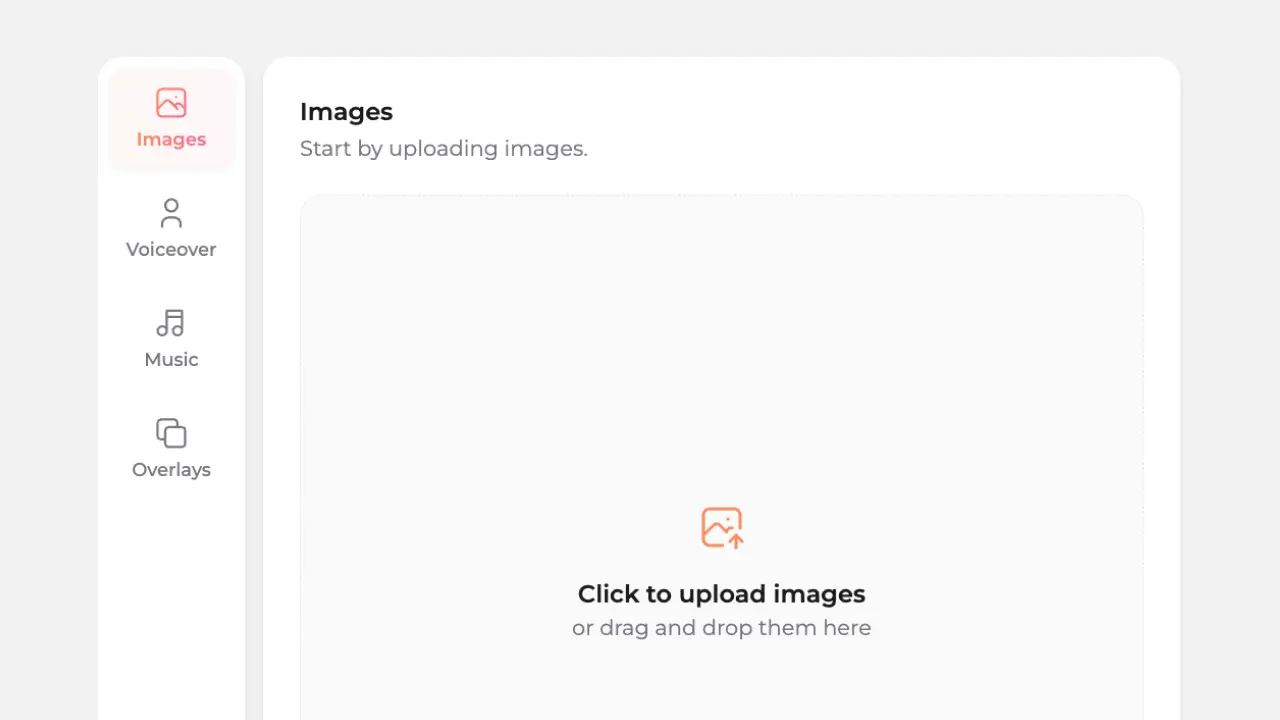
1. Paste your listing URL or upload photos
Amplifiles pulls the photos directly from your listing page, or you can upload them manually. No editing or prep needed.

2. Choose your format and style
Pick a camera move for each photo, or let the AI suggest them. Add music, a voice-over in the buyer's language, captions and your branding. Each image costs $1.50 to animate.
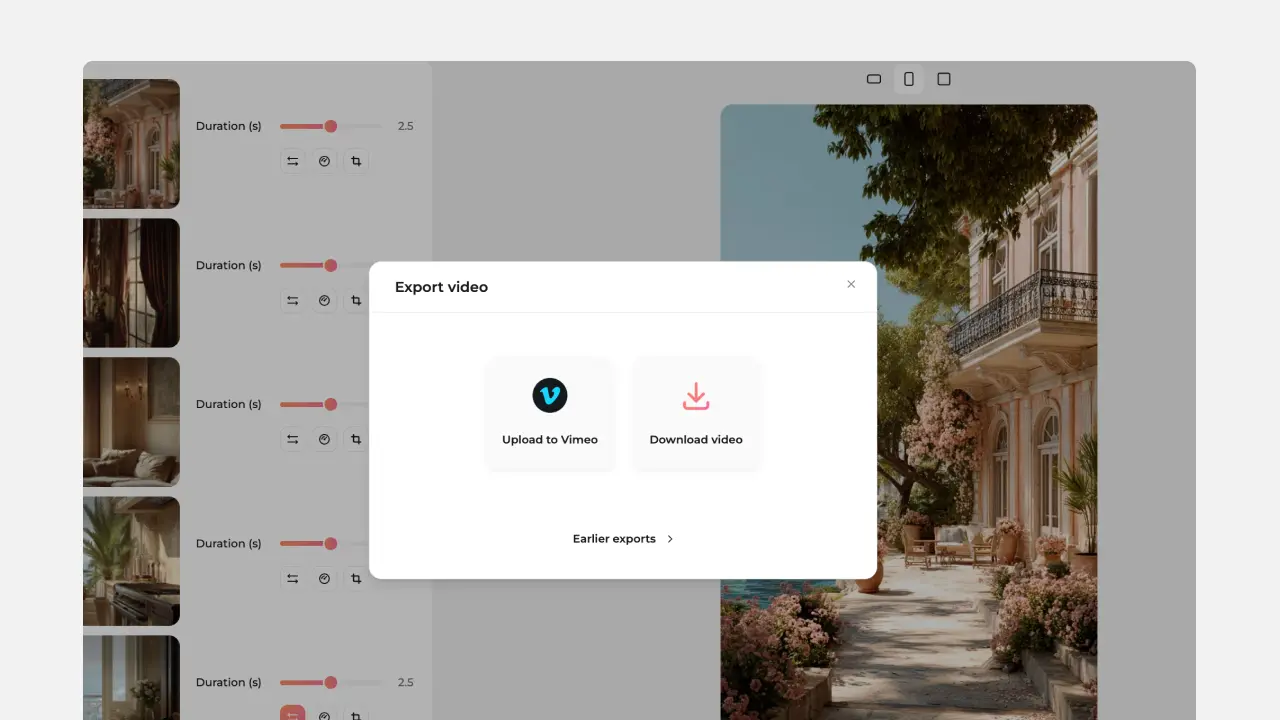
3. Download and share your video
Your video is ready in minutes. Download for MLS, share directly to social, or run as an ad. See Amplifiles pricing or explore how agents use Amplifiles for their listings.
What you control in every video
Motion on every photo
Choose from nine camera moves such as Push In, Rotate and Drone Up, add ambient effects like a flickering fireplace or rippling pool water, or turn a day exterior into a twilight timelapse. Creative Mode adds people, close-ups, speed ramps and your own prompts.
Every format from one project
Export horizontal for the MLS, vertical for Reels and TikTok, and square for feeds, in 1080p, 1080p Enhanced or 4K. Branding is optional on each export, so the clean MLS version and the branded social version come from the same photos.
Staging in the same place
Stage empty rooms for $0.20 per image in six styles, then use the empty and staged photos as the start and end of a reveal clip. Prefer to hand it off? Done-For-You editors make the video from your photos within 24 hours, from $39.
Watch listing video examples made in Amplifiles
Turn listing photos into polished walkthrough videos in minutes.

Go deeper on listing video
Formats, file sizes and the unbranded rule that decides where your video can go.
The MLS feed, Zillow Showcase and what works in 2026.
Vertical listing videos that hold attention on Instagram.
Where to get tracks you are allowed to use.
Every way to make one, from filming to photos.
Video tour vs virtual tour, and what each costs.
Turn an empty room into a furnished one on video.
The numbers behind the case for video, with sources.
What each photo-to-video tool costs per listing.
Questions and answers
Yes, through your MLS. Most MLSs accept a video in the virtual tour or video field, and portals like Zillow and Realtor.com pull it from there. Many MLSs require the video to be unbranded and some reject YouTube or Facebook links, so check your board's rules first.
Under 60 seconds for Instagram Reels and TikTok, where attention is shortest. For the MLS and website embeds, 60 to 90 seconds is the sweet spot: long enough to show the property, short enough to hold buyers to the end.
Yes. Amplifiles makes listing videos from the photos you already have from your photographer, at $1.50 per image. No camera, editing software or videographer needed.
A horizontal 16:9 MP4 at 1080p. Add it to your MLS listing and Zillow pulls it through the feed. On premium listings, Zillow Showcase can also show a short video inside the photo carousel.
Yes! Adding voice-over in different languages helps attract international buyers and expats. This can significantly expand your property’s potential audience.
No. Adding a video to your MLS listing and most portals is free. The only cost is making it: in Amplifiles that is $1.50 per image, so a 15-photo video is $22.50, and new accounts get 1,200 free credits, enough for about 8 images.