.webp)


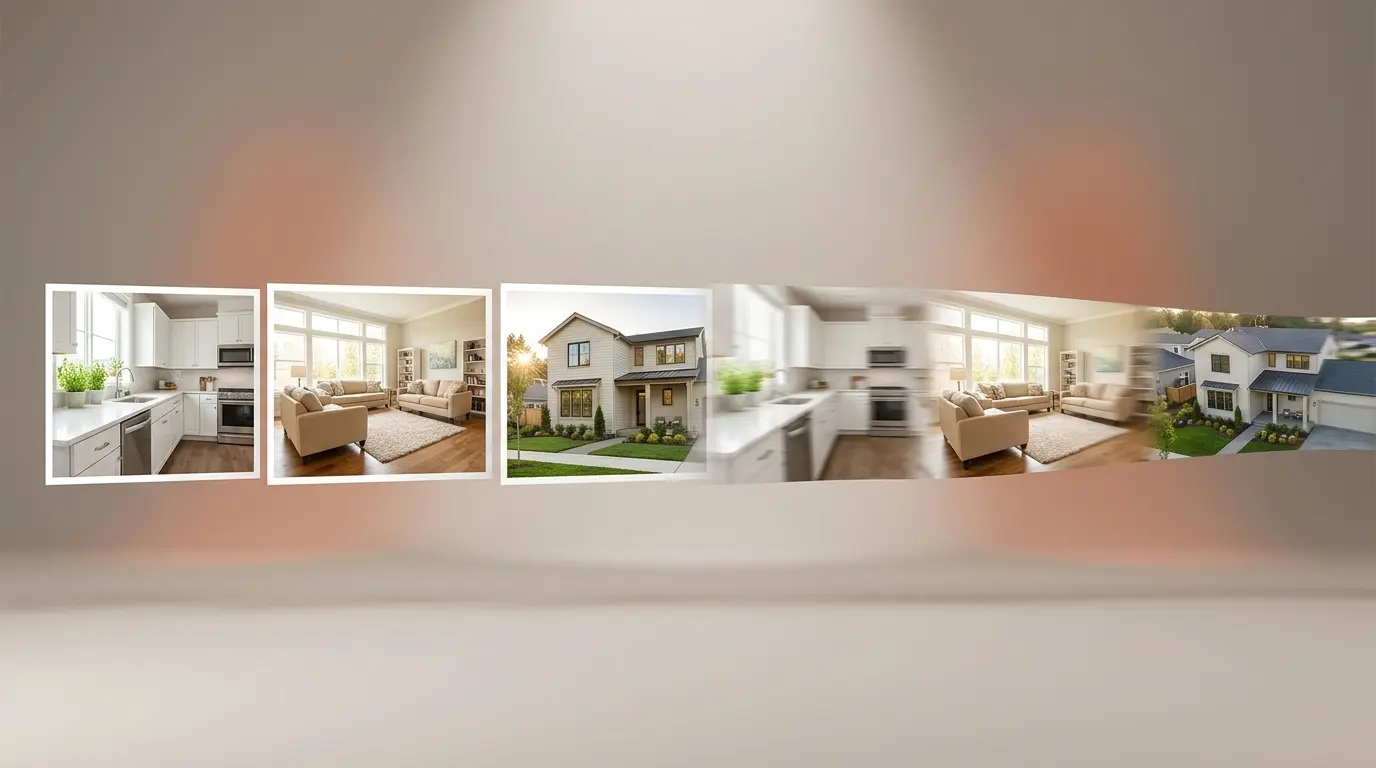
The fastest way to turn a set of listing photos into a polished marketing video in 2026 is to use a real-estate-specific AI video generator. Tools like Amplifiles can convert 10 to 15 listing photos into a 1080p video with voice-over, captions, and branding in roughly 5 minutes for $1.50 per image (one dollar and fifty cents per photo). General-purpose AI video tools can do this too, but most were not built for homes, so transitions feel random and rooms get cropped wrong. This guide compares the ten AI video tools agents and photographers actually use, with verified pricing, output specs, and the kind of listing each one fits best.
If you want the short version, jump to the real estate video examples page to see what an AI-generated listing video looks like, or skim the comparison table below. Every price here was checked against each vendor's own site in June 2026.
What an AI Real Estate Video Generator Actually Does
An AI real estate video generator turns a set of property photos (and sometimes a property description) into a finished listing video. The software handles the work that used to take a video editor an afternoon: ordering the shots, animating motion across each photo, adding cuts and transitions, layering music, generating a voice-over, and burning in branded captions and end cards.
The category splits cleanly into two groups. The first group is purpose-built for real estate. These tools recognize a kitchen, a bathroom, an exterior shot, and a curb shot, then build a sequence buyers expect. They output landscape video for MLS and YouTube and vertical video for Reels and TikTok with one click. Amplifiles, BetterSpace, AutoReel, Reel-E, vProp, and PropertyCine sit in this group.
The second group is general AI video tools that can be used for real estate. Luma AI, Animoto, InVideo AI, and Canva fall here. They produce strong output, but you have to do the real estate work yourself: pick the order, pick the format, pick the script, and pick the music. They are flexible. They are also slower for a working agent.
For a deeper read on the underlying tech, see how AI is changing real estate video marketing.
How We Tested and Compared These Tools
This guide is based on hands-on testing wherever a tool offered a free trial and did not lock its core features behind a paywall. For those tools, we ran a standard 10-to-15-photo listing set through the platform and judged the finished video, not just the marketing page. For tools that gatekeep their features or offer no free way to test, we compared published pricing, output specs, and documentation instead, and we say so where that is the case.
For every tool, we focused on five things a working agent actually cares about:
- Real per-listing cost, not the headline price: what one finished listing video actually costs once you account for per-image, per-video, or monthly math.
- Output resolution and formats: 1080p versus 4K, and whether it exports both 16:9 for MLS and YouTube and 9:16 for Reels and TikTok from a single project.
- Time to a finished video, from upload to a file you can post.
- Real estate awareness: whether the tool sequences rooms sensibly instead of shuffling shots at random.
- What each tool rations: the caps on photos, revisions and effects that you hit in week three rather than week one.
Every price was checked against each vendor's own pricing page, help centre or public API in August 2026. Where a vendor only self-reports a stat, such as video counts or user counts, we note that rather than presenting it as independently verified. Two vendors currently contradict themselves on their own sites, and we say where.
The 10 AI Real Estate Video Tools, Side by Side
Two pricing caveats. BetterSpace shows three different structures across its own site and third-party listings, from $3.97 per video to $19/mo to $89/mo, so check the signup flow before committing. Momenzo shows two slightly different price sets on two live pages of its own site. AutoReel describes its current annual discount as promotional.
What Each Tool Rations
This is the part comparison articles skip, and it is the part you feel. Headline prices in this category have converged, and so has render speed. What actually separates these tools is what they stop you doing, and every specialist limits something different.
The caps are rarely on the pricing page in bold. They are the thing you hit in week three, usually on the day a client comes back with a second round of changes.
Read the ten reviews below with that table in mind. The right question is not which tool has the longest feature list, but which cap you would hit first given how you actually work.
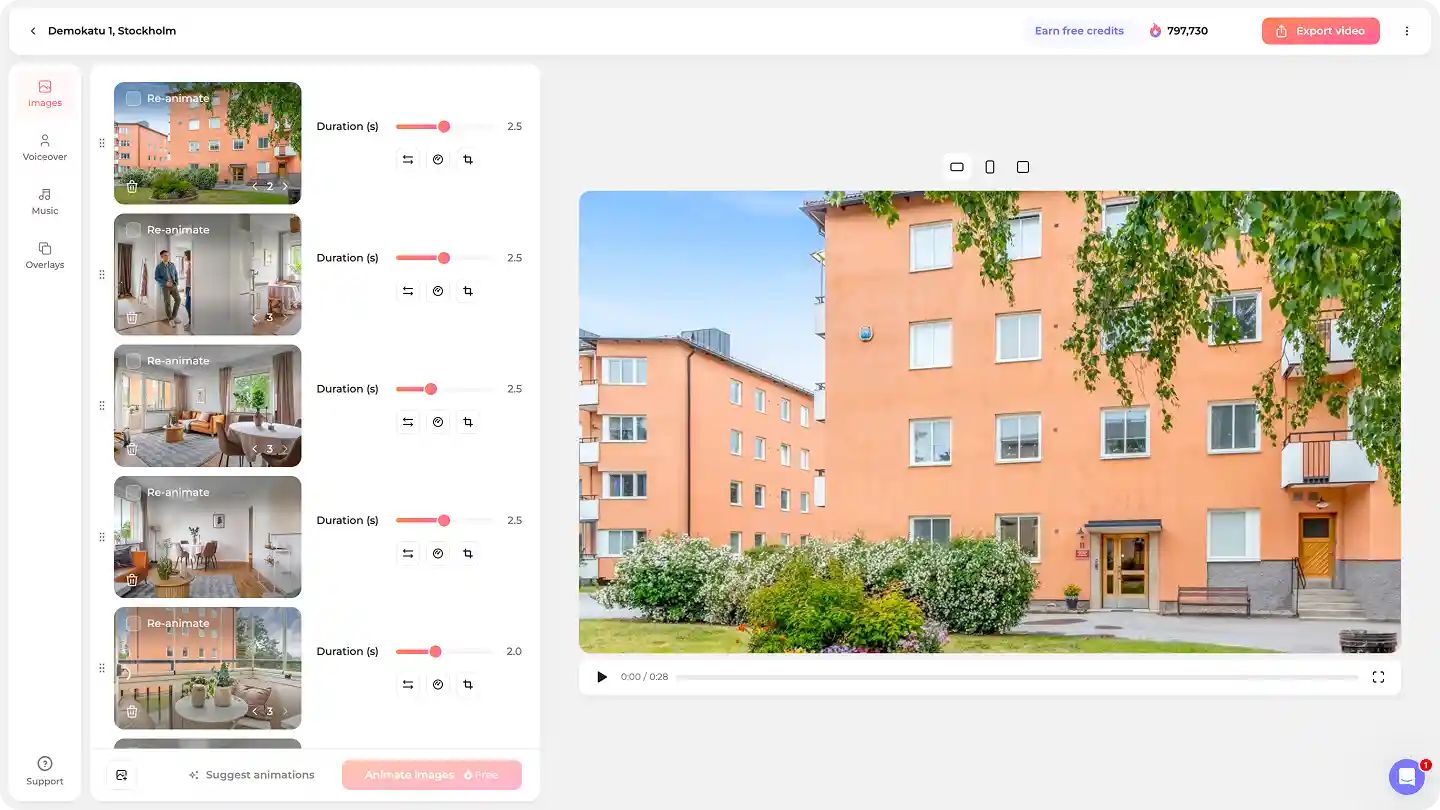
1. Amplifiles: Best for Agents Who Shoot Photos but Not Video
Amplifiles is an AI-powered real estate video maker that turns listing photos into branded marketing videos. It is purpose-built for agents and photographers who already have a strong photo set and need a video without learning a video editor. Upload 10 to 15 photos. Pick a brand color and a voice-over voice. Wait about five minutes. The platform returns a 1080p video with smart motion across each shot, room-aware sequencing, AI voice-over, captions, and branded end cards.
Pricing is pay-per-image at $1.50 per photo (one dollar and fifty cents). A typical 12-photo listing costs $18 to deliver and finishes in roughly 5 minutes. New users get 1,200 free credits, enough for about 8 images of testing before any commitment. Because there is no monthly subscription, an agent listing one home a month spends under $20, while a brokerage running ten listings a month pays for what they ship and nothing more.
Videos render in 1080p by default, and you can upscale any clip to 4K as a pay-as-you-go add-on for $0.10 per second. A 20-second hero clip runs about $2, and a full 60-second listing tour about $6. There is no premium plan to unlock it, which is unusual in this category, where 4K is normally reserved for a tool's most expensive subscription tier.
Amplifiles also has Beat Sync. Over 30 tracks in the music library are hand-synced by our editors, beat by beat. Turn it on and every clip changes on the beat instead of at fixed intervals, so the listing video looks edited rather than assembled. New synced tracks are added continuously.
Amplifiles also splits the work into two layers. Quick Animations handles the standard photos with one-click camera moves, ambient effects, timelapses, and time-of-day shifts at $1.50 per image. Creative Mode is the advanced layer for the moments that matter: virtual staging, added people and lifestyle elements, AI close-ups, speed ramps, and start–end image animations, plus a custom AI prompt field for anything the ready-made effects do not cover. That dual setup is the real differentiator here. Most tools give you their menu and stop; Creative Mode lets you click a ready-made effect or describe what you want in plain English, so you are not boxed in by a fixed feature list.
On the rationing question, Amplifiles is the outlier: no cap on photos per video, no cap on how many effects a video uses, and no cap on re-animation. On pay-as-you-go the first re-animation of any image is free and further ones cost 50 credits; on a subscription you get ten free per image. If a client asks for a different version two weeks after delivery, you open the project and change it.
There is one more workflow difference that matters more than it sounds. Of the tools we were able to test hands-on, Amplifiles is the only one that builds the video around a real-time preview. Most tools generate the whole video first, then let you go back and edit, which means every change kicks off another full render and another wait. Amplifiles works the other way around: you animate the photos, see the result as you go, make your edits directly in the preview, and only export the finished video once you are happy with it. For an agent iterating on a hero shot or a staging reveal, that removes the generate-wait-regenerate loop entirely.
The trade-off: Amplifiles is opinionated. You do not get a 50-template library or a deep manual editor. If you want to spend an hour tuning every keyframe, this is not the tool. If you want to ship a clean, on-brand listing video before lunch, it is.
Full pricing, export formats, and output specs are on the real estate video tool page. Create your first AI listing video free with the 1,200 starter credits.
2. BetterSpace: Best for Agents Who List on Major Portals
BetterSpace turns property photos into listing videos and leans hard on portal integrations. You can paste a Zillow, Realtor.com, or Rightmove link instead of uploading photos manually, and it bundles virtual staging into the same workflow. The free plan includes two videos per month plus ten free virtually staged photos, with no credit card required.
Paid pricing is harder to pin down than it should be. The pricing widget that appears on three separate pages of their own site quotes "from $3.97 per video" and "from $1.32 per photo" with no flat monthly fee. A FAQ answer on a secondary page says paid plans start at $19 per month. A third-party software directory lists a $19 Basic and $89 Premium tier. Those three do not reconcile, so walk the actual signup flow before you commit.
It is a smaller product than its marketing suggests, but it is a real, working tool, and it has shipped an MCP server so listings can be generated from inside an AI assistant. If your entire pipeline already lives inside the major portals, the integration convenience is the draw. If you want fine-grained control over how each listing looks, Amplifiles gives you more say over voice-over, captions, and branding.
3. AutoReel: Best for High-Volume Social Posting
AutoReel takes listing photos and outputs a video built for social. It reports more than 225,000 videos created and carries a 4.9 Trustpilot rating, so its traction is real. The free plan is permanent rather than a countdown: two videos a month at 720p with a watermark, capped at 15 seconds, with no credit card. Paid plans start at $30 per month billed annually ($59 month to month) for the Essential tier (3 videos a month, watermark removed, up to 60 seconds each and 20 images per video), then $90 annually ($139 monthly) for Growth and $165 annually ($249 monthly) for Pro.
Output tops out at 1080p. There is no 4K option, which is confirmed both in their help centre and in their public API, where the resolution field accepts only 720p or 1080p.
On the creative side, AutoReel is one of the more capable real-estate tools. Its built-in Studio editor lets you trim scenes, add intros and outros, swap music, and customize text, and a Redo/Swap feature regenerates individual clips without rebuilding the whole video. It also offers AI virtual staging for empty rooms, plus AI voiceovers with voice cloning and AI avatars.
The Redo/Swap feature carries one hard constraint, stated in their own help centre:
"Redos and swaps are limited to 6 clip updates per video, as each update uses AI rendering. This limit applies across both redos and swaps combined."
To AutoReel's credit these edits are free and do not consume video credits, so the limit is on count rather than cost. Six is generous for a 20-photo listing where three clips came out slightly wrong. It is tight when a client comes back twice: the first round of feedback might use four updates, leaving two for the second. After that the fix is a new video against your monthly allowance.
The model is volume-first, so AutoReel is strong if you post to social every day and care more about speed and quantity than per-listing polish. It is less suited to agents who want each video to carry distinct branding and a controlled look.
For a closer look at how the two compare on caps, pricing and creative control, see Amplifiles vs AutoReel.
4. Reel-E: Best for High-Volume Agents Who Want Predictable Output
Reel-E offers a template-first workflow and reports more than 18,000 agents on the platform. Pick a style, upload photos, get a video, usually in about two minutes. Every listing exports in ready formats automatically, including a 16:9 MLS and YouTube cut, a 9:16 Reels and TikTok cut, and an unbranded horizontal version for Realtor.com. Output is 1080p on the Essential and Growth plans, with 4K reserved for the top Pro plan.
Pricing is $44 per month billed annually ($59 month to month) for Essential (3 listings a month, 1080p, 5 revisions per listing), $97 annually ($129 monthly) for Growth (10 listings, 15 revisions), and $449 annually ($599 monthly) for Pro (50 listings), where 4K output and priority rendering are unlocked. Unused listings roll over. A listing website is included on every plan.
The differentiator Reel-E emphasizes is predictability: no random motion artifacts, no unpredictable environmental movement in the generated video. That claim is worth reading carefully, because it describes a deliberate design choice rather than only a quality standard. Motion inside the frame is suppressed by default and sold back as a separate, metered feature called AI+, which Reel-E describes as being for cases where "AI really shines at adding life to a scene: animating fire in a fireplace, water in a pool, or atmospheric elements like fog and clouds."
Their pricing page puts a number on it: five AI+ activations per listing on Essential, eight on Growth, ten on Pro. On a 20-photo listing on the entry plan, five photos can have moving fire, water or fog. The other fifteen get camera motion over a still frame. For a property with a lit fireplace, a pool, or a fire feature on the patio, that allowance is the thing to check first.
Output is reliable, but the templates can feel similar across listings, so a high-volume agent risks every video looking the same.
We break the two down in detail in Amplifiles vs Reel-E.
5. vProp: Best for Narrated Social and MLS Cuts
vProp generates narrated listing videos with AI voiceover in English, Spanish, Korean and Mandarin Chinese, beat-synced background music, AI avatar presenters, and on-screen property details. It also folds in virtual staging for vacant rooms. Videos export both 9:16 for Reels and TikTok and 16:9 for MLS and YouTube at 1080p.
There is a free plan with 5 watermarked videos, then $19 per video or $45 per month for Premium. vProp's creative angle is narration-led: voice cloning, AI avatars, and opening effects rather than shot-by-shot editing. vProp is a good pick for an agent who wants narration and avatar presenters baked in. If you want shot-by-shot control over the visuals and pay per photo rather than per video, Amplifiles is the closer fit.
6. PropertyCine: Best for One-Off Cinematic Clips
PropertyCine is pay-per-credit with no subscription, which suits an agent who only needs the occasional clip. You get 30 free credits at signup, enough for one three-photo video. Each photo costs 5 credits and becomes an 8-second cinematic clip, so a five-photo, roughly 40-second video runs about 25 credits, near $20 on the entry credit pack. Credits never expire, so you buy more only when you list.
7. Luma AI: Best for High-End Cinematic Motion
Luma AI (Dream Machine) is a generative video model that produces cinematic motion from text prompts and images. It is not a real estate tool. The output, when it works, is genuinely beautiful: smooth camera dollies, realistic light. The trade-off is unpredictability. Generating a short clip can take a few minutes, and you may need several attempts to get one that feels right. Most agents will not have time for that. Luxury agents and listing photographers who can charge a premium will.
Paid plans start around $30 per month for the Standard tier. Best paired with a separate editor to assemble the clips into a finished listing video. CapCut and Premiere both work, and Movavi Video Editor is a simpler desktop option for agents new to editing, with customizable templates, one-click AI tools, and hundreds of drag-and-drop effects for a professional-looking listing video.
8. Animoto: Best for Template-Driven, Light Editing
Animoto has been making template video tools for over a decade and has a strong real estate template library. The interface is friendly and the export is fast. The "AI" branding is more about smart template fit than generative video, so do not expect kitchen-aware sequencing. Paid plans start around $16 per month for Basic, the cheapest on this list. A good fit for an agent who already shot a few short clips on a phone and wants to assemble them into a quick promo, less ideal for a photo-only workflow.
9. InVideo AI: Best for Script-Driven and Talking-Head Videos
InVideo AI lets you type a prompt or paste a script and generates a video around it, including AI voice-over and stock B-roll. For pure listing tours from photos, it is over-built. For an agent who wants a "Just Listed" social video with their own talking-head intro and a few photo cuts, it is excellent. Paid plans start around $28 per month for the Plus tier. Pair it with a real-estate-specific tool for the photo-tour portion.
10. Canva (Magic Video): Best for Agents Already Paying for Canva
If you already use Canva Pro for flyers and Instagram graphics (around $15 per month), Magic Video lets you assemble a property video without leaving the app. It is fine for short Reels and Stories. It is not good for a 60-second listing tour, because the photo-to-motion engine is generic and the music library is shared with every other Canva user. Use Canva for social cuts, use a real estate tool for the master listing video.
Two Kinds of Motion, and Why the Difference Matters
Every tool here animates a still image, and there are two separate ways to do it. The distinction decides how alive a listing video actually looks, and almost no comparison separates them.
Camera motion moves a virtual camera over a frozen scene: push in, pull out, orbit, drone up. The room does not change. The lens appears to travel through it. This is the baseline, and every specialist here does it competently.
Scene motion animates content inside the frame. Flames move in the fireplace. Pool water ripples. A ceiling fan turns. Content plays on a TV screen.
The specialists genuinely disagree about whether the second one is a feature or an edge case. Reel-E suppresses it by default and sells it back as AI+, metered at five to ten activations per listing. AutoReel's published effects list includes moving shadows, swaying trees and a spinning ceiling fan, but no fire, water or TV-screen effect appears in it; its fireplace is a static photo edit rather than motion. Amplifiles treats scene motion as one of six standard Quick Animations categories, at the same flat rate as any camera move, with no cap on how many photos use it.
A listing with a lit fireplace, a pool, or a covered patio with a fire feature is not an edge case. In plenty of markets it is the shot that sells the house.
A Word on Creative Control: Ready-Made Effects vs Open Prompting
Most of these tools now ship some kind of creative add-on beyond plain photo-to-video. The question for an agent is whether those extras are a fixed menu or genuinely open-ended. The distinction matters more than it sounds: a fixed menu caps what your videos can ever look like, while open prompting lets you describe a shot that the tool's designers never built a button for.
Here is the honest breakdown. AutoReel offers a Studio editor plus AI virtual staging, so you get real shot-level editing and one staging effect. vProp leans into narration-led extras: voice cloning, AI avatars, and opening effects. VideoTour.ai and several others add lifestyle touches like virtual staging or stock-style enhancements. These are useful, but each is a bounded set of features: you get what the tool decided to build.
Amplifiles takes the broader approach with Creative Mode. Alongside ready-made effects (virtual staging in six styles, added people, added elements, AI close-ups, speed ramps, and start–end image animations), there is a custom AI prompt field that accepts plain-English descriptions for anything the buttons do not cover, for example "sunlight slowly moves across the wooden floor as the curtains gently sway." The same field also runs the ready-made effects as natural-language requests. In practice that means you are not limited to a preset list: you can click an effect when one fits, or describe a shot when none do. For an agent who wants room to make a listing look distinct rather than templated, that combination of ready-made effects and open prompting is the widest creative range in this comparison.
It helps that this happens in a real-time preview. Because Amplifiles lets you edit against a live preview rather than re-rendering the whole video after each change, prompting stays fast: try a prompt, see it on the clip, adjust, and move on. That tight loop is what makes open prompting practical for a working agent rather than a time sink.
Other AI Real Estate Video Tools Worth Watching in 2026
The category is moving fast, and a few newer or more narrowly focused real-estate-specific tools come up often in 2026 buyer research. They did not make the main ten because they are narrower, newer, or do not publish full pricing, but they are worth knowing if the main list does not fit.
VideoTour.ai focuses entirely on listing videos created from photos, with a 2-minute turnaround as its core promise and a claimed 10,000-plus agents. It does one thing and keeps the interface simple around it, with no general-purpose content features. A free trial is available before committing to a paid plan. It is a strong pick for an agent who wants speed above all and a minimal-friction tool, where Amplifiles wins on per-listing control over voice-over, captions, and branding.
PhotoAIVideo generates virtual walkthrough videos from listing photos, using AI camera movement that simulates walking through a property room by room. The output feels closer to a guided tour than a standard pan-and-zoom highlight reel, with no filming required. It suits agents whose buyers expect walkthrough-style video rather than a photo highlight reel; confirm current pricing on their site before committing.
Rendy turns listing photos into short vertical reels, producing six reels from one photo set in a single pass, with more than 50 effects like day-to-night, parallax, and virtual staging. It is access-gated: you apply for an account and pricing is shared after approval rather than published openly, so confirm the current rate before you commit.
Reavo leans on AI narration. It analyzes your photos and local market data, writes a script, and voices it with voice cloning or 20-plus built-in voices across multiple languages. It offers a free Base tier, with paid monthly plans above it; confirm current rates on their pricing page. It is a strong pick if narration and scripting matter more to you than per-listing branding control, where Amplifiles is the closer fit.
A Note on Quality: How to Avoid AI Slop
There is a real backlash building against over-processed AI listing video. Buyers have started to notice warped countertops, melting cabinet handles, and rooms that bend in ways physics does not allow, and trade coverage has begun calling it "AI slop." A bad AI video does more damage than no video, because it signals that the agent cut a corner on the most expensive product a client will ever sell.
The fix is not to avoid AI. It is to keep the output honest. Three rules we follow at Amplifiles and recommend with any tool: start with strong photos, because better input is the single biggest driver of a believable result; keep motion subtle, since gentle camera moves read as professional while heavy generative animation reads as fake; and never let AI invent a feature a room does not have. This is also why control matters. A tool that lets you set the voice-over, captions, and branding, and review every shot before you publish, is safer than one that hands you a finished template you cannot change. If you stage rooms with AI, disclose it, and read AI virtual staging disclosure laws for the rules in your market.
How to Pick the Right One: A 4-Question Buyer's Framework
Most agents and photographers can choose in under two minutes by answering four questions in order.
- How many listings do you ship per month? One or two: pay-as-you-go pricing like Amplifiles, BetterSpace, or PropertyCine makes more sense than a subscription. Five or more: a subscription tool with more videos per month, like AutoReel or Reel-E, can save money. Very high volume with no staging needed: Momenzo is the cheapest at roughly $14 a month.
- Do you have video already, or only photos? Photos only: pick a real-estate-specific photo-to-video tool (Amplifiles, BetterSpace, AutoReel, Reel-E). Mixed photos and clips: Animoto or InVideo handle that better.
- Which cap would you hit first? Client revisions: AutoReel's six clip updates per video is the one to watch. Properties with fire or water features: Reel-E's five AI+ activations per listing. Long photo sets: the 20-to-25 photo ceiling on both. If none of these fit how you work, pay-as-you-go removes the question.
- What format do you ship to? MLS and YouTube need 16:9 landscape. Reels and TikTok need 9:16 vertical. Pick a tool that exports both formats from a single project, otherwise you will pay twice.
If you want to skip the framework, the safest default for most agents is a real-estate-specific tool. Generic AI video models are improving fast, but they still do not understand that a kitchen comes after a living room and before a primary bedroom. A real-estate-specific tool does that automatically and costs about the same.
For more on what to do once you have a video ready, read video marketing for real estate agents.
Frequently Asked Questions
What limits should I check before subscribing to a real estate video tool?
Four: photos per video, revisions per video, effects per video, and whether scene motion such as fire or water is metered separately. AutoReel caps clip updates at six per video and photos at 20, or 25 on annual plans. Reel-E allows 5 revisions per listing on Essential and 15 above, and meters AI+ fire and water animation at 5 to 10 activations per listing. Amplifiles caps none of these and charges $1.50 per animated image. These numbers are rarely on the pricing page in bold, and they are what you hit once real client work starts.
What is the best AI real estate video generator in 2026?
For agents who only have listing photos and want a finished video without learning a video editor, Amplifiles is the most direct fit. It is purpose-built for real estate, produces 1080p video with voice-over and captions in roughly 5 minutes (with an optional 4K upscale at $0.10 per second), and uses pay-per-image pricing at $1.50 per photo with no cap on photos, effects or revisions. Teams running many listings per month may prefer a subscription tool like AutoReel (from $30/mo annual) or Reel-E (from $44/mo annual) to keep the marginal cost of additional videos lower, and Momenzo is cheaper still at $169 a year if you do not need virtual staging.
Is Amplifiles better than BetterSpace for listing videos?
For control over branding, Amplifiles is the stronger pick: it lets you set voice-over, captions, and branding on each listing and outputs 1080p (with an optional 4K upscale) in about five minutes at $1.50 per image. BetterSpace is the better fit if you want direct Zillow, Realtor.com, or Rightmove integrations and bundled virtual staging, starting from $3.97 per video, though its published pricing is inconsistent across its own site.
Which AI real estate video tool gives the most creative control?
AutoReel and vProp both offer real creative extras: AutoReel has a Studio editor and AI virtual staging, while vProp leans on voice cloning and AI avatars. Amplifiles goes furthest on open-ended control through Creative Mode, which pairs ready-made effects (virtual staging, added people, AI close-ups, speed ramps, start–end image animations) with a custom AI prompt field that accepts plain-English descriptions for shots the presets do not cover.
Can I make a real estate listing video using only photos?
Yes. Real-estate-specific AI video tools like Amplifiles, BetterSpace, AutoReel, and Reel-E are built around photo-only inputs. Upload between 10 and 15 photos and the software handles the motion, sequencing, music, voice-over, and captions automatically. You do not need any video clips, microphone, or editing software.
How much does an AI real estate video cost per listing?
It depends on whether the tool charges per image, per video, or per month. Amplifiles charges $1.50 per image (one dollar and fifty cents), so a 12-photo listing video costs about $18. BetterSpace starts from $3.97 per video and PropertyCine is around $20 per video. Subscription tools run from about $15 to $44 per month at the entry tier on annual billing. For agents who list one or two homes a month, pay-as-you-go is usually cheaper. For high-volume agents, a subscription is usually cheaper.
Are AI real estate videos good enough for MLS or YouTube?
Yes for most listings. Modern AI video generators output 1080p, and some now add 4K. Amplifiles renders 1080p by default and lets you upscale any video to 4K for $0.10 per second with no subscription. AutoReel tops out at 1080p with no 4K option, and Reel-E reserves 4K for its top plan. For luxury listings above the $1.5 million range, some agents still add a one-off cinematic hero shot from a tool like Luma AI, but 4K output closes most of the gap.
Do AI video generators replace a real estate videographer?
Not entirely. They replace the editing labor of a videographer who is shooting a photo-and-video walkthrough, which is the bulk of the cost on most listings. They do not replace a videographer hired for drone footage, sliders, or full cinematic productions. In practice, AI video tools handle the everyday listings, with hired videographers reserved for hero listings.
Which AI video tool is best for Instagram Reels and TikTok?
Real-estate-specific tools that export 9:16 vertical from the same project as the 16:9 master are the most efficient. Amplifiles, AutoReel, Reel-E, and vProp all do this. For a follow-up read, see our guide on Instagram for real estate agents.
Final Thoughts
The right AI real estate video tool is the one that matches how you list, and increasingly the one whose caps you will not hit. Photo-only workflow with maximum control, no caps and pay-as-you-go pricing: Amplifiles. Portal-integrated workflow with bundled staging: BetterSpace. High-volume social posting with a timeline editor: AutoReel. Template-first workflow with 4K on the top tier: Reel-E. Unlimited volume without staging: Momenzo. Narration and avatars: vProp. Occasional one-off clip: PropertyCine. Luxury hero shots: Luma AI plus an editor. Already on Canva for everything else: Magic Video for short social cuts only.
For head-to-head detail on the two closest competitors, see Amplifiles vs AutoReel and Amplifiles vs Reel-E.
We built Amplifiles because most agents have great photos sitting in a folder and no time to learn a video editor. Our platform turns listing photos into professional 1080p marketing videos in about 5 minutes, with voice-overs, captions, and branding. No filming or editing required. Amplifiles is one of the tools compared here, and every figure above is sourced from each vendor's own pages so you can check it yourself.
Browse real estate video examples to see what a delivered listing video looks like before creating one. Or jump straight to creating your first listing video and start with your 1,200 free credits.