


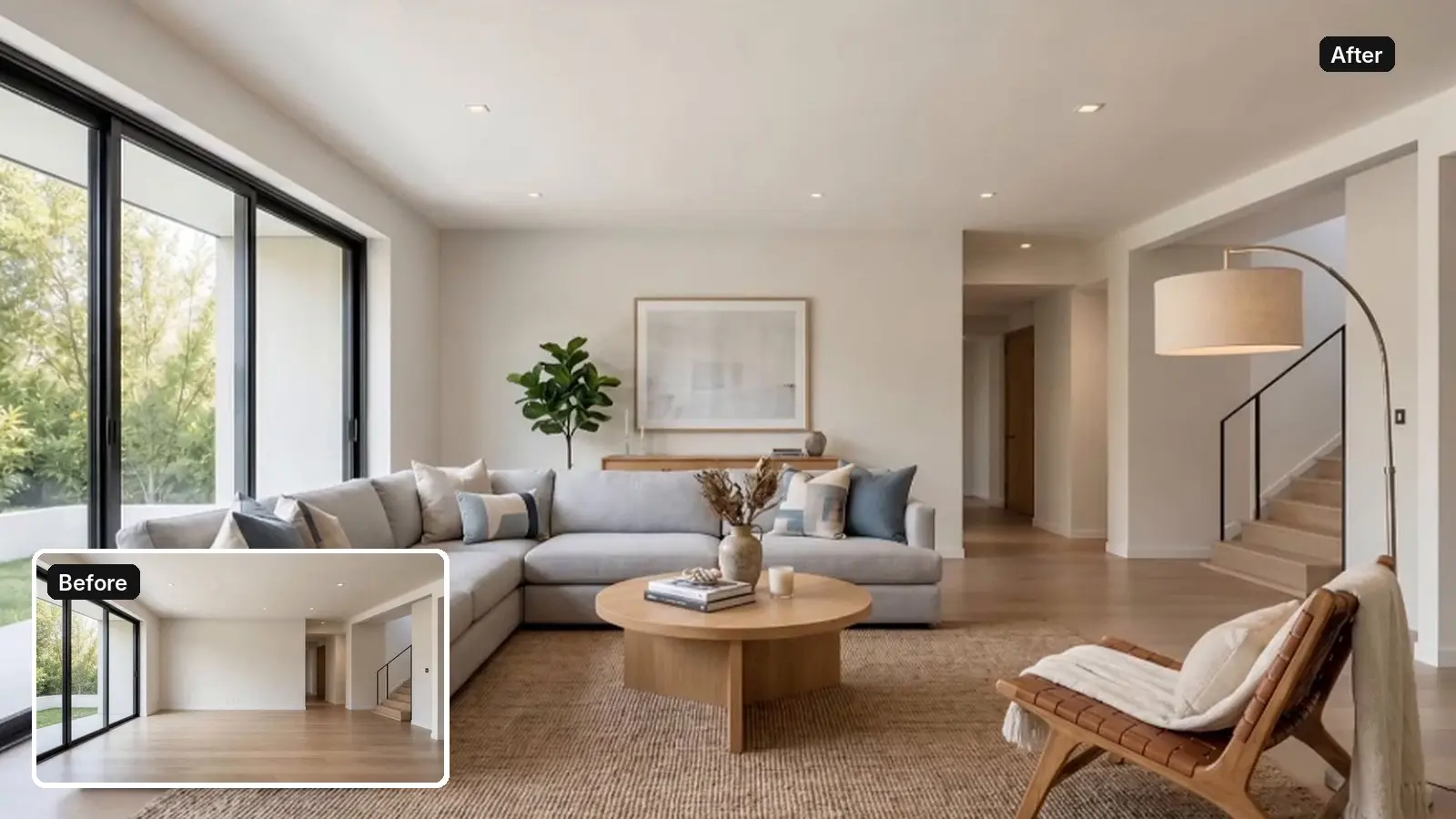
Most virtual staging software now falls into two price bands. AI tools stage a photo in seconds for under a dollar, while designer services charge $15 to $30 per image and take a day or two. Amplifiles stages an empty room for $0.20 per image (twenty cents per image edit), renders most results in under 60 seconds, and turns the same photos into a listing video on the same platform. Below are six tools compared on real per-image prices, turnaround, and where each one actually wins. Prices checked October 2026, Apply Design and Virtual Staging AI rechecked on October 26.
One thing up front: we build Amplifiles, so read our take on our own tool with that in mind. Everything else here comes from published pricing and what each tool is demonstrably good at. New to staging? How real estate virtual staging works explains what the AI changes and what it should leave alone, and staging is one of several jobs covered in AI tools for real estate agents. Disclosure rules and twilight edits are covered under AI in real estate, and if the listing also needs video, we priced the options in AI real estate video tools compared.
How to actually compare virtual staging software
Most roundups rank staging tools on furniture catalog size. That is the wrong first question. After processing staging requests on thousands of listing photos, we would rank the criteria in this order.
- Architecture preservation. The tool must keep walls, floors, ceilings, windows, and trim exactly as they are. If the AI repaints your hardwood or moves a window, the image is unusable on the MLS and misleading to buyers.
- Real price per image, including retries. First results are rarely perfect, so multiply the per-image price by the retries you expect. A cheap edit you can rerun beats an expensive one you have to accept as delivered.
- Turnaround. Seconds and minutes beat days. Listings move fast, and staging that arrives in 48 hours often arrives after the photos already went live empty.
- What happens after the photo. A staged photo is the start of the marketing, not the end. If the staged image can become a video, a reel, and an empty-to-furnished reveal, one edit works across every channel.
The six tools compared
Amplifiles
Amplifiles stages an empty room for $0.20 per image (twenty cents per image edit), with six ready-made design styles: Scandinavian, Modern, Mid-Century, Farmhouse, Coastal, and Industrial. Walls, floors, ceilings, windows, and architectural details stay exactly as they are, only the styling changes. You are not limited to the presets: you can write your own prompt, or upload photos of specific furniture and add them as elements, so the same sofa or dining set appears consistently in every room. Most results render in under 60 seconds, and you can regenerate a stubborn room as often as you need. Each regeneration is a new $0.20 image edit, so three attempts on a tricky room still cost $0.60. The differentiator is what comes next: the same platform animates listing photos into a 1080p video at $1.50 per image (one dollar fifty cents per animated image), so the staged photo feeds straight into a listing video instead of sitting alone in the MLS gallery. Details are on the virtual staging feature page.
Virtual Staging AI
One of the fastest pure staging tools, with near-instant results. It advertises staging from $1 per image, with plans from $16 per month for 6 photos up to $79 per month for 150 photos (about $0.53 per photo on yearly billing). It was developed at the Harvard Innovation Lab and does one thing well. If you stage dozens of photos a month and need nothing else, it is a solid pick. It stops at the photo, though: no video output, and complex rooms can need several attempts.
Apply Design
The control pick. Apply Design lets you place, move, and swap individual furniture pieces from a large catalog instead of accepting whatever the AI generates. It sells coins rather than images: DIY staging works out to $7 to $10 per image and one-click auto staging to $10.50 to $15, depending on pack size, with about a 10-minute turnaround on auto staging and a free trial to start. That makes sense if manual control matters more to you than price. Auto staging at $10.50 is roughly fifty times the per-image cost of $0.20 AI staging, so the math only works on photos where precise furniture choice sells the room.
Collov AI
The budget iteration pick. Plans start at $19 per month for 60 credits (about $0.32 each), with unlimited regeneration, a furniture removal tool, and roughly 10-second turnaround, which makes it good for experimenting with looks before committing. Output quality is less consistent on tricky rooms. Its Premium plan ($79 per month) adds an AI virtual tour video of up to 20 images, so it is one of the few staging tools here with any video output.
REimagineHome
Less a staging tool than a renovation visualizer, with plans from $14 to $99 per month and 5 free designs to start. Beyond staging it handles interior renovation, wall repainting, and landscaping edits, which is useful for fixer-uppers where buyers need help seeing potential. For MLS listings that is also its risk: renovation edits change the property itself, which crosses a disclosure line that furniture staging does not. Use it for concept imagery, not listing photos.
BoxBrownie
The human option. Professional editors stage each photo, quality on luxury listings is consistently high, and complex requests get handled by a person who understands the brief. The trade is $30 per image and a turnaround of under 48 hours, with free revisions within two months of the original job. For a $3 million listing where one hero shot carries the campaign, that trade can be worth it.
What happens after staging is where tools actually differ
Here is the gap in every comparison currently ranking for this keyword: they all treat the staged photo as the finished product. In practice the staged photo is raw material. Buyers scroll listings on Zillow, Instagram, and Facebook, and video is what stops the scroll on all three.
This is the workflow we built Amplifiles around. Stage the empty room for $0.20, then use the empty photo and the staged photo as start and end frames of one animation. The result is an empty-to-furnished reveal clip, and it is direct visual proof of what the home can be. A 5-second staging reveal costs about $1.70 total: $0.20 for the image edit plus $1.50 for the animation. Collov's top plan adds a virtual tour, but most staging tools here stop at the still photo. In Amplifiles the staged photos feed straight into a 1080p listing video with camera moves on every shot, so one photo set covers the MLS gallery, the listing video, and the social reel. You can see the result in our virtual staging before and after video walkthrough. The reveal effect lives in Creative Mode, and the full photo-to-video workflow is covered in our guide to turning real estate photos into video with AI.
If you only need staged stills, several tools above do the job. If the listing needs staged stills plus video, running them as one workflow is cheaper than buying two tools.
MLS rules: disclose staged images, every time
Most MLS systems and a growing number of state rules require disclosure when a listing image has been digitally staged or altered. California's AB 723 is the clearest example, and other states are following. The safe pattern is simple: label staged images with wording like "virtually staged" and keep the original empty photos available. Many agents publish two versions, a clean set for the MLS and an enhanced set for social and ads. The rules and the exact disclosure language are covered in our breakdown of AI virtual staging disclosure laws.
Frequently asked questions
What do realtors use for virtual staging?
Most agents now use AI staging tools rather than designer services because the cost dropped from around $30 per photo to about a dollar or less. Common choices are Amplifiles for staging that feeds into listing videos, Virtual Staging AI for fast standalone stills, and BoxBrownie when a human designer is worth the wait. Designer services still handle most luxury work.
How much does virtual staging software cost?
One-click AI staging runs from $0.20 to about $1 per image in 2026, entry subscriptions start around $14 to $19 per month, tools with manual furniture placement such as Apply Design run $7 to $15 per image, and human services such as BoxBrownie charge about $30 per image. Amplifiles charges $0.20 per image (twenty cents per image edit). All of these are a rounding error next to physical staging, which typically costs several thousand dollars per listing.
Can ChatGPT do virtual staging?
General image models can add furniture to a photo, but they routinely redraw floors, windows, and wall lines while doing it, which makes the output risky for listing use. Purpose-built staging tools lock the architecture and only change the furnishings. General models also produce one-off images with no disclosure workflow, no consistent styles, and no path from photo to video.
Can you do virtual staging yourself?
Yes. Modern staging tools are built for agents and photographers, not designers. In Amplifiles you upload the photo, pick one of six styles, and get a staged image back in under a minute, with no prompting required. If you want something specific, write your own prompt or upload photos of the furniture you want placed. The skill that matters is judgment: choosing which rooms to stage and which style fits the buyer profile for that listing.
Is virtual staging worth it?
For vacant listings, almost always. In the National Association of Realtors' 2023 Profile of Home Staging, 81% of buyers' agents said staging makes it easier for buyers to visualize the property as a future home, and empty rooms photograph smaller and colder than furnished ones. At $0.20 per image the downside is basically zero, which is not something you could say about $2,000 of rental furniture.
Final Thoughts
Pick Virtual Staging AI if you want the fastest standalone stills, Apply Design if manual furniture control justifies the price, and BoxBrownie for luxury listings where a human designer earns the 48-hour wait. Pick Amplifiles if you want the staged photo to keep working after the MLS gallery: staging at $0.20 per image and a listing video from the same photos at $1.50 per image (one dollar fifty cents per animated image).
We built Amplifiles because listing photos were doing one job when they could do three. Our platform turns listing photos into professional 1080p marketing videos in about 5 minutes, with voice-overs, captions, and branding. No filming or editing required.
Browse real estate video examples to see what a delivered listing video looks like, or check Amplifiles pricing and start with your 1,200 free credits.