.webp)


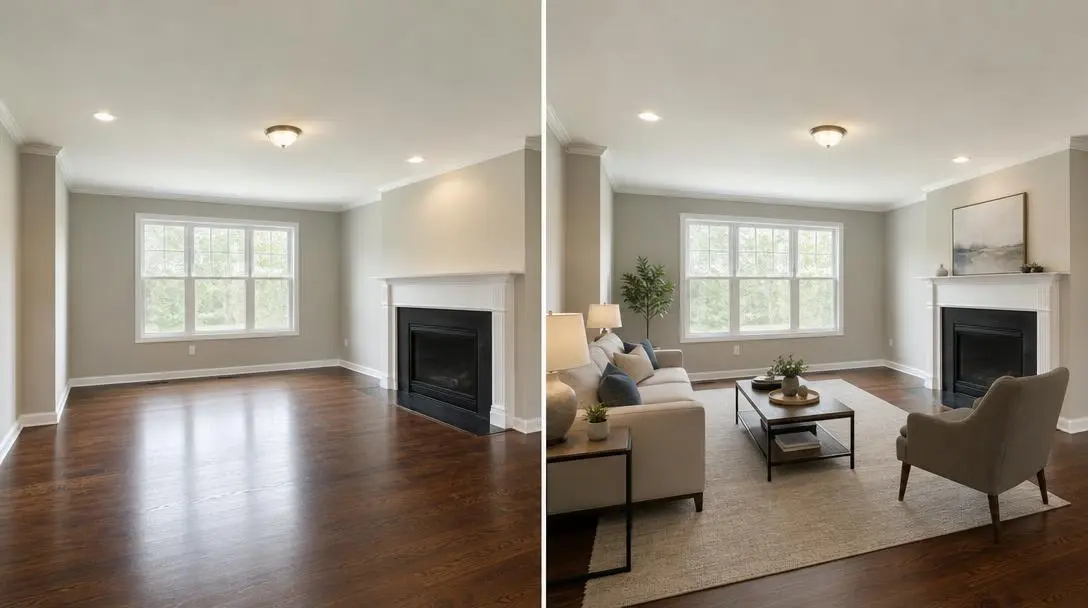
The fastest way to make a virtual staging before and after video is to stage the empty room photo, then animate from the empty photo to the staged photo as a Start-End Image clip. In Amplifiles, that takes about 5 minutes and costs $1.70 (one dollar seventy cents) per room: a $0.20 image edit for the staging plus a 5 second animation at $0.30 per second.
That is the whole trick. Most agents stop at a static slider image or two photos posted side by side. A reveal clip does something a pair of stills cannot: it makes the viewer watch the furniture arrive, so the change registers as proof instead of decoration. If you want the wider picture of how this fits into AI listing video, start with our guide to AI tools for real estate agents.
Why a reveal clip beats two photos
An empty room photo makes buyers do arithmetic. They have to guess where the sofa goes, whether the room fits a dining table, and whether it feels small. Virtual staging removes the guessing, and our guide to real estate virtual staging covers the styles and the costs in detail.
A before and after clip adds one more thing: the comparison happens on screen, in order, in about 5 seconds. The viewer sees the bare floor first, then the same walls, windows and floor with furniture. Because both frames come from the same photo, nothing in the architecture changes. Only the styling does.
In our experience this format earns its place on social, where a stack of unchanged room photos gets scrolled past. We would not claim a specific view or lead lift without data, so test it on one listing before you commit a whole campaign to it.
What you need before you start
- One clean photo of an empty room. Straight angle, good light, no clutter in the frame.
- An Amplifiles account. New accounts get 1,200 free credits, which is enough to try a reveal without paying anything.
- A decision on the design style. Amplifiles ships six: Scandinavian, Modern, Mid-Century, Farmhouse, Coastal and Industrial.
Pick the style that matches the buyer, not your own taste. A starter home in a family suburb usually reads better in Modern or Farmhouse than in Industrial.
How to make the reveal, step by step
1. Open the empty room photo in Creative Mode and choose the Virtual Staging effect. Pick a style. Each style comes with a ready-made prompt you can tweak.
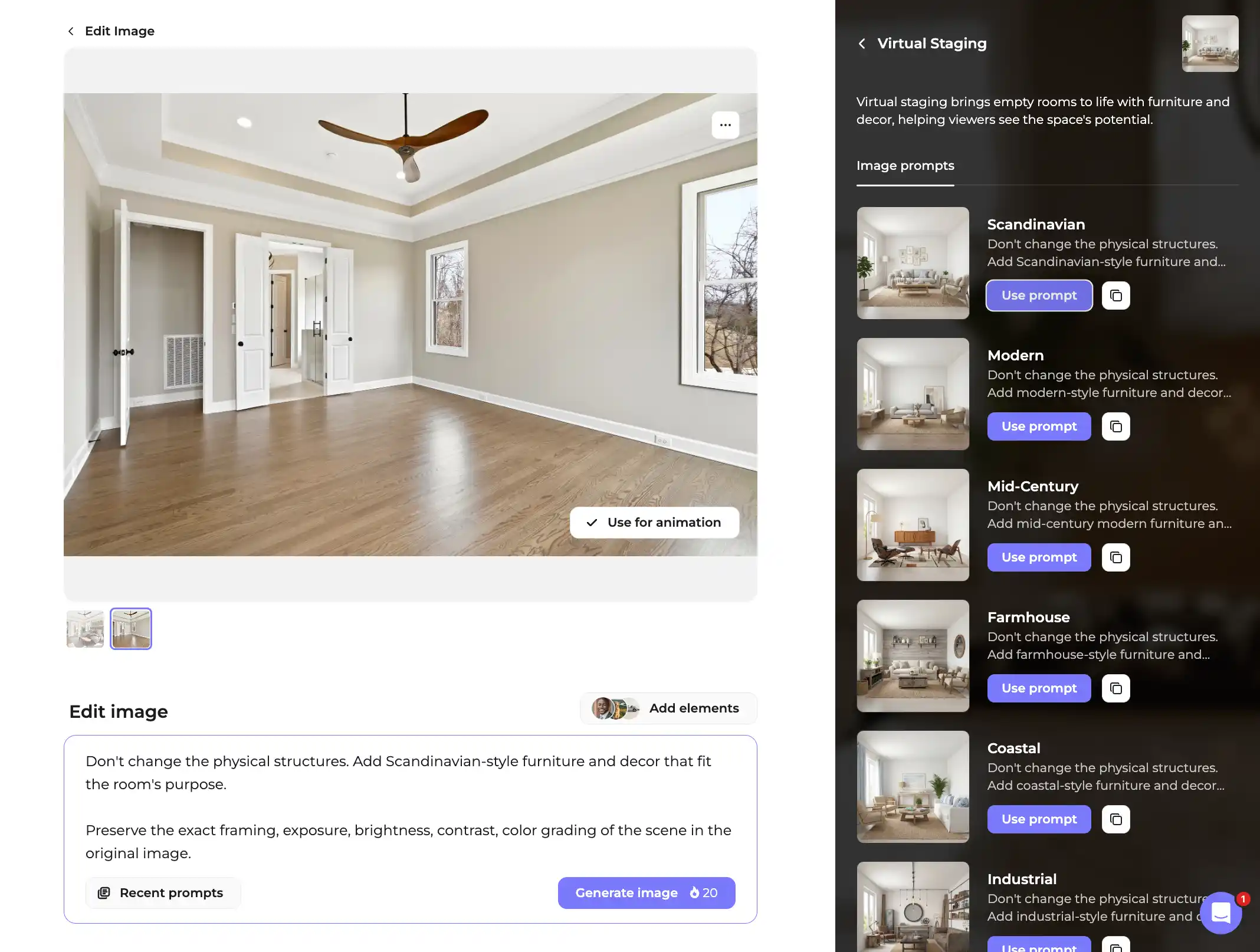
2. Generate the staged image. Most staging results render in under 60 seconds. Each generation that changes the photo is one image edit at $0.20, so regenerate only until the furniture looks right.
3. Check the result against the original. Walls, floors, ceilings and windows should be exactly as they were. If a piece of furniture blocks a door or floats, regenerate.
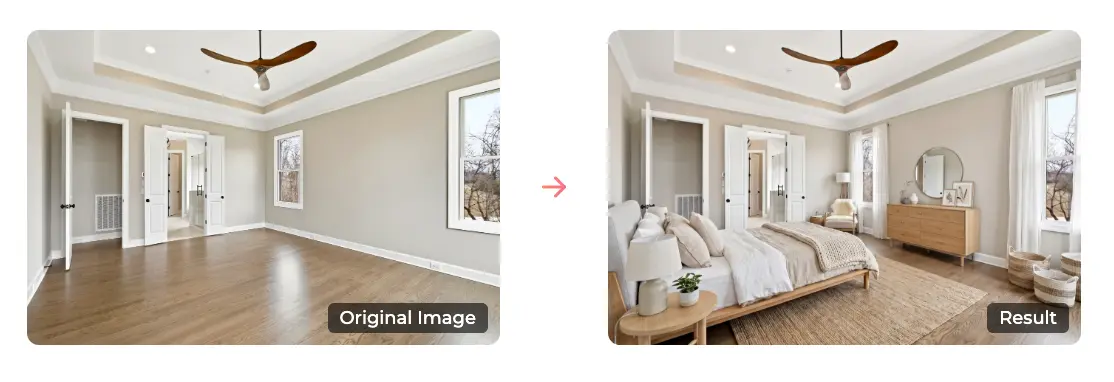
4. Animate it with the Start-End Image effect in Quick Animations. Set the empty photo as the start frame and the staged photo as the end frame.
- Keep the clip at 5 seconds. Quick Animations charges a flat $1.50 per animated image, whatever the clip length.
- Render. The clip is ready in about 5 minutes, and you can export it in vertical, square or horizontal.
The total for one room is $0.20 for the staging edit plus $1.50 for the animation, or $1.70 (one dollar seventy cents). Because both frames are real inputs, the Start-End step needs no extra image edit. Your first re-animation of each image is free, so if the motion isn’t right the first time, you can try again at no cost. Subscribers get 10 free re-animations per image.
For a typical listing with six empty rooms, that is 6 reveals at $1.70 each, or $10.20 (ten dollars twenty cents) in total. On a subscription the animation drops to as little as $1.00 per image, so the same six reveals cost from $7.20. Compare that with the cost of a second photo shoot or a physically staged home.
Need a longer or slower reveal? Use Start-End Image in Creative Mode. You choose any length from 3 to 15 seconds at $0.30 per second, so an 8 second cinematic reveal costs $2.40 plus the $0.20 staging edit.
Check for drift before you post
The most common complaint about AI staging is not the furniture. It is the room. Agents on forums describe reveals where walls seemed to move, windows appeared or the room looked bigger by the end. Buyers notice, and it costs you trust.
Amplifiles keeps walls, floors, ceilings, windows and architectural details as they are and changes only the styling. Still, check every result yourself before it goes out. Play the clip and watch the edges of the room, not the sofa. Compare the window count, the door positions and the ceiling line between the first and last frame. If anything shifted, regenerate the staged image and render again.
A good rule: if a buyer who toured the house in person would say "that is not this room," do not post it.
Free reveal tools versus an AI generated reveal
Some free tools take two photos and produce a simple wipe or fade between them. That is a legitimate option when you already have a staged photo from a vendor, and it keeps the clip identical to the photos you hold. What it does not do is create the staged photo or generate motion between the frames.
With Amplifiles you stage the empty photo and animate the move from empty to furnished in one place, so the furniture appears as part of the scene instead of a fade. If you only need a quick wipe between two photos you already own, a free tool may be enough. If you need the staging as well as the reveal, the single workflow saves a step.
Where it works and where it does not
Use the staged reveal on Instagram Reels, TikTok, Facebook and paid ads. Those channels reward a visible change inside the first seconds. Use the clean, unaltered version of your video for the MLS.
That second point matters. Many MLS systems do not allow visibly altered listing imagery on official listing pages, and most MLS rules and state regulations require disclosure when images are digitally staged. Rules differ by region, so check yours. Our breakdown of AI virtual staging disclosure laws explains what to look for. Safe labels include "Virtually staged image," "AI-enhanced visualization" and "Digitally staged for illustrative purposes."
The workflow most agents settle on is two versions of the same video. One has the staged reveal for social and ads. One uses only the original photos for the MLS.
The reveal also depends on continuity. Both frames need the same angle and lighting. If you shoot the empty room from one corner and generate staging from a different crop, the animation has no real path to follow and the result looks like a cut, not a reveal.
Why not just use staging software on its own?
Standalone staging tools return a still image. That is useful, and for a portal gallery it may be all you need. But a still image still needs another tool, or an editor, before it becomes a video. Amplifiles does the staging and the animation in one place, so the reveal is a single workflow instead of two subscriptions and an export step. Our post on Creative Mode explains how the pieces fit together.
Make the reveal part of a full listing video
A single reveal clip is a hook, not a listing video. Most agents mix modes: Quick Animations on every standard photo at $1.50 per image (one dollar fifty cents), and Creative Mode only for the moments that matter. The empty-to-staged reveal is one of those moments. Put it near the start of the video, then let camera moves carry the rest of the home.
If you want the full process from photos to finished video, read how AI real estate video works. For cost planning, see real estate video pricing, and the Amplifiles pricing page for the current rates.
Frequently Asked Questions
How much does a virtual staging before and after video cost?
With Amplifiles, one reveal costs $1.70 (one dollar seventy cents): a $0.20 image edit for the staging and $1.50 for a 5 second animation. New accounts start with 1,200 free credits.
How long does it take to make one?
Staging usually renders in under 60 seconds, and the animation renders in about 5 minutes. Plan on roughly 6 to 7 minutes per room, including a regeneration or two.
Can I use the staged video on the MLS?
Often not. Many MLS systems do not allow visibly altered imagery on official listings, and most require disclosure of digital staging. Check local rules and keep an unaltered version for MLS submission.
Do I need video editing skills?
No. You pick the style, set the start and end photos, and Amplifiles generates the motion between them. No editing software is involved.
Final Thoughts
A staged reveal is the clearest way to show what an empty room can become, and it costs less than a coffee run. Treat it as one strong clip inside a larger listing video, label it honestly, and keep a clean version for the MLS.
We built Amplifiles so an agent can go from listing photos to a finished 1080p video in about 5 minutes, with voice-overs, captions and branding, and no filming or editing. Browse real estate video examples to see what a finished video looks like, or see how Amplifiles works for real estate agents and start with your 1,200 free credits.