


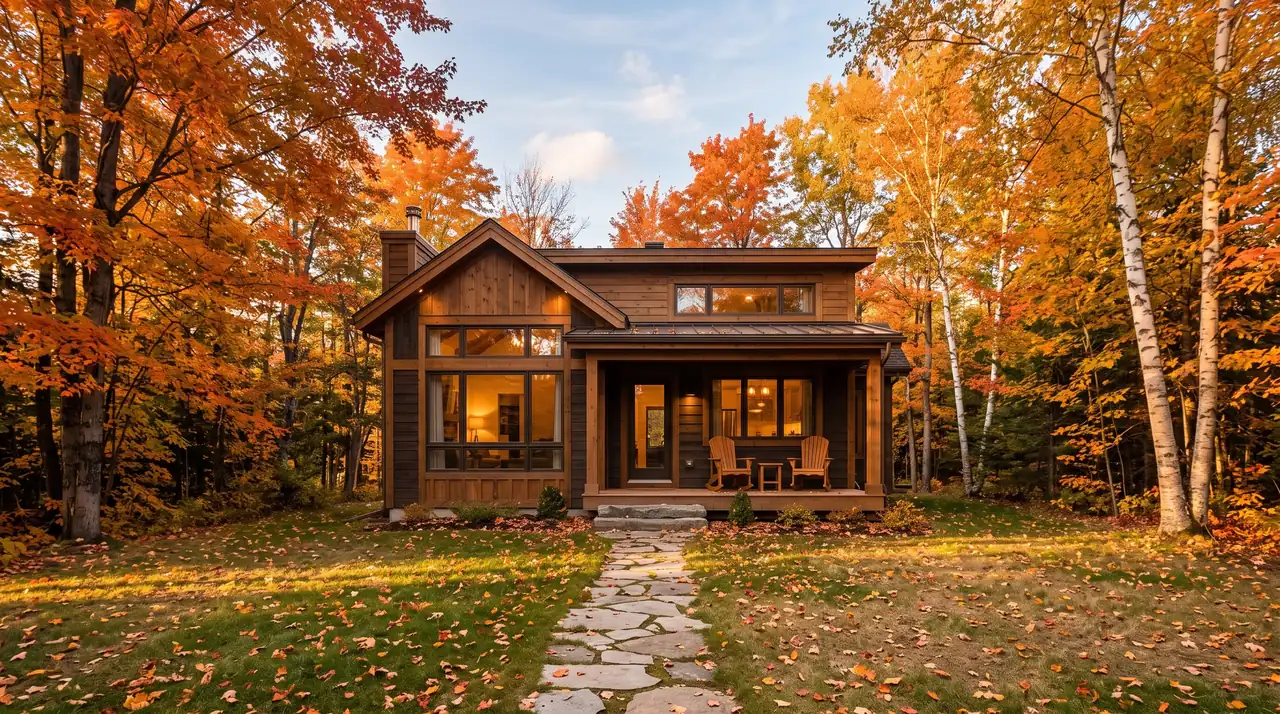
Airbnb asks for at least 5 photos to publish a home listing, in landscape, at a minimum of 1024 x 683 pixels (its own hosting guide pushes that to 1200 x 800), with files up to about 10 MB. Vrbo requires at least 6 photos at all times, at 1024 x 683 or larger with 3840 x 2160 recommended, and it rejects eight specific kinds of photo, including close-ups, collages, near duplicates and anything with a watermark or text overlay. A landscape JPEG at 3840 pixels on the long edge, under 10 MB, with nothing added to the pixels, passes both.
The catch is that a lot of what gets quoted as "Airbnb photo requirements" comes from Airbnb's page for Experiences, which wants vertical photos. This guide puts both platforms' rules for rental homes side by side, straight from their own help centers, and says plainly where a platform publishes nothing. It is part of our vacation rental marketing guide. For the shooting side, start with our real estate photography tips and the room-by-room shot list. If you want motion on Airbnb, where there is no video slot, read our guide to marketing an Airbnb without listing video.
Airbnb vs Vrbo photo requirements at a glance
Every row comes from the platform's own help center, rechecked in November 2026. "Not published" means the platform states no rule for home listings, whatever third-party guides claim.
| Spec | Airbnb (homes) | Vrbo |
|---|---|---|
| Minimum photos | 5 to publish | 6 at all times. Under 6 for 30+ days risks indefinite suspension |
| Minimum resolution | 1024 x 683 (Help Center), 1200 x 800 (hosting guide) | 1024 x 683 |
| Recommended size | "Bigger is better" | 3840 x 2160 or higher |
| Max file size | Up to about 10 MB | Not published |
| File types | Not published | JPEG, PNG, WebP, AVIF, SVG |
| Orientation | Landscape. Cropped to squares in search | Horizontal preferred, vertical accepted |
| Cover photo | Set with "Make cover photo." First 5 photos get the most space | Vrbo's AI picks the hero image and may reorder photos |
| Captions and rooms | Room descriptions. Every room needs a photo to appear in the photo tour | Caption per photo. Multi-unit listings need set categories |
| Watermarks and logos | Content policy bans superimposed logos that advertise a separate business | Rejected |
| Text overlays | Not published for homes | Rejected |
| Collages | Not published for homes | Rejected |
| Black and white, sepia | Not published for homes | Rejected |
| Close-ups | Recommended as part of the mix | Rejected |
| Duplicates | Not published | Blank, duplicate and near duplicate photos rejected |
| People | Not published for homes | Not published |
| AI and editing | Removed if AI hides flaws or damage, or adds amenities | Not published for photos |
Sources: Airbnb listing photos, photo tour, photo guide, selecting photos, Content Policy and ground rules. Vrbo photo guidelines and adding photos.
The Airbnb spec Google shows first is for Experiences, not homes
Search "airbnb photo requirements" and the top organic result is Airbnb's help article for Experiences, the tours and activities side of the platform. Its checklist is strict: at least 800 x 1,200 pixels, files up to 10 MB, "oriented vertically," no heavy filters, no text or logos, no collages. Those rules regularly end up quoted in rental guides as if they applied to homes.
For a home listing, half of that is wrong. Airbnb's home listing help says the opposite on orientation: use landscape, because "vertical photos won't showcase your space as well." Its home listing pages do not publish the collage, text or filter bans at all. They are sensible habits, but they are not Airbnb rules for homes. If you also shoot for Experiences hosts, keep the vertical preset for them only. Once the listing is live, our vacation rental marketing guide covers where else these photos earn bookings, and if you shoot rentals for hosts, our guide to Airbnb photography covers pricing and the video upsell.
Airbnb photo size, count and cover photo rules
Size. Airbnb publishes two different floors for home listings. The Help Center says photos should be "at least 1024px x 683px. When in doubt, a bigger photo is better." Airbnb's own hosting guide says "at least 1200 pixels by 800 pixels" and "up to about 10 megabytes." Treat 1200 x 800 as the real minimum and 10 MB as the practical ceiling. Airbnb does not publish accepted file types for listing photos, so JPEG is the safe choice.
Count. "You need at least 5 photos to get started," per Airbnb's hosting resources. Airbnb does not publish a maximum in the articles we checked. Its photo tour setup gives you the real floor: "make sure every room or space has at least one photo so it can appear in your photo tour." A three-bedroom home with two bathrooms, a kitchen, a living room and a patio therefore needs at least 8 photos before the tour is complete, and closer to 20 once you cover each room from more than one angle.
Cover and order. Airbnb says "the first 5 photos are the most important because they're prominently displayed on your listing." You pick the cover with Make cover photo, and changes can take up to 30 minutes to show. Airbnb's hosting guide says it crops photos "into squares to fit in Airbnb's search results," while its Help Center describes search photos as landscape, so compose the cover for both, with its subject in the middle third of the frame. A wide living room shot composed to the left edge loses its best half in search.
Captions. Airbnb captions live at the room level: you add "a description for this room or space." Airbnb's AI also sorts new uploads into rooms automatically, so check the tour after every upload for misfiled shots.
Vrbo photo requirements: the 6-photo rule and 8 rejection reasons
Vrbo is stricter, and it writes its rules down. "Every listing requires at least 6 unique photos," and fewer than 6 "for more than 30 days can result in an indefinite suspension penalty." Multi-unit properties must include specific categories within those six: 1 building exterior, 1 interior or lobby, 3 guest rooms and 1 bathroom. If the listing is not live yet, our walkthrough on how to list on Vrbo covers the setup before the photos.
Vrbo accepts JPEG, PNG, WebP, AVIF or SVG, at least 1024 x 683, and "ideally 3840 x 2160 pixels or higher." Horizontal is preferred, though vertical is accepted. You do not fully control the lead image: Vrbo says it "uses an AI-powered tool to choose the best hero image" and may reorder your photos, so every frame in the set needs to be strong enough to lead.
Vrbo then lists exactly what it rejects. Photos that are:
- Black and white or sepia
- Blank, duplicated, or near duplicates
- Blurry or pixelated
- Close-ups
- Collages or montages of multiple photos
- Something other than a photo, such as a document, certificate, illustration or poster (floor plans are allowed, area maps are not)
- Text overlays, such as URLs or contact information
- Graphic overlays, such as watermarks with logos or borders
Two of these catch professionals. Close-ups: Airbnb's own guide recommends "a mix of wide, mid-range, and close-up images," so the detail shots in a set built for Airbnb will lose frames on Vrbo. Near duplicates: delivering the same room from two similar angles is normal client service, and Vrbo rejects it. Upload the stronger frame only. Rule 6 has one useful exception: Vrbo accepts floor plans, and property maps where relevant, but not area maps.
Editing, AI and watermarks: where each platform draws the line
Airbnb encourages basic edits to "brightness, contrast, and highlights." The line is misrepresentation, and Airbnb wrote it with AI in mind. Its ground rules for home hosts say: "We will ask hosts to remove content if AI or other digital technology has been used to edit flaws, hide damage, add amenities or attributes that are not part of a listing, or otherwise misrepresent the listing." Sky replacement on a gray day is a judgment call. Erasing a water stain, greening a dead lawn or virtually staging a hot tub that is not there is exactly what that sentence describes.
Vrbo's photo guidelines do not address AI editing directly, though its rejection list rules out black and white, sepia, borders and overlays. Virtual staging is a harder call for rentals than for sales, because a buyer is shown an idea and a guest is shown a promise. Our guide to AI virtual staging disclosure laws covers the for-sale side. For a rental gallery, we would not stage at all.
Photographers, this part is for you. Vrbo rejects watermarks with logos outright. Airbnb's Content Policy bans "superimposed company logos, links, or company names, created for the sole purpose of advertising a separate business." A studio logo in the corner of a delivered listing photo is hard to defend under either rule. Deliver clean files and take your credit in the invoice or your portfolio instead.
Neither platform publishes a rule on people in home listing photos. Leave them out anyway: a person in a rental photo shows the guest someone else's stay.
One export spec that passes both platforms
If you shoot for owners who list on both, this delivery spec clears every published rule above.
- Landscape JPEG at 3840 pixels on the long edge. That meets Vrbo's recommended width and a well-compressed JPEG at that size normally lands under Airbnb's 10 MB guidance. Check the largest file before you send.
- Nothing on the pixels. No watermark, logo, border, room label, URL or phone number.
- Color only, one frame per angle. No black and white versions and no near duplicates in the delivery folder.
- A separate details folder. Close-ups and amenity details go in their own folder, labeled "Airbnb only," so nobody uploads them to Vrbo by accident.
- A centered cover candidate. Mark one exterior or hero room shot with the subject in the middle third, so it survives Airbnb's square crop and works as a hero image if Vrbo's AI picks it.
- Room-labeled file names. Name files by room so the owner can fix Airbnb's room sorting and caption each photo on Vrbo quickly.
Managing a portfolio of rentals? Our property management marketing guide covers where else the same photo set earns its keep, and our page on Amplifiles for property managers shows how to turn it into video across every property you run.
Photo order: the listing optimization lever you actually control
Most Airbnb listing optimization advice is about titles, pricing and reviews. Photo order costs nothing and takes ten minutes. Airbnb says the first 5 photos "are the most important" because they are displayed most prominently on the listing. Vrbo works the other way: its AI picks the hero image and can rearrange the set. So the job is different on each platform.
On Airbnb, treat the first five as a sequence, not a pile. This order works for most rentals:
- The reason to book. The view, the pool or the best exterior, whichever one the listing title promises.
- The main living space, shot wide, so the guest sees where the group spends the evening.
- The primary bedroom. Sleeping arrangements decide group bookings.
- The kitchen, because guests planning longer stays look for it early.
- The standout amenity you have not shown yet: hot tub, workspace, game room or patio.
On Vrbo you cannot lock the order, so the fix happens before upload. Any photo in the set can end up first, so cut the weakest frames instead of padding the gallery. Six photos is the floor, not the target.
Vrbo also takes video: the short version
The biggest practical difference is not in the photo rules. Vrbo accepts a listing video and Airbnb has no video slot for homes. Vrbo's video guidelines ask for 15 seconds to 2 minutes, "preferably under 60 seconds," in MP4 (preferred) or MOV, at 9:16 or 16:9 with a minimum of 1080 x 1920 or 1920 x 1080. Voiceover and English captions are allowed, but "any other added music may be removed." Slideshows of still images are out, and nearby attractions can fill at most 20% of the runtime.
The same photo set can become that video. Amplifiles animates each listing photo with a camera move, so every photo becomes a moving 5-second shot rather than a slide, and it exports 1080p vertical 9:16 video in about 5 minutes at $1.50 per image (one dollar and fifty cents). Set each clip to its full 5 seconds (Amplifiles shows 2.5 seconds per clip by default) and twelve photos make a 60-second video for $18. For a rental, use camera moves only, skip virtual staging and added people, and leave background music off in the Music tab. Vrbo's reviewers make the final call, so vary the moves between shots. Our walkthrough on turning real estate photos into video with AI shows the process, and our guide to vacation rental video covers where else a rental video earns bookings.
Frequently Asked Questions
What size should Airbnb photos be?
Airbnb's Help Center sets a minimum of 1024 x 683 pixels for home listing photos, and its hosting guide asks for at least 1200 x 800 with files up to about 10 MB. Shoot landscape, because Airbnb says vertical photos won't showcase your space as well and it may crop photos into squares in search. The 800 x 1,200 vertical spec you may see quoted applies to Airbnb Experiences, not homes.
How many photos do you need for Airbnb and Vrbo?
Airbnb needs at least 5 photos to publish, plus at least one photo for every room you want in the photo tour. Vrbo requires at least 6 photos at all times, and a listing with fewer than 6 for more than 30 days can be suspended indefinitely. Neither platform publishes a maximum in its main photo help articles.
Why did Vrbo reject my photos?
Vrbo rejects photos that are black and white or sepia, blank or near duplicates, blurry or pixelated, close-ups, collages, non-photos such as documents or illustrations, or that carry text overlays, watermarks, logos or borders. Close-ups and near duplicates are the two that catch professional photo sets most often. Floor plans are allowed, so you can keep those in the gallery.
Can I use AI-edited photos on Airbnb?
Basic edits like brightness and contrast are fine. Airbnb's ground rules say it will ask hosts to remove content where AI was used to edit flaws, hide damage, or add amenities that are not part of the listing. If a guest would arrive and find something different from the photo, the edit crosses the line.
Can I turn my listing photos into a Vrbo video?
Yes, as long as the result is real motion rather than a slideshow, which Vrbo does not accept. Amplifiles animates each photo with a camera move and exports 1080p vertical video in about 5 minutes at $1.50 per image, so a 12-photo Vrbo video with each clip at its full 5 seconds runs 60 seconds and costs $18. For rentals, skip virtual staging and added people and leave music off.
Final Thoughts
Airbnb and Vrbo want the same thing from a photo: an honest, sharp, landscape picture of the real room. Vrbo writes its rules down and enforces a 6-photo floor. Airbnb publishes less, which is why its Experiences checklist gets mistaken for the home rules. Export once to the stricter spec, keep close-ups for Airbnb only, and keep AI edits away from anything a guest can touch.
We built Amplifiles so that the photos owners and photographers already paid for can also become the video Vrbo now accepts, without a second shoot. Our platform turns listing photos into professional 1080p marketing videos in about 5 minutes, exported as vertical 9:16 or horizontal 16:9, the two shapes Vrbo accepts. No filming or editing required.
Browse real estate video examples to see what the camera moves look like, or read how Amplifiles works for photographers if you shoot vacation rentals and want to add a Vrbo-ready video to your package. Every new account starts with 1,200 free credits, and full pricing is $1.50 per image after that.