


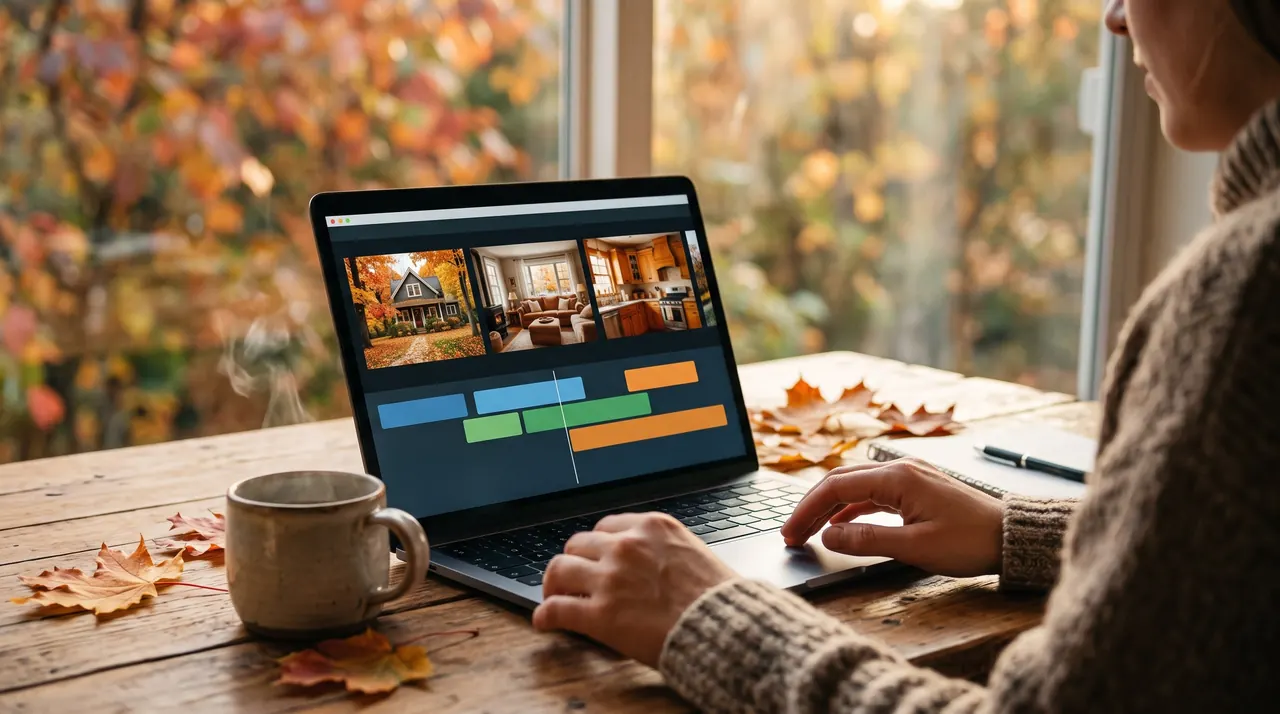
The fastest way to get a real estate video script that works is to stop writing a commercial and start writing for the scroll. Open with the single best feature of the home in the first three seconds, keep the whole thing between 30 and 90 seconds, and cut every sentence that could describe any house. Below are seven listing video scripts you can copy word for word, each with its word count and running time, a fill-in-the-blank template, and the timing math for the way many agents now make videos: from listing photos, with a voice-over instead of a camera.
This article is part of our real estate listing video guide, and it sits alongside our wider real estate marketing guide. If you have the script but not the footage, that part is solved later in this article.
Why Most Real Estate Video Scripts Fall Flat
Ask a generative model for a listing video script and you get something like this: "Welcome to your next home. From the moment you arrive, you will notice the inviting curb appeal, thoughtful design, and the kind of charm that makes a lasting first impression." It is grammatically perfect and completely dead. Every clause could describe a studio apartment or a lakefront estate. Buyers have seen that exact sentence a thousand times, so their thumb keeps moving.
The scripts that hold attention do the opposite of that generic opener. They name a real number, a real room, or a real tradeoff in the first breath. "Three bedrooms, a west-facing deck, and the quietest street in the neighborhood" tells a buyer more in seven seconds than a paragraph of curb appeal ever will. Specificity is the whole game. A script is not there to sound polished. It is there to make one right buyer stop scrolling and book a showing.
The Anatomy of a Listing Video Script That Holds Attention
Before the scripts, here is the structure every one of them follows. It is simple on purpose, because a script you can memorize is a script you will actually use.
- The three second hook. Lead with the strongest single fact about the home or the offer. Price, a standout feature, or a pattern interrupt ("Most listings in this zip code sell in a week. Here is why this one will go faster.").
- The three best features. Pick only three. A 60 second video that covers three rooms well beats a 3 minute video that covers ten rooms badly. Say what the feature is, then say what it means for daily life.
- The lifestyle line. One sentence that lets the buyer picture living there. Morning coffee on the deck, a two block walk to the elementary school, whatever fits the property.
- The call to action. Tell them exactly what to do next and add urgency that is true. "Private showings start Saturday. Send me a message to claim a slot."
One rule for the lifestyle line: describe the home and the area, never the kind of person who should buy it. "Perfect for a young family" or "ideal for empty nesters" is the sort of phrase that draws fair housing complaints, and some scripting guides still recommend it. Our guide to real estate advertising rules lists the words to keep out of listing copy, and they apply to voice-overs too.
On length, a listing video should run 30 to 90 seconds. At a natural voice-over pace of about 2.5 words per second, a 60 second script is roughly 140 to 160 words and a 30 second teaser is closer to 70. Write to the clock, not to the page.
7 Real Estate Video Scripts You Can Copy Today
Each script below is ready to use. Replace the bracketed parts with the real details, keep the rhythm, and cut anything that does not apply. They are written to be spoken as a voice-over or delivered to camera, and they work equally well as on screen text for a video built from photos. The word count and running time under each heading assume that 2.5 words per second pace.
1. The 60 Second Listing Walkthrough
About 140 words, 55 seconds.
Hook: "[Three beds, two baths], a renovated kitchen, and a backyard that backs onto [green space]. Here is your tour of [123 Maple Street]."
Feature one: "The kitchen was taken down to the studs last year. New [quartz counters], a gas range, and enough storage that the pantry is almost a second room."
Feature two: "The primary suite sits at the back of the house away from the street, so mornings stay quiet. Walk-in closet, double vanity, and a window that catches the sunrise."
Feature three: "Out back, the deck steps down to a flat, fenced yard. Room for a table, a grill, and a dog who thinks it owns the place."
Lifestyle line: "It is the kind of house where the kitchen ends up being where everyone gathers."
Call to action: "Offered at [$549,000]. Showings start [this weekend]. Message me to book yours before it is gone."
2. The 15 Second "Just Listed" Teaser (Reels and TikTok)
About 20 words of on screen text, 15 seconds, no voice-over.
On screen text, cut fast to music:
"Just listed in [Oakwood]. [4 beds]. [Pool]. [Under $600k]. This one will not last. Link in bio to see the full tour."
Keep it to six short beats, one per photo. The teaser exists to earn a tap, not to sell the house. Save the detail for the full walkthrough. This is the one script where the music does the talking, so pick the track first; our post on music for real estate videos covers licensing and tempo, and how to make real estate Reels covers the rest of the format.
3. The Neighborhood and Lifestyle Script
About 70 words, 30 seconds.
Hook: "You are not just buying a house in [Bridgeport]. You are buying a Saturday morning."
Body: "Coffee at [the corner roaster] is a five minute walk. The [farmers market] runs every weekend through [October]. [Lincoln Elementary] is two blocks up, and the trailhead for [Riverside Park] is at the end of the street."
Call to action: "Homes here move quickly. If you want in before spring, let us talk this week."
4. The Agent Introduction Video Script
About 110 words, 45 seconds.
Hook: "If you are selling in [Denver] this year, the first 30 seconds of your listing video decide how many buyers ever see room two."
Credibility: "I am [Jordan Lee]. Over the last [six years] I have sold [130 homes] across [the metro], and every one of them launched with a video, because buyers stop for video before they read a single line of the listing."
Value: "My job is to make your home the one buyers stop on. I handle the marketing, the video, and the negotiation, so you handle the move."
Call to action: "Thinking about selling? Reach out for a free home value estimate and a sample video of your property."
5. The "Just Sold" Social Proof Script
About 40 words, 15 to 20 seconds.
On screen text or voice-over: "Sold in [six days]. [Over asking]. [Three offers]." Then: "This is what happens when a listing launches with the right marketing. If your home has been sitting, the problem is not your home. Message me and let us fix the marketing."
6. The "Coming Soon" Teaser
About 50 words, 20 seconds.
Hook: "Something is coming to [Maple Heights] next week, and buyers on my list see it first."
Body: "[Four bedrooms], a finished basement, and a garage that actually fits two cars. Photos drop [Thursday]."
Call to action: "Comment the word TOUR and I will send you the full listing the second it goes live."
Check your MLS rules before you run this one. Many MLS systems have rules about publicly marketing a home before it is entered as a listing.
7. The Price Improvement Script
About 50 words, 20 seconds.
Hook: "The home at [88 Birch Lane] just got [$20,000] more interesting."
Body: "Same [three bed] layout, same walk to [the lake], new price at [$479,000]. At this number it is the best value on the street."
Call to action: "At this price it will not sit for long. Book a showing this week."
How to Time a Script to a Video Made From Photos (No Filming)
Here is the part most script guides skip. A lot of agents no longer film a walkthrough at all. They turn their existing listing photos into a video, which changes how the script works. There is no live camera move to talk over, so the script becomes two tracks that run together: the voice-over the viewer hears, and the photos they see while each line plays.
That makes the script a shot list, and the math is simple. In Amplifiles, each photo becomes an animated clip that plays for 2.5 seconds by default and can run up to 5 seconds at normal speed. At 2.5 words per second, a 2.5 second clip carries about six spoken words and a 5 second clip about twelve. So for every photo, write one line of voice-over that fits its clip, and put the strongest photo under the hook, not the exterior by default. If the kitchen is the selling feature, the kitchen photo opens the video.
| Video | Script length | Photos | Cost at $1.50 per image |
|---|---|---|---|
| 15 second teaser | About 20 words on screen | 6 at 2.5 seconds | $9 |
| 30 second Reel | About 70 words | 12 at 2.5 seconds | $18 |
| 60 second walkthrough | About 140 to 160 words | 12 at 5 seconds, or 15 at 4 seconds | $18 to $22.50 |
For a slow, cinematic hero shot that needs a longer line, slow the clip down instead of stretching the script: at 0.6x playback speed a single clip can run up to about 8 seconds, enough for a 20 word sentence over the best room in the house.
From Script to Finished Video in Amplifiles
Amplifiles turns a listing video script and a set of property photos into a finished 1080p video with voice-over and captions in about five minutes, so an agent never has to appear on camera or film a walkthrough. Here is how the script part works in the editor.
- Upload the photos in script order. The order of your shot list is the order of the video. Each photo is animated with a camera move.
- Type the script into the voice-over text box, or let the AI Scriptwriter draft it. Give the scriptwriter a few property details (three bedroom cottage, fireplace, garden) and it writes a first draft. Then rewrite it with the specifics from the scripts above, because the scriptwriter only knows what you tell it.
- Add pauses where the photos need to breathe. You can insert pauses of 0.5 to 3 seconds inside the script, and up to 60 seconds at the start or end for a music intro or a logo card.
- Pick one of 30 professional voices. Each voice is labeled with its native and supported languages. The narration comes out in whatever language you write the script in, so a Spanish script gets a Spanish voice-over.
- Check the captions. Captions are generated with the voice-over, so the video still works on mute. Move them per aspect ratio so they do not cover the kitchen island in the vertical version.
Amplifiles costs $1.50 per image and gives new users 1,200 free credits, which covers roughly eight images. That is enough for the 15 second teaser above with two photos to spare, before you pay anything. See real estate video examples to hear how a written script sounds once it is a finished listing video. If you would rather hand over the photos and have someone else build it, you can also have the listing video made for you by our editors.
The Fill-in-the-Blank Script Template
When you are in a hurry, use this skeleton and drop in the details. It follows the four part structure from earlier and lands at about 60 to 80 words, a 30 second video.
- "[Standout fact one], [standout fact two], and [standout fact three]. Here is [address or neighborhood]."
- "[Feature one] means [everyday benefit]."
- "[Feature two] means [everyday benefit]."
- "[Feature three] means [everyday benefit]."
- "It is the kind of home where [lifestyle picture]."
- "Offered at [price]. [True urgency]. [Exact next step]."
Read it out loud once before you record or paste it. If any line makes you cringe or sounds like a brochure, cut it. The best real estate scripts sound like a confident agent talking, not a voice actor reading ad copy.
Should You Use ChatGPT to Write Your Script?
A generative model is a fine first-draft engine and a poor final draft. It will hand you the "inviting curb appeal" version every time unless you feed it the specifics: the address, the three features that matter, the price, and the one thing a buyer cannot get two streets over. Use it to break a blank page, then rewrite every generic line with a real detail only you know about the property.
Purpose-built tools handle the next step differently. A generic script generator stops at the words. Amplifiles is built for the real estate use case, so the script and the finished video live in one place: you write or paste the script, add the photos, and get a listing video with voice-over and captions without touching an editor. That is the difference between a script sitting in a notes app and a video posted before the open house. For the wider picture of how the photos become motion, see how to turn real estate photos into video with AI.
Frequently Asked Questions
How Long Should a Real Estate Video Script Be?
A listing video should run 30 to 90 seconds, so the script lands between about 70 and 220 spoken words at a pace of 2.5 words per second. A 60 second video is roughly 140 to 160 words. For a Reel or TikTok teaser, aim for 15 to 30 seconds and lead with the single strongest fact so the viewer stops scrolling in the first three seconds.
Do I Have to Be on Camera to Make a Real Estate Video?
No. Many agents now build listing videos from photos rather than filming. The script becomes a voice-over plus captions that play over each image. Amplifiles turns a script and a set of listing photos into a finished 1080p video with a voice-over from one of 30 professional voices in about five minutes, so you never have to appear on camera or shoot a walkthrough.
Can I Use ChatGPT to Write a Real Estate Video Script?
Yes, as a first draft. Give it the address, the three best features, the price, and what makes the home different from the one down the street, or it will return generic lines that could describe any home. Then rewrite every vague sentence with a specific detail. The specificity is what makes a buyer stop, and that has to come from you, not the model.
How Many Words Fit on One Photo in a Listing Video?
About six spoken words for a 2.5 second clip and about twelve for a 5 second clip, at a natural pace of 2.5 words per second. In Amplifiles, clips play for 2.5 seconds by default and can run up to 5 seconds at normal speed, or longer if you slow the clip down. Write one line of voice-over per photo and the script and pictures stay in step.
How Much Does It Cost to Turn a Script Into a Finished Video?
With Amplifiles it costs $1.50 per image, so a 30 second Reel built from 12 photos costs $18. New users get 1,200 free credits, which covers roughly eight images, enough for a 15 second teaser at no cost while you learn which scripts perform best.
Final Thoughts
A good real estate video script is short, specific, and built around a three second hook. Steal the seven scripts above, swap in the real details, count the words against the clock, and read them out loud before you post. The words are only half the job. The other half is getting them into a video before the listing goes stale.
We built Amplifiles because writing the script was never the hard part for agents. Turning it into a polished video was. Our platform turns listing photos and a script into a professional 1080p marketing video in about five minutes, with voice-over, captions, and branding. No filming or editing required.
Browse real estate video examples to see what a delivered listing video looks like, read the video marketing guide for real estate agents for where to post it, or jump straight to how Amplifiles works for agents and start with your 1,200 free credits.