.webp)


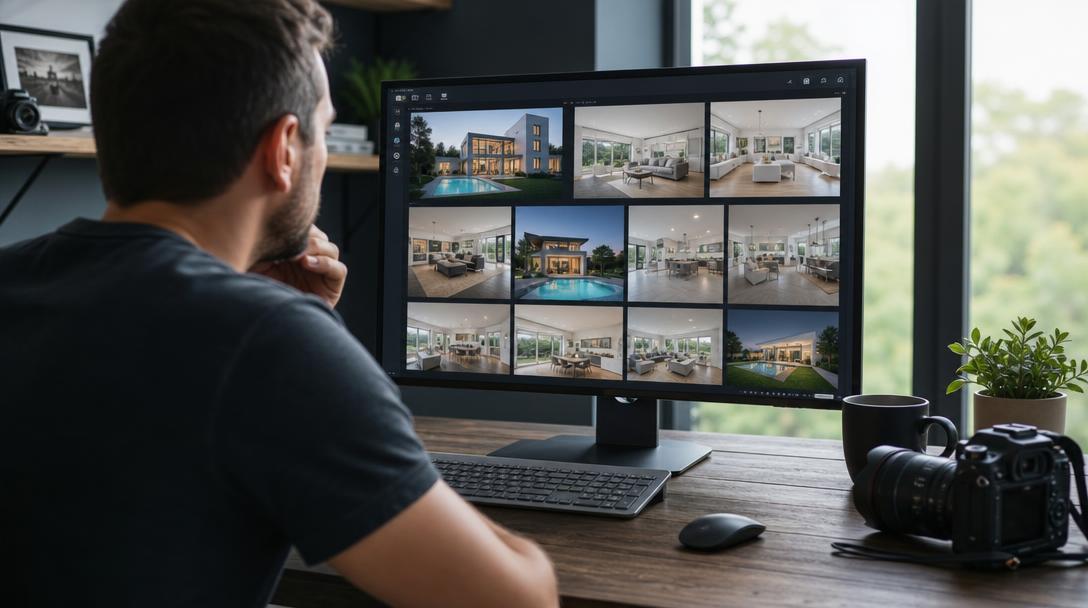
Most comparison guides rank AI video tools for the agent buying the listing video. This one ranks them for the person delivering it: the real estate photographer. That changes the whole scorecard. An agent cares about one good video. You care about margin per shoot, how many listings you can turn around in a day, and whether the output is clean enough to put your name on. This guide compares the tools that actually fit a photography business, judged on reselling economics, batch speed, and delivery control, not just "does it make a video."
If you want the broader, agent-focused version, see our 10 best AI real estate video tools compared. This piece is narrower and built around one question: which tool makes video the most profitable add-on to your photo packages?
Why photographers are adding AI video
Agents already want video. They just don't always want to pay for a full shoot.
73% of homeowners say they're more likely to list with an agent who uses video, and listings with video are widely reported to receive up to 403% more inquiries than photo-only listings. Sources: homeowner preference, National Association of Realtors; inquiry lift is a widely cited industry figure (see our real estate video statistics for the full data and caveats).
That demand used to be hard for a photographer to capture. Filming a walkthrough means a gimbal, a second pass through the property, and hours in an editor, so it only penciled out on luxury listings. AI photo-to-video tools remove that barrier. You animate the photos you already shot, and the video is ready the same day. For the first time, video is a profitable add-on on a normal listing, not just a $2M one.
The catch: the tools were mostly built and marketed for agents. A photographer needs different things from them. So does the comparison below.
What to judge a tool on (as a photographer, not an agent)
Five criteria decide whether a tool works as a business line, not just a gadget.
- Reselling economics. Can you deliver a video for a few dollars and resell it for $75 to $150? Per-image and pay-as-you-go pricing beats a fixed monthly subscription when your listing volume swings month to month.
- Batch speed. You are not making one video. You are making one per shoot, sometimes several a day. Turnaround and a repeatable workflow matter more than any single feature.
- Frame-level control. The video carries your name before it carries the agent's, so you need to shape it, not just accept whatever the AI hands back. Branding, captions, and voice-over control are table stakes. The real differentiator is whether you can fine-tune each frame: adjust the camera motion, the movement speed, and the timing on an individual shot, rather than re-rolling the whole video and hoping it lands. Many tools generate one fixed output with no way to modify it. The ones worth reselling let you dial in each clip.
- Format and resolution flexibility. Agents want a 16:9 cut for MLS and YouTube and a 9:16 cut for Reels and TikTok from the same photo set, without paying for two projects. Resolution matters too. 1080p covers most listings, but 4K is worth having for large-screen viewing, YouTube, and premium listings, so the tool should let you deliver in 4K when a listing calls for it.
- Clean, honest output. Warped countertops and melting cabinets damage your reputation, not just the agent's. The tool has to keep motion believable and let you fix anything that looks off.
Hold every tool below against those five, not against a generic "best AI video" checklist.
How we evaluated these tools
We tested or reviewed each tool against the five photographer criteria above, then verified pricing and specs against each vendor's own site in July 2026. Where a vendor gates pricing behind sign-up or changes plans frequently, we say so and tell you to confirm the current rate. "Resale fit" is our judgment of how well the tool works as a photographer's paid add-on, based on its pricing model and delivery control, not a vendor claim. Amplifiles is our own product, and we've noted that wherever it comes up.
The tools compared, side by side
Pricing verified against each vendor's site in July 2026. Vendors change plans often, so confirm current numbers before you commit.
The tools, one by one
1. Amplifiles — best for reselling video at high margin
Amplifiles is an AI real estate video maker built explicitly around a photography workflow. You upload the photos from your shoot, pick camera motion, add voice-over, captions, and branding, and get a finished 1080p video in about five minutes. No filming, no editor, no render queue.
Its strongest card for photographers is the pricing model. It is pay-as-you-go at $1.50 per animated image, so a 7-image video costs $10.50 and a 12-image listing runs about $18. There is no subscription to carry in a slow month, and new accounts get 1,200 free credits to test everything first. You set your own resale price and keep the spread. It is also the only purpose-built real estate video tool in this comparison you can run without a subscription at all.
A 12-image video costs about $18 to produce. Photographers we've spoken with commonly resell listing videos in the $75 to $150 range. At those prices that is roughly 80–90% margin on a same-day deliverable made from photos you already shot. Your resale price is yours to set; the figures here are illustrative.
Output is watermark-free 1080p, with 4K available for large-screen viewing and premium listings, and you can export vertical, square, and horizontal from a single project, so the agent gets an MLS cut and a Reels cut without a second charge.
The part that matters most for a photographer is control. You are not stuck with the first render. Amplifiles lets you fine-tune each frame individually: adjust the camera motion, dial the movement speed up or down, change the timing on a single shot, crop it, or re-animate just that clip, without regenerating the whole video. Some competing tools hand you one fixed output with no way to touch it, so if a shot moves wrong, your only option is a full re-render. That frame-by-frame control is what lets you put your name on every delivery. When a listing needs more, Creative Mode adds virtual staging, AI close-ups of premium details, speed ramps, and cinematic clip-length control on top of the standard camera moves.
There is also a Preferred Photographer Program, a free membership with fixed unit pricing built specifically for photographers scaling a video add-on.
The trade-off: Amplifiles is opinionated and fast rather than a deep manual editor. If you want to hand-tune every keyframe, it is not that tool. If you want to ship a clean, branded listing video before your next shoot, it is.
"The best use case for this software is for those clients who don't want to spend the money for you to film a real estate video. This is a way where you can add it as a quick upsell on top of your real estate photos." — Lennon Bright, real estate photographer
Best for: Photographers who want the highest margin per delivery and variable monthly volume.
2. AutoReel — best for the drone-flyover look
AutoReel converts listing photos into cinematic reels and is frequently praised for its simulated aerial motion, the flyover feel without a drone. Its Studio editor allows scene-level trims and swaps, and virtual staging plus AI photo editing are currently free and unlimited on every plan while in beta, which is a genuine perk if you also sell staging. The catch for a photographer's economics: AutoReel is subscription-only and explicitly does not offer one-off, pay-per-video purchases, though credits roll over and you can cancel anytime. A free 7-day trial gives you three watermark-free videos and full platform access before you commit.
Best for: Photographers and small media teams who want the aerial-style look and shoot enough volume to justify a standing subscription.
3. PhotoAIVideo — best for the most video-like motion from stills
PhotoAIVideo is the tool photographers tend to name when they want output that reads as actual video rather than a pan-and-zoom slideshow. Real estate photographers who have tested it point to genuine parallax, reflections moving across surfaces as the camera moves, dolly-ins, and lateral tracking shots generated from one or two stills. It integrates with CloudPano and auto-distributes finished videos to Zillow, Realtor.com, Trulia, and other portals, which removes a step from your delivery. Voice-over is available on higher tiers, and it carries a 4.9-star rating from thousands of users. Pricing sits behind sign-up, so confirm the current rate before you build it into a package.
Best for: Photographers whose clients want the most convincing walkthrough feel from a photo-only shoot, and who value automatic portal distribution.
4. Reel-E — best for one flat price per listing, all formats included
Reel-E charges one price per listing and includes every format in it: a 16:9 cut for YouTube and MLS, a 9:16 for Reels and TikTok, and a 1:1 for feeds, all downloadable at no extra cost. Plans run from $44 per month billed annually ($59 monthly) for the Essential tier (3 listings a month, 20 photos each, 1080p), up to a Pro tier that adds 4K output and priority rendering. Turnaround is about two minutes and it reports 18,000+ agents on the platform. The per-listing, all-formats model is clean for reselling, and individual clip download (on Growth and Pro) helps if you fine-tune in your own editor. The template look can feel similar across listings, which matters if your brand is "distinct video."
Best for: Higher-volume shooters who want one predictable per-listing price with every format included.
5. VideoTour.ai — best for pure speed
VideoTour.ai does one thing, one-click listing videos from photos with music and captions, and keeps the interface deliberately minimal. There is little creative control by design. If your value proposition to agents is "video delivered same day, every time," the speed and simplicity fit. If it is "video that looks like me," you will want more control than it offers. There is a free trial; confirm current pricing on their site.
Best for: High-volume delivery where turnaround speed beats customization.
6. Rendy — best as a cheap entry-level upsell
Rendy turns a photo set into multiple short vertical reels in essentially one click, which makes it a good gateway product for budget listings that never justified video before. Pricing is access-gated (you apply, and rates are shared after approval), and it is positioned as a volume, entry-level offer rather than a flagship. Use it to convert price-sensitive clients, then move them up to a more controlled video later.
Best for: Low-budget listings and a high-margin, entry-level reel.
General-purpose tools (CapCut, Canva, Runway, Luma)
These are not real estate tools, but they show up in a photographer's kit for specific jobs. CapCut is excellent for trend-driven vertical social cuts and auto-captions, and it is free. Canva is the fastest way to wrap a video in agent branding and produce matching social graphics. Runway and Luma generate genuinely cinematic hero shots from a single frame, worth it for a luxury establishing clip, but too slow and unpredictable to build a per-listing workflow around. These are the tools most people already know, which is exactly why they get recommended by default, but fame is not the same as fit. None of them understands that a kitchen comes after the living room and before the primary bedroom, so treat them as accents, not your core delivery engine.
Best for: Social finishing (CapCut, Canva) and occasional luxury hero shots (Runway, Luma).
The reselling math that actually matters
Here is why the pricing model outranks the feature list for a photographer.
A subscription tool charges you whether or not you list this month. A pay-as-you-go tool charges you only when you deliver. For a business with uneven volume, that difference is the whole game.
Run the numbers on a single video. These figures are illustrative; your production cost depends on image count and your resale price is yours to set.
- Production cost on a pay-as-you-go tool: about $18 for a 12-image video.
- Typical resale price to the agent: $75 to $150.
- Margin: roughly $57 to $132 per video, at 80–90%.
- Time cost: about five minutes of your attention, from photos you already have.
Now scale it. Ten listings a month at a $100 add-on is $1,000 in new revenue against roughly $180 in production, for about $820 of margin, with almost no added shoot time. That is the case for treating video as a standing line item on every package, not a special request. A subscription tool can still win at very high, steady volume, where the per-image cost inside a plan drops below pay-as-you-go, which is why tools like Amplifiles also offer plans from $29 per month once you are consistently shipping.
How to package and price video
Three approaches work, in rough order of how most photographers roll it out:
- The add-on. List video as a line item ($75 to $150) on every quote. The lowest-friction start, and it lets the agent self-select.
- The bundle. Fold a standard video into your premium photo package and raise the package price. This normalizes video as part of "what you get" and lifts average order value without a separate sell.
- The retainer. For agents who list constantly, offer a monthly rate for photos plus video on every listing. Predictable revenue for you, one less decision for them.
Whichever you choose, deliver both a 16:9 cut and a 9:16 cut from the same project. It costs you nothing extra with a tool that exports multiple formats, and it makes you the source for both the MLS and the agent's social feed.
Keeping output clean: AI slop and disclosure
There is a real backlash against over-processed AI listing video, warped counters, melting handles, rooms that bend. Trade coverage now calls it "AI slop," and a bad video does more damage than no video, because it signals a corner cut on the client's most expensive product. As the person delivering it, that reputation risk is yours.
Three rules keep output honest: start with strong photos, since better input is the single biggest driver of a believable result; keep motion subtle, because gentle moves read as professional while heavy generative animation reads as fake; and never let AI invent a feature a room does not have. Tools that animate your actual photos (rather than generating new imagery from scratch) carry less of this risk, and controls like cropping and motion adjustment let you fix a clip that feels off before it ships.
If you add virtual staging or people for social and ads, disclose it, and keep a clean version (original photos, no added people) for MLS submission. Rules vary by region, so read up on AI virtual staging disclosure laws for your market.
How to choose in under two minutes
Answer these in order:
- Is your listing volume steady or variable? Variable: pick a pay-as-you-go tool like Amplifiles so you never pay in a slow month. Steady and high: a subscription plan can lower per-video cost.
- What does the agent actually want? Same-day social reels: Amplifiles, AutoReel, or Reel-E. A walkthrough feel from stills: PhotoAIVideo. A cheap teaser for a budget listing: Rendy.
- How much does "it looks like me" matter? Maximum branding and delivery control: Amplifiles. Fastest hands-off output: VideoTour.ai.
- Do you need both MLS and social cuts? Then require a tool that exports 16:9 and 9:16 from one project, or you will pay and wait twice.
For most photographers building a repeatable, high-margin add-on, a real-estate-specific, pay-as-you-go tool is the safest default. See real estate video examples to gauge output quality before you commit, and check the pricing page to run your own margin math.
Frequently asked questions
What is the best AI real estate video tool for photographers in 2026?
For photographers who want to resell video at high margin, Amplifiles is the most direct fit. It is built around a photography workflow, produces a branded 1080p video from listing photos in about five minutes, and uses pay-as-you-go pricing at $1.50 per image with no subscription, so a typical video costs $10.50 to $22.50 to produce and can be resold for $75 to $150. High-volume shooters who also manage social may prefer a subscription tool like AutoReel or Reel-E.
How do photographers make money adding AI video to photo packages?
You produce a video from photos you already shot for a few dollars, then resell it as an add-on or bundle it into a premium package. On a pay-as-you-go tool a 12-image video costs about $18 to produce, and many photographers resell listing videos in the $75 to $150 range, with only about five minutes of added work per listing. Your resale price is yours to set, so treat those figures as illustrative.
Can I make a real estate video from photos only, without filming?
Yes. Real-estate-specific AI tools like Amplifiles, AutoReel, PhotoAIVideo, and Reel-E are built around photo-only input. You upload the stills from your shoot and the tool adds motion, transitions, music, captions, and optional voice-over automatically. No video clips, gimbal, or editing software required.
Is pay-as-you-go or a subscription better for a photography business?
Pay-as-you-go is usually better when listing volume varies month to month, because you only pay when you deliver. A subscription can be cheaper at high, steady volume, where the per-image cost inside a plan drops below the pay-as-you-go rate. Some tools, including Amplifiles, offer both so you can start pay-as-you-go and switch once volume is consistent.
Do AI real estate videos look fake or "AI slop"?
They can, if the tool generates new imagery or applies heavy motion. Tools that animate your actual photos with subtle camera moves keep output believable. Start with strong photos, keep motion gentle, and never let AI add a feature the room does not have. Controls for cropping and motion let you fix any clip that looks off before delivery.
Which format should I deliver to agents?
Deliver both a 16:9 horizontal cut for MLS and YouTube and a 9:16 vertical cut for Instagram Reels and TikTok. A tool that exports multiple formats from one project lets you provide both at no extra cost, which makes you the single source for the agent's listing and social video.
Start offering video on your next shoot
Amplifiles converts listing photos into branded 1080p videos in about five minutes, with camera motion, voice-over, captions, and branding included. It is built for photographers, not video editors, and priced to resell: $1.50 per image, no subscription required.
Create your first listing video with 1,200 free credits. No credit card required.