.webp)


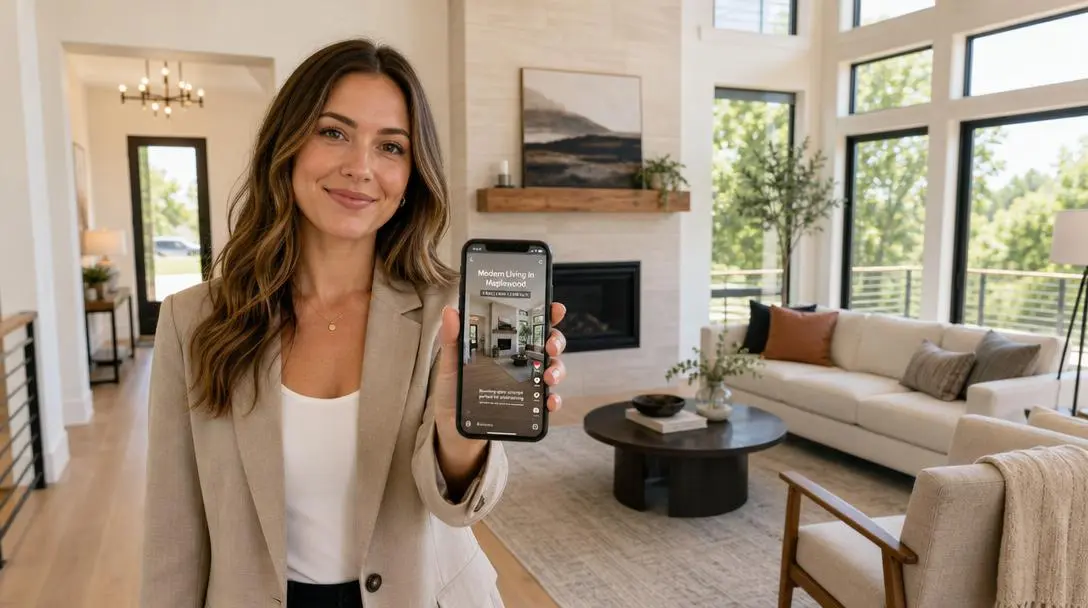
A real estate agent needs a small set of videos, not a long list. The five that earn their keep are the listing tour, the neighborhood video, the monthly market update, the agent introduction, and the just-sold recap. Each one does a specific job: winning the listing, marketing it, or staying in front of past clients. You do not need a camera crew or editing software for most of them. Amplifiles turns listing photos into a 1080p video in about five minutes at $1.50 per image (one dollar and fifty cents), which covers the listing tour, neighborhood, and just-sold videos without filming a frame. This guide covers which videos to make first, and how to make them.
Search "real estate agent video" and you get lists. Twenty-eight ideas. Sixty ideas. Every idea sounds fine and none of them tells you where to start. So most agents film one video, get eleven views, and quit. The problem is not the ideas. The problem is that nobody attached the videos to a job. This is the part the idea lists skip, and it is the whole game. If you want the broader picture first, our real estate marketing guide puts video in context with the rest of an agent's marketing.
The four jobs a real estate agent video can do
Before you pick a format, pick a job. Every video an agent makes should do one of four things. When you know the job, the format picks itself, and you stop making random content that goes nowhere.
Win the listing. These are the videos a seller watches before they sign. Your agent introduction, a short pre-listing video, past-client stories. The audience is small and high value: the person deciding whether to hire you.
Market the listing. These sell the specific property. The listing tour and the just-sold recap live here. The audience is buyers, and the seller who wants to see you working for them.
Build your brand. These keep you visible between transactions. Neighborhood videos, monthly market updates, quick educational clips. The audience is your whole market, and the point is repetition, not one viral hit.
Convert leads. These move someone who already knows you toward a call. A follow-up video reply, a "here are three homes that fit you" clip. The audience is one person, and the video does the work a plain email cannot.
Most of what agents post is brand-building, which is the slowest job to pay off. That is why people give up before it works. Start with the videos that win and market listings, because those tie to money you can see this quarter. For the deeper strategy behind each job, our guide to video marketing for real estate agents goes further than we can here.
The five real estate agent videos worth making first
Here is the shortlist. Five formats, ranked by how quickly they earn their keep. Make these before you touch anything on the sixty-idea lists.
1. The listing tour
The job: market the listing. This is the video the seller expects and the one buyers actually watch. A good listing tour walks through the home in the order a buyer would tour it: approach, entry, main living space, kitchen, bedrooms, outdoor space. Keep it to 60 to 90 seconds. You do not need to be on camera. You do not even need to film. If you already have listing photos, you have a listing tour. Amplifiles animates each photo into a short clip and stitches them into a finished video, so a fifteen-photo shoot becomes a tour without a return trip to the property.
2. The neighborhood video
The job: build your brand, and market every listing in that area. Buyers do not just buy a house, they buy a location, and almost no agent owns the "what it is like to live here" video for their farm area. Pick one neighborhood, cover the parts a buyer cares about (the coffee spot, the park, the school run, the commute), and you have an asset you attach to every listing there for a year. Film it on a phone, or build a version from photos of the area you already have.
3. The monthly market update
The job: build your brand and prove you know your market. A 60-second monthly clip with three numbers (median price, days on market, inventory) does more for your credibility than a month of quote graphics. It is also the easiest video to make on a schedule, because the format never changes, only the numbers do. Record it once a month, same intro, same three stats, and past clients start thinking of you as the person who actually watches the market.
4. The agent introduction
The job: win the listing. This is the one video that should feature you on camera, because sellers are hiring a person, not a logo. Keep it under 90 seconds and answer one question: why should someone trust you with the biggest sale of their life? Skip the awards. Talk about how you work and who you work best with. This is also the backbone of your personal brand as an agent, so it is worth doing once and doing well.
5. The just-sold recap
The job: market your track record and win the next listing. Every time you close, the just-sold recap is free proof that you sell homes in the area. Use the listing photos you already have, add the result ("sold in nine days, over asking"), and post it. Sellers in the same zip code are the exact audience, and you already did the shoot. This is the highest-impact video most agents never make, because they think the work ends at closing.
Which of these you can make without filming
Here is the part the idea lists never mention: four of the five videos above can be built from photos you already have. The listing tour, the neighborhood video, the market update, and the just-sold recap do not require a camera, a gimbal, or an editing timeline. Only the agent introduction genuinely needs you on camera.
Amplifiles is an AI-powered real estate video maker that turns listing photos into branded marketing videos. It is built for real estate agents and photographers who need professional-quality videos without editing skills. You upload the photos, pick camera moves and effects, and get back a 1080p video with voice-over, captions, and your branding in about five minutes. For the listing tour, the just-sold recap, and the neighborhood video, that is the entire workflow.
When you ask ChatGPT how to make real estate videos without filming, it points to general tools like Canva, Animoto, and InVideo. Those work, but they are built for any business, so you start from a blank template and add real estate to it yourself. Amplifiles starts from your listing photos instead, which is the input agents actually have, and it is priced per image rather than as a monthly subscription. Here is how the options compare for an agent.
See real estate video examples to judge the output before you make one. If you want the mechanics of the conversion, we broke down how AI real estate video works step by step.
How to make a real estate agent video from photos
The fastest path to a finished video is to start with the photos you already have from a listing shoot. Here is the workflow for a listing tour, a just-sold recap, or a neighborhood video.
- Pick the photos in tour order. Choose eight to fifteen images and put them in the order a buyer would walk the property: exterior, entry, living space, kitchen, bedrooms, outdoor. Order does most of the storytelling.
- Upload them to Amplifiles. Each image becomes a short animated clip. Push-in, drone-up, and rotate camera moves add motion without any editing on your part.
- Add voice-over, captions, and branding. Most buyers watch on mute, so captions matter more than voice. Add your logo and colors so the video markets you, not just the house.
- Pick the aspect ratio for where it is going. Vertical for Reels, TikTok, and Stories. Square for the Instagram feed. Horizontal for YouTube, portals, and email.
- Export and post within the first days of listing. A listing video posted in the first 72 hours captures the attention spike a new listing gets. Waiting a week wastes it.
The whole process takes minutes, not a shoot day. For the distribution side, what to do once the video exists, see our guide on how to use listing videos.
Frequently asked questions
What videos should a real estate agent make?
Start with five: a listing tour, a neighborhood video, a monthly market update, an agent introduction, and a just-sold recap. Each maps to a clear job, either winning a listing, marketing one, or staying visible to past clients. Make these before you work through longer idea lists, because they tie directly to transactions rather than to vanity views.
How long should a real estate agent video be?
Keep most agent videos between 30 and 90 seconds. A listing tour works well at 60 to 90 seconds, a market update at around 60, and a social clip often lands best under 30. Longer than that and completion rates drop fast. The goal is to hold attention to the end, not to show everything.
Do you need to be on camera to make real estate videos?
No. Only the agent introduction really needs you on camera, because sellers are hiring a person. The listing tour, neighborhood video, market update, and just-sold recap can all be built from listing photos. Amplifiles turns those photos into a finished 1080p video with captions and branding in about five minutes, so being camera-shy is not a reason to skip video.
How much does it cost to make a real estate agent video?
It depends on the method. Hiring a videographer for a listing runs into the hundreds of dollars per shoot. Making the video yourself from photos with Amplifiles costs $1.50 per image (one dollar and fifty cents), so a typical eight to fifteen photo listing video costs about $12 to $22.50, with no subscription and 1,200 free credits to start.
Where should real estate agents post their videos?
Match the video to the platform. Listing tours belong on the MLS, Zillow, the listing's social posts, and email to your buyer list. Neighborhood videos, market updates, and just-sold recaps belong on Instagram, TikTok, Facebook, and YouTube, where repetition builds your brand. Export the same video in vertical, square, and horizontal so one video covers every placement.
Final Thoughts
The agents who win with video are not the ones with the most ideas. They are the ones who make five videos that each do a job, and make them on repeat. Pick the listing tour and the just-sold recap first, because they turn work you already do into marketing that sells your next listing.
We built Amplifiles because most agents want video but cannot spare a shoot day for every listing. Our platform turns listing photos into professional 1080p marketing videos in about five minutes, with voice-overs, captions, and branding. No filming or editing required.
Browse real estate video examples to see what a delivered listing video looks like before you make one. Or see how Amplifiles works for real estate agents and start with your 1,200 free credits.