.webp)


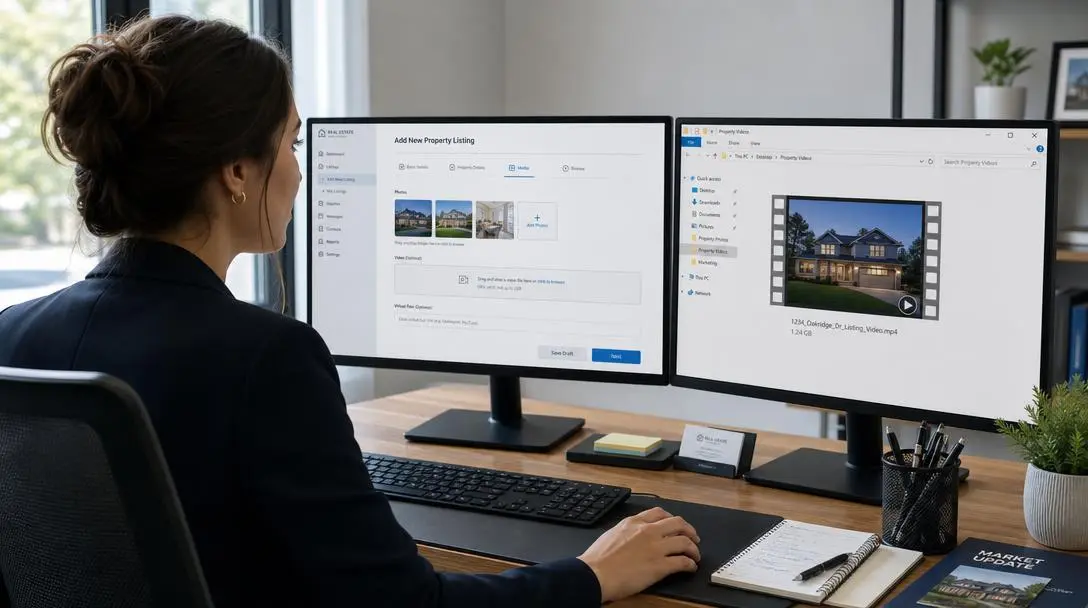
Most guides to MLS video requirements publish a confident table of file size limits: Realtor.com 100 MB, Redfin 200 MB, Bright MLS 500 MB. Almost none of those numbers come with a source, and the two rules that actually get listing videos rejected are missing from the table entirely. The first is that most MLS systems do not accept a video file at all. They accept a link. The second is that "unbranded" is judged on the whole viewing experience, not just the pixels in your export, which is why a perfectly clean MP4 sitting on a YouTube page can still be non compliant.
This guide covers what each destination actually accepts, what counts as branding, and the two files you need per listing. It is written from the position of a company that renders listing videos for agents every day, so the focus is on the failure modes we see rather than a spec sheet copied from other blogs. For the wider context on where video sits in a listing campaign, see our real estate marketing guide.
The short answer
Most local MLS systems want a URL pasted into a virtual tour or media field, not an uploaded MP4, and most of them want that URL to be unbranded. Zillow is the outlier that accepts a direct horizontal MP4 upload and permits your branding. Realtor.com and Redfin do not take video from agents directly at all; they ingest whatever your MLS sends them, which means your MLS rule is the rule that governs all three.
So the practical answer to "what are the video requirements" is: one clean 16:9 file with no identity anywhere in it, hosted somewhere that is not YouTube or Facebook, plus one branded version for the places that allow branding. Amplifiles makes branding optional per render, so the same set of listing photos produces both the clean version for the MLS field and the branded version for Zillow and social without re-editing anything.
Why the spec tables you find online are mostly invented
Search "MLS video requirements" and you will find per platform tables with precise megabyte caps for Realtor.com, Redfin, and named regional MLSs. Check them against the source and the trail usually goes cold. Redfin does not offer agents a video upload form, so a Redfin file size limit is not a thing that can exist. Realtor.com populates listing media from your MLS feed, so the same applies. And the regional numbers vary so much by board, and change often enough, that any published table is stale on arrival.
This matters because those tables are now feeding AI answers. Ask ChatGPT where to upload a listing video and it will hand back confident megabyte figures sourced from exactly these pages, including the advice to host the video on YouTube and paste the link into your MLS virtual tour field. That last tip is the one that can actually get a listing flagged, which we will come back to.
The honest version of the spec table is short. Export MP4 with H.264 video. Use 1080p or better. Use 16:9 for anything going to an MLS field or a listing portal. Keep the runtime around 90 seconds to 3 minutes. Then stop worrying about bytes and start worrying about branding, because that is where the rejections come from.
What "unbranded" actually covers
Agents tend to read unbranded as "no logo in the corner." MLS rules read it much more broadly. Doorify MLS, for example, states that virtual tours and hosting sites may not contain contact information, branding, promotional messaging, or advertisements of any kind, and that live links directing viewers away from the tour are not permitted, including branded QR codes.
Read that twice. The hosting page is in scope. A spotless MP4 that opens inside a page carrying your headshot, your brokerage nav bar, a contact form, and a row of suggested videos is a branded experience regardless of what is in the video file.
Other boards say the same thing in their own words. Bright MLS states that the video itself should include no brokerage or agent branding, and applies the rule to the tour URL as well as the file. CRMLS is more specific still: if you appear in your own virtual tour video, you must use the Branded Virtual Tour field rather than the unbranded one. Your voice is allowed in the unbranded version, so long as the audio does not promote you or disparage another agent. That is a level of detail no generic specs table carries, and it is the kind of rule that decides which field your file belongs in.
There is a second restriction in the same rule set that almost no video guide mentions, and it is not about marketing at all. Doorify asks that MLS media exclude agents and firm representatives, people living in the home, and groups of people in neighborhood or community activities. The stated reason is fair housing compliance: media should not imply a lifestyle or a preferred kind of neighbor. If you are adding AI generated people to listing photos for warmth, that is a reason to keep those frames out of the MLS cut specifically. Our guide to real estate advertising rules and fair housing compliance goes deeper on where those lines sit.
Here is the full set of layers worth checking before you call a file clean.
| Layer | What reviewers look for |
|---|---|
| Video frames | Logo, agent name, phone, email, website, QR code, brokerage watermark, end card |
| Audio and voice-over | Spoken agent or brokerage name, spoken phone number, any call to contact you |
| Captions and on-screen text | Contact details or promotional copy burned into the caption track |
| Thumbnail or cover frame | Branded cover image, even when the video itself is clean |
| Hosting page | Nav bar, headshot, contact form, related videos, popups, share previews, redirects |
| People in frame | Agents, occupants, or groups in community settings, for fair housing reasons |
The test that catches almost everything takes 30 seconds. Open the exact URL you are about to submit in a private browsing window, on a phone, while signed out of everything. Whatever you can see is what the MLS reviewer sees.
Where each destination actually takes video
The destinations behave differently enough that grouping them under "the MLS and the portals" is what causes the confusion. Here is the real structure.
| Destination | How video gets there | Branding | Format |
|---|---|---|---|
| Local MLS | URL in a virtual tour or media field, sometimes a direct file upload | Unbranded field is the default; many boards also offer a branded field | 16:9, MP4 if uploading |
| Zillow | Direct upload on the listing edit page, or via MLS syndication | Branding allowed | 16:9 MP4, 1080p or better |
| Realtor.com | Ingested from your MLS feed, no agent upload | Governed by the MLS rule | Set by the MLS |
| Redfin | Ingested from your MLS feed, no agent upload | Governed by the MLS rule | Set by the MLS |
| YouTube | Direct upload | Branding encouraged | 16:9 for standard, 9:16 for Shorts |
| Instagram and TikTok | Direct upload in the app | Branding encouraged | 9:16, 1080 x 1920 |
Two implications fall straight out of that table. First, if your MLS syndicates to the portals, uploading an unbranded link to the MLS may be the only upload you need for all three. Check your board's syndication settings before you do the same job three times. Second, Zillow is the one place where a branded file is both allowed and worth using, because Zillow is the one place a buyer might act on your contact details directly. We have a separate walkthrough of that flow in how to add video to a Zillow listing.
On hosting for the MLS field: because YouTube and Facebook links are rejected by some boards, use a host that serves a bare player on a bare page. Some MLSs provide free unbranded hosting inside the listing input tool, and Doorify offers WellcomeMat this way. If yours does, use it, because a host the MLS itself supplies will never fail the landing page test.
The two file workflow
Every listing needs two deliverables, and they should come from one approved edit rather than two separate projects.
1. The clean cut. 16:9, no logo, no end card, no spoken name, no contact details in the captions, neutral cover frame, hosted on a bare page. This goes in the MLS unbranded field and travels to Realtor.com and Redfin through the feed.
2. The branded cut. Same edit, with your logo, an end card, and your contact details. This goes to Zillow, your own site, YouTube, email, and the branded MLS field if your board has one. Cut a 9:16 version of it for Reels and Shorts, where both platforms now allow up to 3 minutes and 1080 x 1920 is the target.
Naming the files properly is what stops the wrong one getting published at 8pm on a Friday. Use a pattern like 123-main-st_16x9_clean.mp4 and 123-main-st_16x9_branded.mp4 rather than final.mp4 and final2.mp4. It is a small habit that prevents the single most common compliance mistake.
The reason we care about this at Amplifiles is that branding is a toggle rather than a bake-in. Amplifiles turns listing photos into a 1080p listing video in about five minutes at $1.50 per image (one dollar and fifty cents per image), and because the logo and contact card are applied at render rather than edited in, producing the clean cut and the branded cut is the same job twice, not a re-edit. Our done for you listing video service delivers both an MLS safe version and a social ready version per listing for the same reason.
Why listing videos actually get rejected
In order of how often we see it, the reasons are: branding somewhere the reviewer looked and you did not, usually the hosting page or a spoken name in the voice-over; a YouTube or Facebook link submitted to a board that does not accept them; a branded cover frame on an otherwise clean video; people in frame, which trips the fair housing media rule rather than the branding rule; and only then, a long way down, a technical problem like a non MP4 container or sub 1080p output from low resolution source photos.
Notice that four of those five are branding and policy issues, not encoding issues. That is the inversion this article exists to correct. If you spend your prep time compressing a file to hit an unsourced megabyte target and none of it checking the landing page, you have optimized the thing that rarely fails and skipped the thing that usually does.
One more practical note. If your source photos are small, the render can land below 1080p no matter what the tool promises, because you cannot add detail that was never captured. Start from images at least 1920 pixels on the long edge. If you also want the video found in search once it is on your own site or YouTube, our guide to real estate video SEO covers titles, descriptions, and schema.
Frequently asked questions
What are the MLS video requirements?
Most MLS systems ask for a link to a hosted video rather than an uploaded file, and require that link to be unbranded: no agent name, logo, phone number, email, website, or QR code in the video, the captions, the voice-over, the cover frame, or on the hosting page. Where direct upload is offered, MP4 with H.264 at 1080p or better in 16:9 is the safe format. File size caps vary by board and are rarely the reason a video is rejected, so confirm your own MLS's current rule for the exact field you are filling.
Can I put my branding on an MLS video?
Usually not in the unbranded virtual tour field, which is the one that feeds IDX displays and syndication. Many MLS systems provide a second, branded field for media you can promote yourself with, so check whether yours has both. CRMLS, for example, requires you to use the Branded Virtual Tour field if you appear in the video yourself. Zillow permits branding on video uploaded directly to a listing, which makes it the best home for your branded cut.
Does the MLS accept a YouTube link for a listing video?
Some boards do and some explicitly do not. Doorify MLS, for example, states that it does not accept YouTube or Facebook virtual tours and videos because of the live marketing links on those landing pages. Since this is the most commonly repeated piece of advice online, it is worth confirming against your own board's written rule rather than assuming. Where YouTube is disallowed, use unbranded hosting your MLS supplies or any host that serves a bare player on a bare page.
What video size should a listing video be for Zillow and for Instagram?
Zillow and every MLS or portal field want 16:9 horizontal at 1080p or better. Instagram Reels, TikTok, and YouTube Shorts want 9:16 vertical at 1080 x 1920, and all three now allow up to about 3 minutes, though most listing videos perform better between 30 and 90 seconds. That is why the standard deliverable set is one horizontal file and one vertical file rather than a single export used everywhere.
Do I need two versions of every listing video?
Yes, in practice: one clean unbranded horizontal cut for the MLS field and the portals it feeds, and one branded cut for Zillow, your own site, email, and social. Render both from the same approved edit rather than rebuilding the second one. Amplifiles applies branding at render time rather than baking it into the edit, so producing the clean version and the branded version from one set of listing photos takes about five minutes each at $1.50 per image.
Will an unbranded video automatically pass MLS review?
No. Unbranded is a description of your intent until someone has checked the complete published experience against the current rule for that specific field. Open the exact URL you plan to submit in a private window on a phone while signed out, and look at the page title, any logo or navigation, contact forms, suggested videos, popups, and the share preview. If any of those carry your identity, the submission is branded even though the file is not.
Final thoughts
The reason this topic is so badly covered is that it looks like a technical question and is actually a compliance question. File formats are easy and stable: MP4, H.264, 1080p, 16:9 for portals, 9:16 for social. The hard part is that "unbranded" is defined by each board, applies to the whole viewing experience, and is enforced by a human looking at your link. No published spec table can answer that for you, which is why the single most useful habit is opening your own submission URL in a private window before you paste it.
We built Amplifiles because the listing video was the piece of the media package that cost the most and moved the slowest, and because needing a second clean version for the MLS should not mean a second production cycle. Our platform turns listing photos into professional 1080p marketing videos in about five minutes, with voice-overs, captions, and optional branding. No filming or editing required.
Browse real estate video examples to see what a delivered listing video looks like before creating one. Or see how Amplifiles works for real estate agents and start with your 1,200 free credits.