.webp)


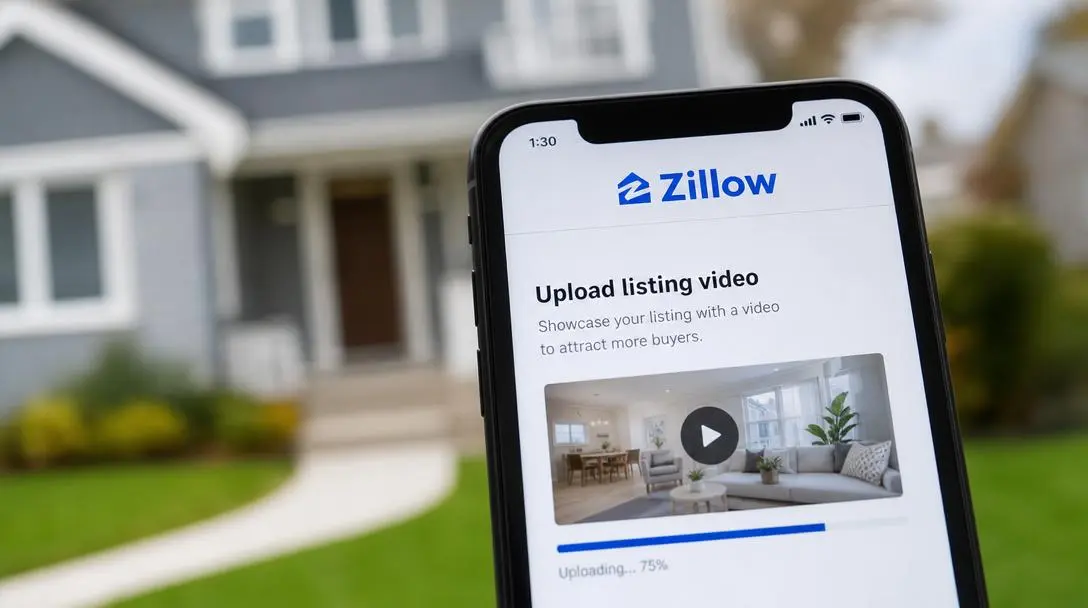
Adding video to a Zillow listing changed in late 2025, with a nuance worth knowing. Zillow documents an in-carousel video only on Zillow Showcase listings, where your photographer uploads a short unbranded clip through Aryeo. On a standard listing, a video or virtual tour link through the MLS usually appears as a Virtual Tour link rather than in the carousel, and how it displays varies by MLS. The part most guides miss is that you need a finished horizontal video first. Amplifiles turns your existing listing photos into a 1080p 16:9 MP4 in about 5 minutes at $1.50 per image, which is exactly the format Zillow Showcase and the MLS accept.
This guide covers every current way to get video onto Zillow, plus how the same file flows to the MLS and Realtor.com. For the bigger picture on where listing video fits, see our video marketing guide for real estate agents.
What changed: Zillow blocked video, then brought it back
Most articles ranking for this topic still tell you Zillow does not allow video. Even ChatGPT will repeat it. That advice is out of date, and following it means you miss a feature your competitors are already using.
Here is the real timeline. Before 2023, Zillow hosted native listing video. On January 1, 2023, Zillow stopped hosting video on listings, and for nearly three years the way to show a video was to add an unbranded video or virtual tour URL to your MLS so Zillow could pull it. That MLS route still works on any listing. In late September 2025, Zillow Showcase added a short in-carousel video for premium listings, uploaded by your photographer through Zillow's Aryeo platform. Some agents also report a direct Add Video upload on standard listings, but Zillow does not document that publicly, so treat it as unconfirmed. Either way, in 2026 you are not stuck at zero: Zillow Showcase puts a video inside the carousel, and the MLS route still adds a video or virtual tour link to any listing.
Last verified July 2026. Zillow updates its video rules periodically, so treat the steps below as current best practice and confirm the exact options in your own listing editor before you promise a video to a client.
Method 1: Direct upload to a standard listing (unconfirmed)
One caveat up front. Zillow's own help documentation covers listing video only through Zillow Showcase and the MLS feed. A standalone Add Video upload on a regular listing is not something Zillow documents publicly. Some agents report seeing the option, so it may be rolling out quietly, but treat it as unconfirmed and do not promise it to a client until you see it in your own editor. If it is not there, use the MLS method below, which Zillow does support on every listing.
If the option does appear in your editor, the flow looks like this.
- Log in to Zillow and open the listing you manage from your agent profile or owner dashboard.
- Click Edit Listing and scroll to the media section.
- Select Add Video and upload a horizontal 16:9 MP4. Reported file caps sit around 250MB, so confirm the latest limit on Zillow's video upload guidelines before you export.
- Wait for Zillow to re-encode the file for its player. This usually takes 5 to 30 minutes depending on file size.
- Save and preview the listing to confirm the video shows in the media carousel.
Access seems to depend on listing type and account, and Zillow has not published details, so do not build a client promise around it. If you do not see an Add Video option in the editor, use the MLS method further down, which is the route Zillow officially documents for standard listings.
Method 2: Add a video to a Zillow Showcase listing
Zillow Showcase is the premium listing format agents pay to feature, and it is the path Zillow does document for an in-carousel video. Since late September 2025, a Showcase listing can include a short video in its media carousel. Zillow's rules are specific: the video must be created by the same photographer who shot the rest of your Showcase media, uploaded through Zillow's Aryeo platform, kept under 120 seconds, and it cannot carry agent or brokerage logos, watermarks, or advertising. A clean, unbranded cut is the one that qualifies. Once it is in your listing's media library, open the Showcase Editor, choose Edit carousel media, and turn on the Show video in carousel toggle. In Zillow's own setup, the video appears as the second item in the media carousel and autoplays on mute, so it sits right alongside the photos rather than behind a link. Zillow documents the steps in its Showcase listing editor guide.
Method 3: Add the video through your MLS
This is the route that works on a standard listing without paying for Showcase, but set your expectations correctly, because how it displays varies a lot by MLS. Add your unbranded video or virtual tour link to the Virtual Tour URL or Video field in your local MLS, and Zillow reads it from the listing feed.
Here is the honest part. On most standard listings this shows up as a Virtual Tour link, often under Facts and Features, rather than a video that plays inside the photo carousel. In-carousel playback is the Zillow Showcase feature above. Beyond that it varies by MLS: some pass a video link straight through, some only accept a 360 tour or a slideshow in that field, and a few do not forward video to Zillow at all. Check how your own MLS handles the Virtual Tour and Video fields before you rely on it.
The branded versus unbranded rule still applies. Most MLS systems reject branded video on the public feed, so use an unbranded cut for anything that syndicates to Zillow, and keep the branded version for your own site and social channels.
How the same video reaches Realtor.com
Realtor.com also pulls from your MLS feed, so the unbranded video or virtual tour URL you add to the MLS flows to Realtor.com as well. As on Zillow, how it displays can vary, from an embedded player to a tour link, depending on the feed. You can also add a video tour link directly in the Realtor.com listing tools. The same horizontal MP4 works on both portals, which is the whole point: produce one master file and reuse it everywhere.
| Method | What you upload | Where it appears |
|---|---|---|
| Zillow Showcase video (documented) | Unbranded clip up to 120s, via Aryeo | Plays in the media carousel |
| MLS virtual tour URL | Unbranded video link in your MLS | Usually a Virtual Tour link, varies by MLS |
| Direct upload (unconfirmed) | 16:9 MP4, if the option appears | Media carousel, if available |
How to make a Zillow-ready video from your listing photos
Every method above assumes you already have a finished horizontal video. That is the step that stops most agents, because they do not want to film, hire a crew, or learn editing software. You do not have to.
Amplifiles turns the listing photos you already shot into a polished video. Upload your images, and the tool applies camera moves and effects, then exports a 1080p watermark-free 16:9 MP4 in about 5 minutes at $1.50 per image (one dollar and fifty cents per image). A typical 8 to 15 photo listing video runs about $12 to $22.50, and new accounts get 1,200 free credits to test it. The 16:9 export is the exact horizontal format the MLS and Zillow Showcase both accept, so you do not have to reformat anything. The watermark-free output matters here too, since Zillow Showcase rejects video that carries logos, watermarks, or advertising. See real estate video examples to watch what a delivered listing video looks like before you make one.
A general editor like CapCut can produce a 16:9 MP4 too, but you build the whole video by hand. Amplifiles is purpose-built for listings: it animates the photos you already have and exports portal-ready dimensions, so the output already matches what Zillow, the MLS, and Realtor.com expect. If you want the full workflow, our guide on how to make a real estate video without filming walks through it step by step.
Practitioner tip: produce one horizontal 16:9 master for Zillow, the MLS, Realtor.com, your website, and email, then export a separate vertical 9:16 cut for Instagram Reels and TikTok. One shoot of photos, two formats, every channel covered. For more on getting that video found, see real estate video SEO.
One caution if you used virtual staging or added people in the video. Many MLS systems require you to disclose digitally altered imagery, and some do not allow it on the official listing at all. A common fix is to keep two cuts: a clean version with original photos for the MLS and Zillow, and an enhanced version for social and paid ads. Our breakdown of AI virtual staging disclosure laws covers the rules by region.
Frequently Asked Questions
Does Zillow support video?
Yes. After restricting direct uploads in January 2023, Zillow began bringing listing video back in late 2025. A video plays inside the media carousel on a Zillow Showcase listing. Through the MLS feed, a video or virtual tour usually appears as a Virtual Tour link rather than in the carousel, and how it displays varies by MLS. Some agents also report a direct Add Video option on standard listings, but Zillow has not documented it. The earlier advice that Zillow does not allow video at all is out of date.
My real estate agent says you cannot add video to a Zillow listing. Who is right?
Your agent is probably remembering the 2023 to 2025 window, when Zillow had removed native listing video and only pulled video that came through the MLS feed. That block is over, but the nuance matters. A video plays inside the Zillow media carousel on a Zillow Showcase listing, where your photographer uploads a short unbranded clip through Aryeo. On a standard listing, a video or virtual tour link through the MLS usually shows as a Virtual Tour link rather than in the carousel, and that varies by MLS. So your agent is right that a normal listing often gets only a link. If you want the video playing alongside the photos, Zillow Showcase is the documented route.
How do you get a video to show up under the photos on a Zillow listing?
The reliable way to get a video playing under the photos is a Zillow Showcase listing, where your photographer uploads a short unbranded clip through Aryeo and it sits in the media carousel. On a standard listing, a video or virtual tour link added through the MLS usually appears as a Virtual Tour link rather than in the carousel, and how it shows varies by MLS.
Can you put a video on Zillow without using the MLS?
The documented no-MLS route is Zillow Showcase, where your photographer uploads a short unbranded video through Aryeo and it plays in the carousel. Some agents also report a direct Add Video option on standard listings, but Zillow does not document it, so do not rely on it. For a regular listing without Showcase, the MLS virtual tour field is the usual option, though it typically produces a Virtual Tour link rather than an in-carousel video, and it also feeds Realtor.com.
What video format does Zillow accept?
A horizontal 16:9 MP4. Reported file caps sit around 250MB, and Zillow re-encodes the video for its player in roughly 5 to 30 minutes. Limits change, so confirm the current numbers on Zillow's video upload guidelines before exporting.
How do I make a video for my Zillow listing if I never filmed one?
Use a tool built for it. Amplifiles turns your existing listing photos into a 1080p 16:9 MP4 in about 5 minutes at $1.50 per image (one dollar and fifty cents per image), which matches the format Zillow's upload accepts. No filming, crew, or editing software required.
Final Thoughts
The short version: Zillow video is back, with a nuance. For a video playing inside the carousel, Zillow Showcase is the documented route, uploaded by your photographer through Aryeo and kept unbranded. On a standard listing, the MLS virtual tour field still works, though it usually adds a Virtual Tour link rather than an in-carousel video, and it varies by MLS. It also covers Realtor.com. And if a direct Add Video option shows up on your standard listing, use it, just do not count on it until you see it. The only real bottleneck is having a finished video in the right format, and that is the easy part to solve.
We built Amplifiles because agents kept telling us they wanted listing video but did not want to film or edit. Our platform turns listing photos into professional 1080p marketing videos in about 5 minutes, with voice-overs, captions, and branding. No filming or editing required, and the 16:9 export is ready for Zillow, the MLS, and Realtor.com out of the box.
Browse how to use listing videos across every channel to plan where your video goes after you make it. Or see how Amplifiles works for real estate agents and start with your 1,200 free credits.