


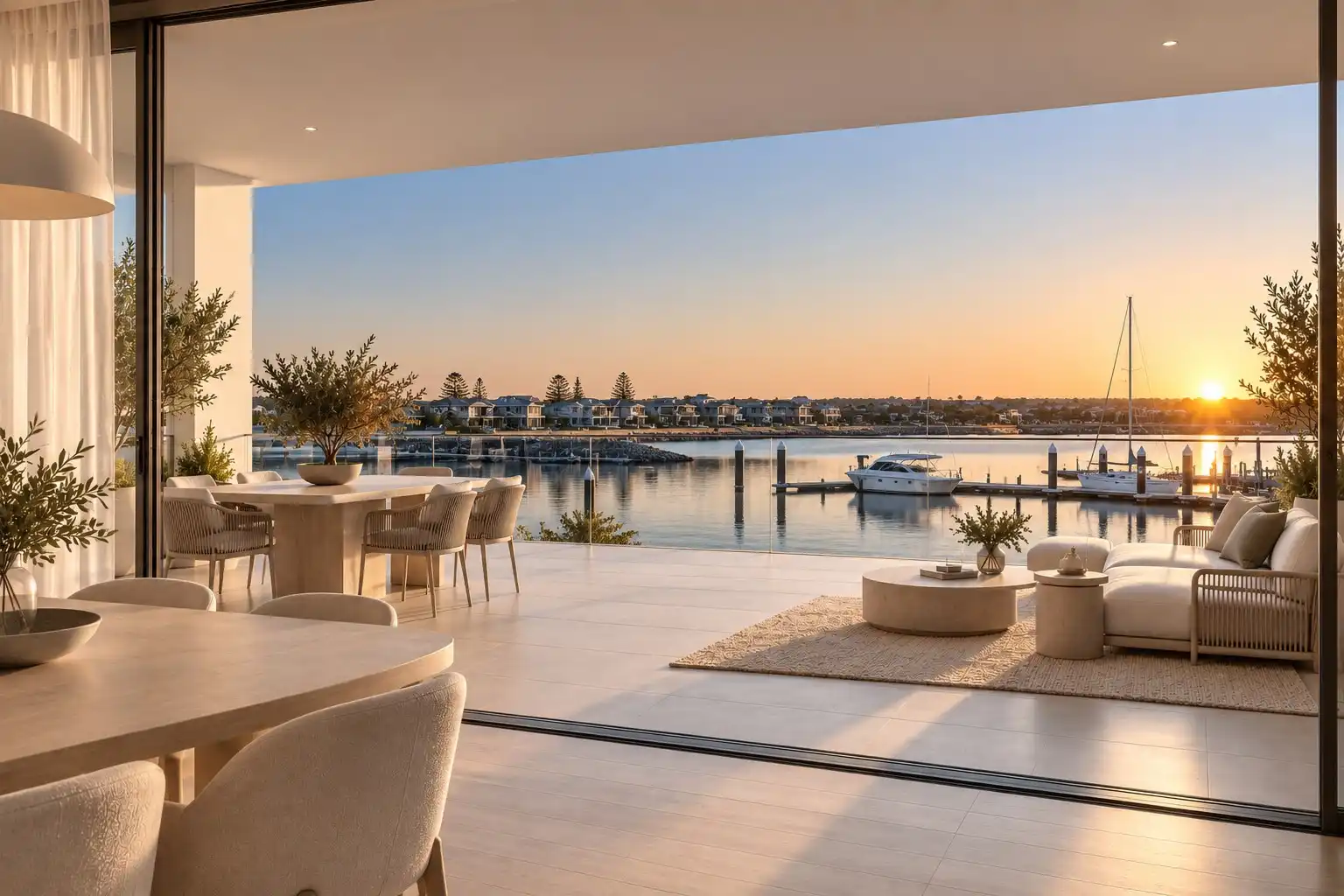
Amplifiles now makes the listing video for you. Send the listing photos from inside the app, and our human editors deliver a finished video within 24 hours, weekends included, in horizontal, vertical and square versions. It starts at $39 per listing, and edits are free until you are happy with the result.
The self-serve editor is not going anywhere. Most customers will keep making videos themselves at $1.50 per image and order Done-For-You for the listings where their time is worth more than the price difference. This post covers how ordering works, what each package includes, and when each option makes sense. If you are new to listing video in general, our real estate listing video guide covers where and how to use one.
See some finished Done-For-You videos
These are real Done-For-You deliveries from four different listings. Each one started as a set of listing photos, and our editors picked the shots, put them in order and edited the finished video.
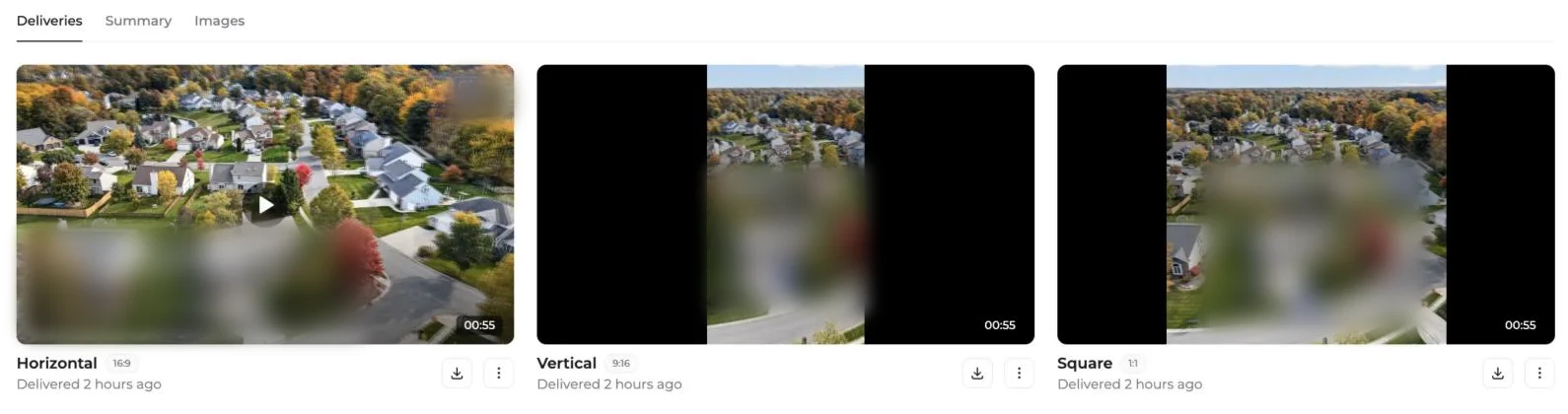
Every order comes back in three formats as separate videos: horizontal for YouTube, the MLS and your website, vertical for Instagram Reels, TikTok and Stories, and square for the feed. All three are included in every package.
Why we added Done-For-You
Amplifiles was built so that anyone can turn listing photos into a video in about 5 minutes without editing skills. That still holds. But a steady share of customers kept writing to support with the same request: could we just make it for them?
"We built Amplifiles so anyone can make a listing video in a few minutes, and most of our customers do exactly that. But some of them kept asking if we could simply make the video for them. So we piloted a service where our own editors do the work, learned what agents and photographers actually need from it, and have now built it into the app. Make the videos you want to make yourself, and order the rest. Either way it's fast, and we keep editing until you're happy."
Tommi, CEO of Amplifiles
How ordering works
Click Done-for-You in the left menu of the Amplifiles app. An order takes four steps and a couple of minutes, and the fifth step is collecting your videos.
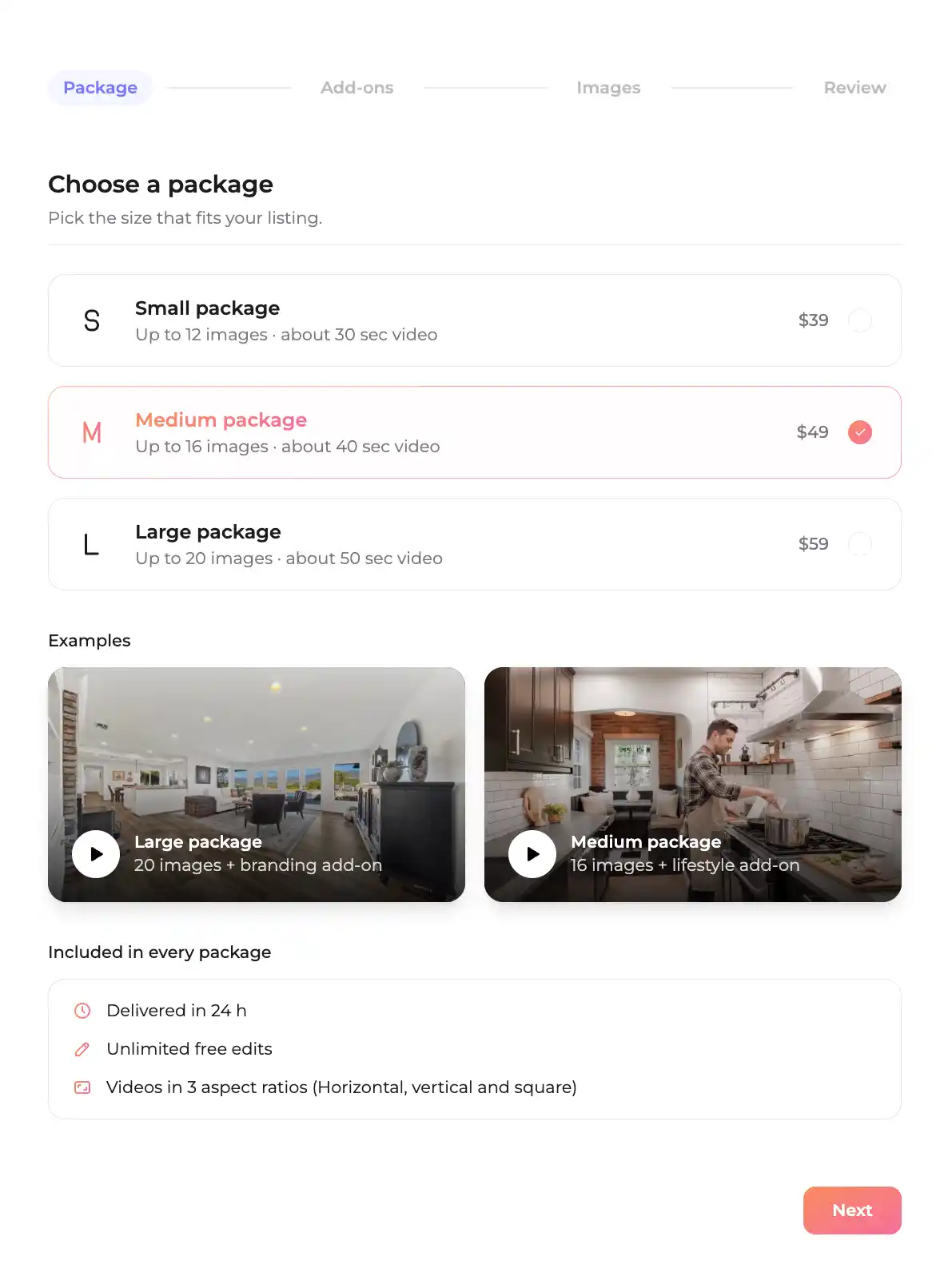
Step 1: Choose a package
Pick Small, Medium or Large based on how many photos the listing has. The package sets how many photos the editors use and roughly how long the video runs.
Step 2: Add extras
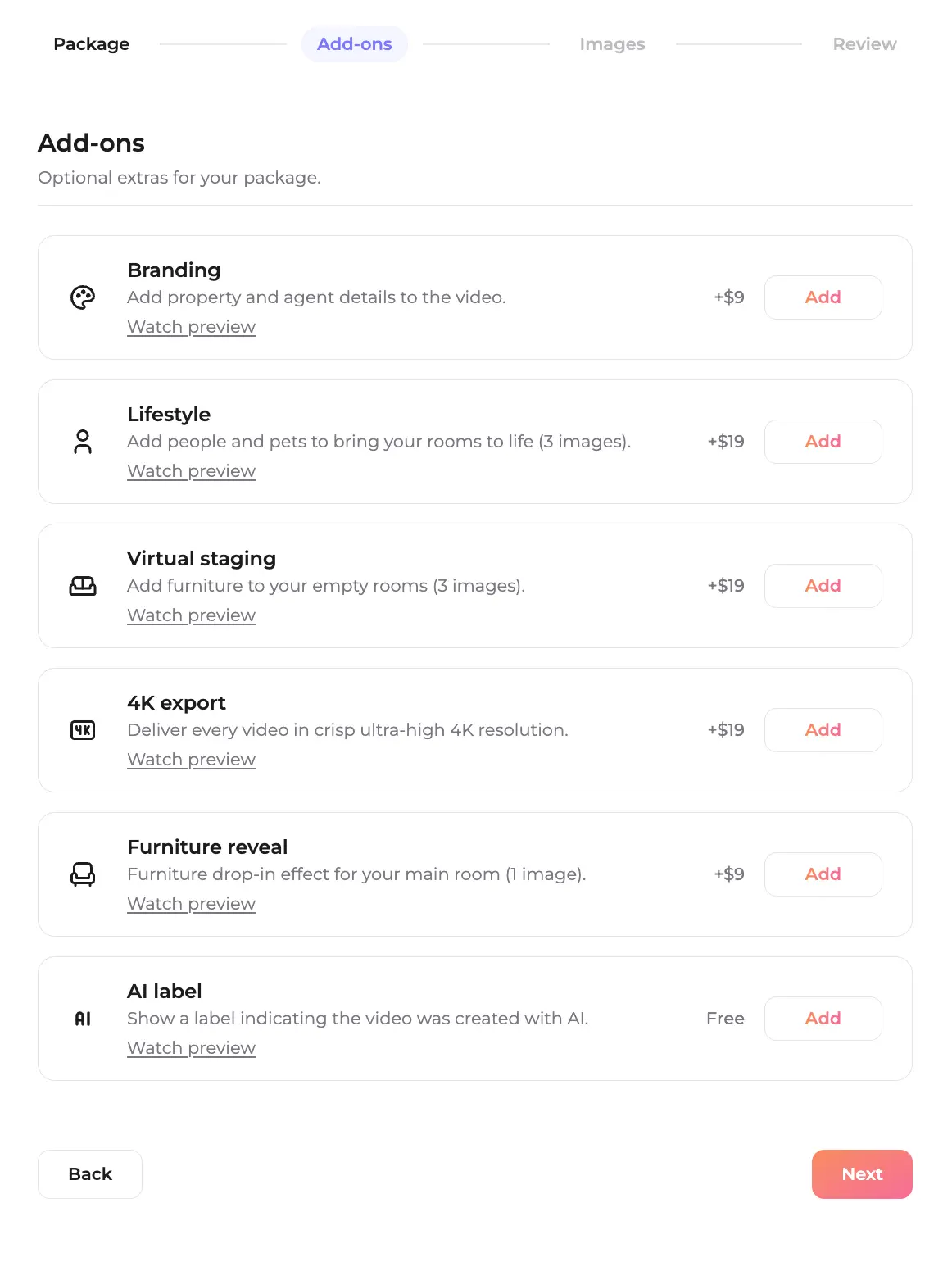
Add-ons such as branding, virtual staging, lifestyle or 4K are optional. Each one has a Watch preview link, so you can see what it does before you add it.
Step 3: Add the photos
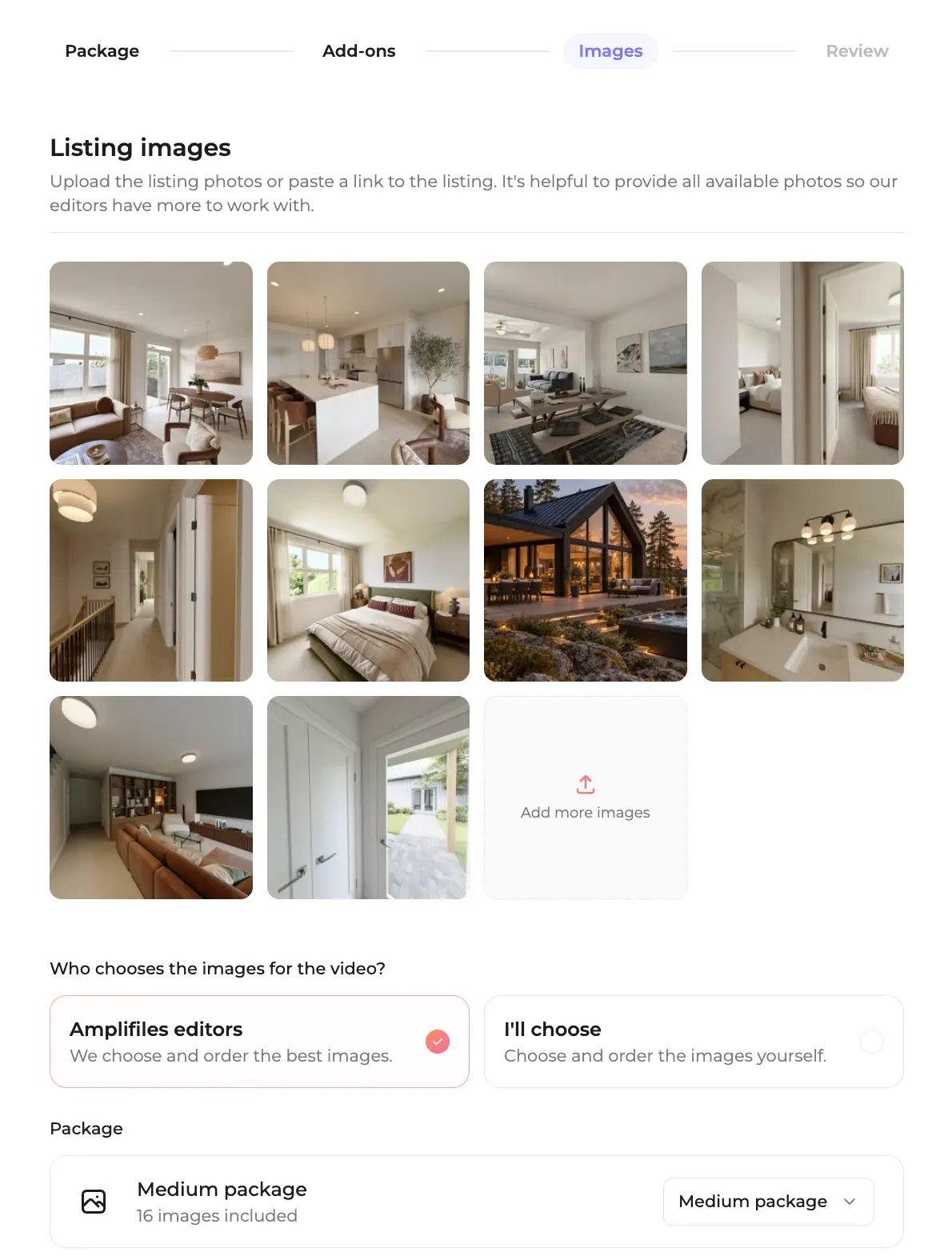
Upload the listing photos or paste a listing link, for example from Zillow. Upload everything you have, then choose who picks the shots: our editors select the best photos and put them in order, or you pick and order them yourself up to the package limit.
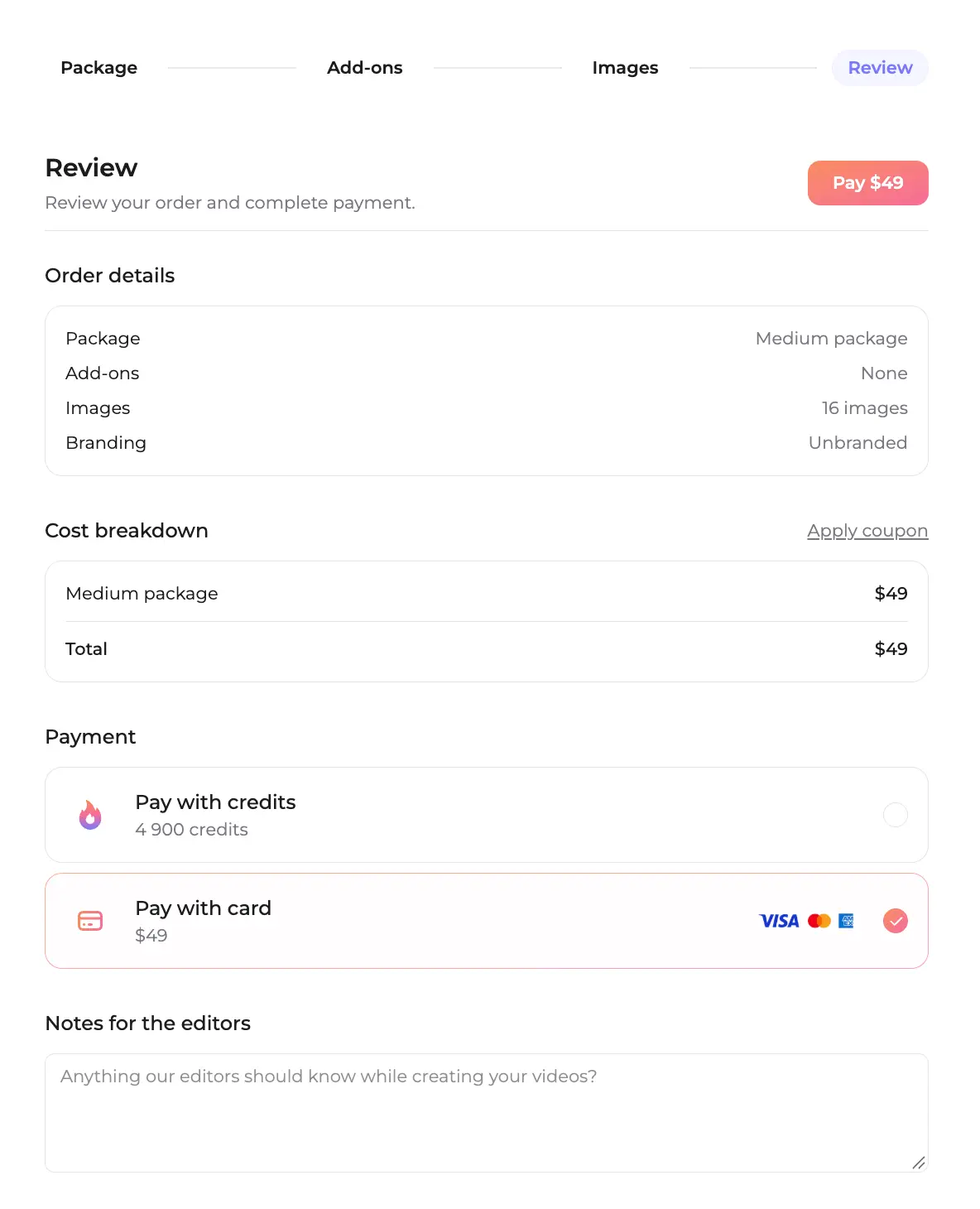
Step 4: Review and pay
Check the summary, leave notes for the editors (a feature to highlight, a room to skip), and pay with credits, a card or both. The order now shows as Submitted.
Step 5: Download your videos
When the video is ready you get an email and the order shows as Delivered. The videos are under Deliveries on the order page, one download button per format. The Request changes button is on the same page if you want anything adjusted.
Packages and pricing
Every package includes delivery within 24 hours (weekends included), all three formats as separate videos, and unlimited free edits.
You can pay with credits, a card (Visa, Mastercard or American Express), or a mix of both. 100 credits equal $1, so the 1,200 free credits every new account gets are worth $12 toward a first order. No subscription is needed.
Add-ons
- Branding, $9. Adds property and agent details to the video.
- Lifestyle, $19. Adds people and pets to three images to bring rooms to life.
- Virtual staging, $19. Furnishes three empty rooms.
- Furniture reveal, $9. A furniture drop-in effect for the main room.
- 4K export, $19. Delivers every video in 4K resolution.
- AI label, free. Shows a label saying the video was created with AI.
If you add Lifestyle or Virtual staging, check your MLS rules before uploading. Many MLS systems require disclosure for altered images, and some do not allow added people on the official listing at all. A common setup is the staged version for social media and a clean version for the MLS. The free AI label makes the disclosure part easy.
Free edits until you're happy
The Request changes button on the order page (step 5 above) opens a chat with our team, with your order number already filled in. Use it before delivery to add instructions, or after delivery to ask for changes: a different photo order, a shot swapped out, a feature you want shown first. Edits are free and unlimited until you are happy with the video. That guarantee replaces refunds, so there are none, but you are never stuck with a video you don't want to use.
For real estate agents: skip the videographer
A videographer means booking a shoot day, waiting on the edit and paying for both on every listing. Done-For-You starts from the photos you already have and returns a finished video the next day. Our breakdown of real estate video editing services compares the cost of each route. See the agent offer on the Done-For-You page for agents.
For photographers: sell video without editing it
You already shot the listing. Send the same photos, get the video back within 24 hours in all three formats, and resell it to your agent at your own price. A video that costs you $39 and sells for $100 to $150 inside a package adds a line item without adding hours to your week. We cover the package math in more detail in real estate photographers and listing video. See the photographer offer on the Done-For-You page for photographers.
Done-For-You or make it yourself?
Both run on the same account and the same credits, so you don't have to choose once and for all. Pick per listing.
Make it yourself when you want control and the lowest cost. At $1.50 per image (one dollar and fifty cents), a 12 photo video costs $18 and takes about 5 minutes. You choose every camera move, the music and the clip lengths, and you can add special effects with Creative Mode.
Order Done-For-You when your time is the constraint: a week with five new listings, a luxury listing that deserves a careful edit, or a listing that needs staging and lifestyle shots you would rather not set up yourself. You pay $39 to $59 and get your time back.
Most customers end up doing both. They make the everyday videos themselves and hand off the ones that need more care or arrive on a busy day. For how Amplifiles compares with other listing video tools, see our comparison of the best AI real estate video tools.
Frequently asked questions
Who makes the Done-For-You videos?
Human editors on the Amplifiles team. You send the listing photos, they choose the shots (or follow your selection), build the video and deliver it within 24 hours. You can leave notes for them when you order.
How fast is Done-For-You delivery?
Within 24 hours of ordering, weekends included. You get an email when the videos are ready, and they are waiting under Deliveries on your order page in horizontal, vertical and square versions.
What does Amplifiles Done-For-You cost?
Small is $39 for up to 12 photos, Medium is $49 for up to 16 photos, and Large is $59 for up to 20 photos. Add-ons such as branding ($9) or virtual staging ($19) are optional. You can pay with credits, a card or both.
Can I pay for Done-For-You with credits?
Yes. 100 credits equal $1, so the Small package is 3,900 credits. You can also split the payment between credits and a card.
What if I don't like the video?
Click Request changes on the order page and tell the editors what to change. Edits are free and unlimited until you are happy. There are no refunds, because the edits continue until the video works for you.
Final thoughts
Done-For-You doesn't replace making videos yourself. It gives you a second option for the listings where your time matters more than the extra cost. Order from the left menu, send the photos, and the video is back tomorrow.
We built Amplifiles so every listing can have a video. Our platform turns listing photos into 1080p marketing videos in about 5 minutes, and now our editors can make them for you too.
Browse real estate video examples to see what a finished listing video looks like. Or create a free account and use your 1,200 free credits on your first video, made by you or by our editors.