.webp)


Matterport reports that listings with 3D virtual tours get 95% more phone calls and 65% more email inquiries than those without. Yet most real estate agents still treat 360 cameras as a specialty tool reserved for luxury properties. The reality: 360 cameras have dropped below $400, and a single walkthrough takes less than 30 minutes to shoot. This guide covers everything you need to know about choosing a 360 camera, shooting virtual tours, and turning that content into a full listing marketing package. Amplifiles is an AI video platform that converts listing photos into 1080p marketing videos in about 5 minutes, and the workflow pairs naturally with 360 photography to give each listing both an immersive tour and a polished video.
If you are building your real estate photography equipment kit, a 360 camera is one of the highest ROI additions you can make right now.
What Is a 360 Camera and Why Does It Matter for Real Estate?
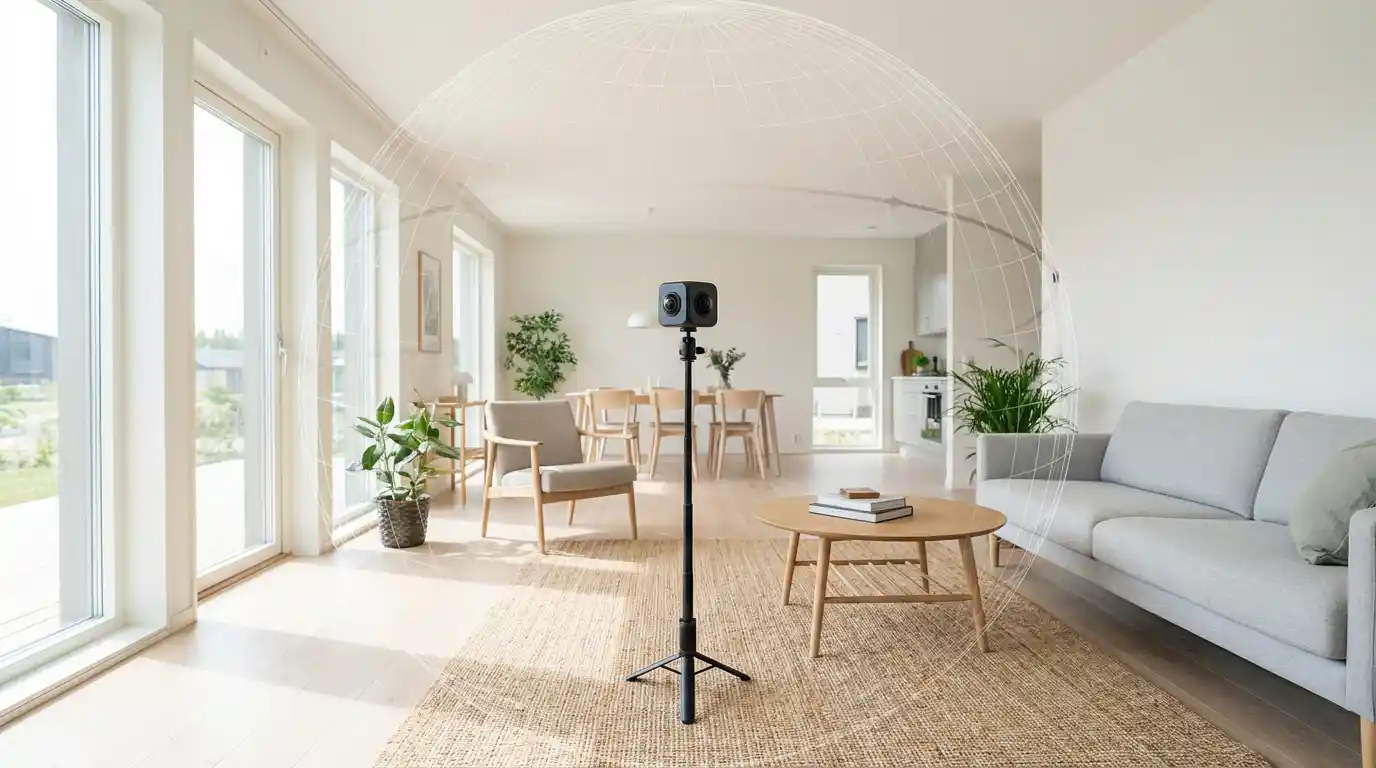
A 360 camera captures a full spherical image or video from a single position. Two or more ultra-wide lenses record simultaneously, and the camera's software stitches the images together into an interactive panorama. Viewers can look in every direction, zoom in on details, and navigate room to room through a connected virtual tour.
For real estate, this means buyers can explore a property remotely with a sense of spatial awareness that flat photos cannot provide. The National Association of Realtors (NAR) 2024 Profile of Home Buyers and Sellers found that 41% of buyers found virtual tours "very useful" in their home search. That number jumps higher for relocation buyers who cannot visit properties in person.
The practical appeal for agents and photographers is speed. A full property walkthrough with a 360 camera takes 15 to 30 minutes depending on square footage. Compare that to a traditional photo shoot requiring careful staging, lighting adjustments, and dozens of individually composed shots. The 360 approach captures everything in the room simultaneously, then lets the viewer choose what to focus on.
Top 360 Cameras for Real Estate Photography
The 360 camera market has matured enough that there are clear winners at every price point. Here are the cameras real estate professionals actually use, based on image quality, ease of stitching, and platform compatibility.
| Camera | Resolution | Price Range | Best For | Zillow 3D Compatible |
|---|---|---|---|---|
| Ricoh Theta Z1 | 23MP (dual 1-inch sensors) | $900-$1,050 | Professional image quality, HDR | Yes |
| Insta360 X3 | 72MP photo / 5.7K video | $350-$450 | Best value, video + photo versatility | Yes |
| Ricoh Theta X | 60MP (with touchscreen) | $650-$800 | Ease of use, on-camera preview | Yes |
| GoPro MAX | 16.6MP / 5.6K video | $350-$500 | Rugged outdoor shoots, action video | No (needs conversion) |
| Kandao QooCam 8K | 8K video / 30MP photo | $400-$500 | Highest video resolution at mid-range | Yes |
For most real estate agents shooting their own listings, the Insta360 X3 offers the best balance of price and quality. If you are a professional real estate photographer charging per shoot, the Ricoh Theta Z1 pays for itself quickly with superior HDR and low-light performance that clients notice.
One factor many buyers overlook: platform compatibility. Zillow 3D Home, Realtor.com, and Redfin all accept 360 tours, but each has specific upload requirements. The Ricoh Theta line has the broadest direct integration with real estate platforms, which saves post-processing time. See our guide to real estate drone photography for another high-impact addition to your equipment lineup.
Best Camera for a House Tour
A house tour is a different job from a static 360 capture. You are moving through the property, so stabilization matters as much as resolution. The Insta360 X3 is the strongest all-round pick for this: it shoots 5.7K 360 video and lets you reframe the shot after the fact. You walk the house once, then choose where the camera looks when you edit.
That reframing step is what separates a 360 camera from a phone for walkthroughs. With a phone you have to point at the right thing while you walk, and a missed angle means another lap. With a 360 camera you capture everything around you, then pick the framing later, so one pass through the home produces several usable clips.
If your deliverable is still frames rather than motion, the Ricoh Theta Z1 is the better body. Its dual 1-inch sensors hold detail in bright windows and dim corners, which is exactly where cheaper 360 cameras fall apart. For a walking tour with movement in it, the Insta360 X3 wins on stabilization.
The short answer for buyers: choose the Insta360 X3 for a moving house tour, the Ricoh Theta Z1 for still panoramas, and a mirrorless camera with a wide-angle lens if what you actually need is photographs. Our guide to the best lens for real estate photography covers that third case.
Choosing a 360 Camera for Real Estate Virtual Tours
Resolution is the number on the box, but it is rarely the thing that decides whether a 360 camera for real estate virtual tours works well in practice. Four other factors matter more.
Stitching quality. Every 360 camera joins two lens views into one sphere, and the seam runs vertically through the frame. In a house that seam often lands on a door frame, a countertop edge, or a stair rail, where any kink is immediately visible. Larger sensors and better stitching software hide it more reliably.
Dynamic range. Interiors are the hardest lighting case there is: a blown-out window on one side of the sphere and a dark hallway on the other, both captured in the same frame. HDR bracketing is what rescues those shots, and it is the main reason the Ricoh Theta Z1 costs more than mid-range bodies.
Export format. Confirm the camera writes standard equirectangular JPEGs before you buy. Zillow 3D Home, CloudPano and Kuula all accept that format directly. A camera that only exports something proprietary adds a conversion step to every single listing.
Capture speed. A tour needs 15 to 25 positions. If each one takes 30 seconds of fiddling with a phone app, you have added 10 minutes of standing around to every shoot. On-camera controls and a reliable remote trigger are worth more than an extra few megapixels.
Weigh those four against the listings you actually shoot. An agent photographing two-bedroom apartments has different constraints from a photographer covering 4,000 square foot homes with double-height windows.
3D Virtual Tour Camera vs. 360 Camera: What Is the Difference
These two terms are often used interchangeably, and they describe genuinely different hardware.
A 360 camera records light. It captures a spherical photo or video from one fixed point, and the viewer looks around from where the camera stood. A 3D virtual tour camera records depth as well, measuring how far away each surface is. That depth data is what produces a floor plan, the dollhouse view of an entire property, and room measurements a buyer can trust.
The dedicated 3D real estate camera most professionals use is the Matterport Pro3, which measures depth with lidar at ranges up to 100 meters and works indoors and outdoors. The older Matterport Pro2 uses structured light instead and is an indoor tool. Both sit in a different price class from consumer 360 hardware: the Pro3 starts around $5,995 before you add a Matterport subscription, against roughly $400 for an Insta360 X3.
For most residential listings, a 360 camera is enough. Buyers want to see the rooms and understand how the space connects, and a well-shot 360 tour delivers that. A 3D real estate camera earns its cost when measurement is part of the deliverable: new-build sales, commercial space, renovation quotes, or insurance documentation. If you are an agent shooting your own listings, start with a 360 camera and move to lidar only when clients begin asking for floor plans.
How to Shoot a 360 Virtual Tour: Step by Step
The shooting process is simpler than most agents expect. Follow these steps for clean, professional results on your first attempt.
- Prepare the property. Remove personal items, turn on all lights, open blinds for natural light, and close toilet lids. The 360 camera captures everything in the room, including clutter behind you that a traditional photographer would crop out. Stage more carefully than you would for standard photos.
- Set up your tripod at chest height. Position the camera roughly 5 feet off the ground in the center of each room. A monopod works better than a full tripod for 360 because the narrower base is less visible in the final image. Most stitching software removes the tripod automatically, but a slim monopod makes that cleanup easier.
- Plan your capture path. Start at the front door and move logically through the home. Capture one shot per room for smaller properties, two for large rooms (one from each end). Include hallways and transitions. For a typical 2,000 sq ft home, plan on 15 to 25 capture points.
- Step out of frame before triggering. Use the camera's companion app on your phone to trigger each shot remotely. Stand outside the room or behind a wall. Timer mode (5 to 10 second delay) also works if the app is unreliable on your phone model.
- Check stitching quality on site. Review each panorama on your phone before leaving a room. Look for stitching artifacts where the two lenses overlap, especially along straight lines like door frames and countertop edges. Re-shoot if you spot distortion.
- Process and upload. Transfer images to your laptop. Most 360 cameras include desktop software for basic adjustments: brightness, contrast, and starting view angle. Then upload to your virtual tour platform (Matterport, Zillow 3D Home, CloudPano, or others). Set the navigation flow so viewers move through rooms in the same logical order you shot them.
The entire shoot and upload process takes 30 to 60 minutes for a standard home. That time investment generates content that keeps working on the listing for weeks.
360 Photos vs. Standard Photos vs. AI Video: When to Use Each
A common question from agents building their marketing workflow: should 360 content replace traditional photos, or supplement them? The answer depends on the listing and your marketing goals.
Standard photos remain essential. MLS listings require them, and they perform best in social media feeds and email campaigns where viewers scroll quickly. High-quality still photos are non-negotiable.
360 virtual tours add depth for serious buyers who want to understand the layout and spatial flow of a property before visiting. They reduce unqualified showings because buyers who have already "walked through" the home virtually tend to be further along in their decision process.
AI-generated listing videos fill a different gap entirely. Tools like Amplifiles convert your existing listing photos into polished marketing videos with voice-overs, captions, and agent branding. Amplifiles produces 1080p video in approximately 5 minutes at $1.50 per image, which makes video marketing accessible for every listing, not just high-end properties. While 360 tours serve buyers who are already interested, listing videos are outreach tools that capture attention on social media, in email campaigns, and on listing portals.
The strongest listing marketing packages combine all three: standard photos for MLS and portals, a 360 virtual tour for engaged buyers, and an AI-generated video for social promotion and ads. You can learn more about virtual staging as another way to enhance your listing photos before creating video content.
How Amplifiles Fits Into Your 360 Photography Workflow
Here is where the 360 camera workflow connects to video marketing. After your 360 shoot, you already have comprehensive visual documentation of the property. But most of that content lives inside a tour player that requires a specific link and a viewer willing to click through room by room.
Amplifiles bridges that gap. Take the standard listing photos you already have (or extract key frames from your 360 content) and upload them to Amplifiles. The platform produces a branded marketing video with smooth transitions, professional voice-over narration, on-screen captions highlighting key features, and your branding. The entire process takes about 5 minutes.
Unlike generic video editors such as Animoto or InVideo, Amplifiles is purpose-built for real estate listings. The AI understands property context: it knows to highlight square footage, bedroom counts, and neighborhood features rather than applying a generic slideshow template. That real estate specificity means less editing and more relevant output for your listings.
For photographers offering 360 tours to their agent clients, adding Amplifiles video to your service package is a straightforward upsell. You already have the photos. The video production is automated. Your clients get a complete marketing package: photos, virtual tour, and video. Check the Amplifiles pricing page to see how costs break down per listing.
Virtual Tour Platforms That Work With 360 Cameras
Once you have your 360 images, you need a platform to host and share them. Here are the main options real estate professionals use.
Zillow 3D Home is free and integrates directly with Zillow listings. It works best with Ricoh Theta cameras (Zillow has an official partnership) but accepts standard equirectangular images from any 360 camera. The limitation: tours only display on Zillow. You cannot embed them on your own website or share a standalone link easily.
Matterport is the industry standard for high-end 3D tours with dollhouse views and floor plans. It requires a Matterport-compatible camera or their own hardware. Monthly subscription pricing starts around $12/month for the starter plan. Best for agents and photographers who want premium presentation and are willing to invest in the ecosystem.
CloudPano offers a middle ground: affordable subscription plans (starting around $20/month), compatibility with any 360 camera, and the ability to embed tours on any website. It also supports direct uploads to MLS systems. A solid choice for agents who want flexibility without the Matterport price tag.
Kuula is popular among photographers for its clean interface and easy embedding. Free for basic use with paid plans starting at $12/month. It supports VR headset viewing, which some luxury agents use for immersive buyer presentations.
Turning 360 and 3D Captures Into a Shareable Listing Video
A virtual tour has one structural weakness as a marketing asset: it lives behind a link. Someone has to click it, wait for the player to load, then navigate the property room by room. That works for a buyer who is already interested. It does nothing in a social feed, where content has to play itself or be scrolled past.
A listing video covers that gap. It autoplays, it runs on every platform, and it presents the property in 30 seconds instead of asking for 5 minutes of exploration. The two formats do different jobs: the tour converts interest that already exists, the video is what creates it.
Producing one does not require a second visit. Export flat frames from your 360 capture, or use the standard listing photos from the same shoot, and run them through the AI real estate video tool. It returns a branded 1080p video with camera motion, captions and voice-over in about 5 minutes at $1.50 per image. One property visit then yields three deliverables: photos for the MLS, a 360 tour for engaged buyers, and a video for the listing portal, the ad, and the feed.
Frequently Asked Questions
Which 360 camera is best for real estate?
The Insta360 X3 offers the best combination of price, image quality, and ease of use for most real estate agents. If image quality is your top priority and you are a professional photographer, the Ricoh Theta Z1 produces noticeably better results in challenging lighting conditions thanks to its larger 1-inch sensors. Both cameras are compatible with major real estate platforms including Zillow 3D Home.
What is the best camera for a house tour?
For a moving house tour, the Insta360 X3 is the best choice for most people. It shoots 5.7K 360 video with strong stabilization, and because it records everything around the camera you can reframe each shot after the walkthrough rather than having to aim correctly while you walk. If you need still panoramas instead of motion, the Ricoh Theta Z1 produces better image quality thanks to its dual 1-inch sensors.
What is the difference between a 3D virtual tour camera and a 360 camera?
A 360 camera captures a spherical photo or video from one fixed position, so the viewer can look around but not measure anything. A 3D virtual tour camera also records depth data, which is what generates floor plans, dollhouse views, and accurate room dimensions. The Matterport Pro3 is the most common dedicated 3D real estate camera and uses lidar, while the older Pro2 uses structured light. A 3D camera costs several thousand dollars against roughly $400 for a consumer 360 camera, so it is worth the investment only when measurements are part of what you deliver.
What 360 cameras are compatible with Zillow?
Zillow 3D Home officially supports Ricoh Theta cameras (Z1, X, SC2) through a direct integration in the Zillow app. Other 360 cameras like the Insta360 X3 and Kandao QooCam 8K can also work if you export standard equirectangular JPEG images and upload them manually. GoPro MAX images require conversion to the correct format before Zillow will accept them.
How long does it take to shoot a 360 virtual tour?
A complete 360 shoot of a typical 2,000 square foot home takes 20 to 40 minutes, including setup and capture at 15 to 25 positions. Processing and uploading adds another 15 to 30 minutes depending on your platform. Most agents can comfortably complete a full virtual tour in under an hour on site.
Can I create listing videos from my 360 photos?
Yes. While 360 photos are designed for interactive virtual tours, you can extract flat images from your 360 captures or use your standard listing photos alongside them. Amplifiles is an AI-powered real estate video maker that turns listing photos into branded marketing videos with voice-overs and captions in about 5 minutes. This means one photo shoot can produce both a 360 tour and a professional listing video.
What are the disadvantages of 360 cameras for real estate?
The main limitations are image quality compared to dedicated DSLR or mirrorless cameras, particularly in low light. Small sensors in most consumer 360 cameras produce more noise and less dynamic range. Stitching artifacts can appear along straight lines where the two lens fields overlap. Additionally, 360 images capture everything in the room, including clutter and imperfections that a traditional photographer would exclude through careful framing. Thorough staging becomes even more important with 360 photography.
Final Thoughts
A 360 camera is one of the most practical additions to any real estate marketing toolkit. The technology is affordable, the learning curve is short, and buyers increasingly expect virtual tours as a standard part of the listing experience. Whether you are an agent looking to differentiate your listings or a photographer expanding your service menu, 360 photography delivers measurable results in engagement and inquiry volume.
We built Amplifiles because listing photos deserve to work harder. Our platform turns listing photos into professional 1080p marketing videos in about 5 minutes, with voice-overs, captions, and branding. No filming or editing required.
Browse real estate video examples to see what a delivered listing video looks like before creating one. Or jump straight to how Amplifiles works for photographers and start with your 1,200 free credits.