.webp)


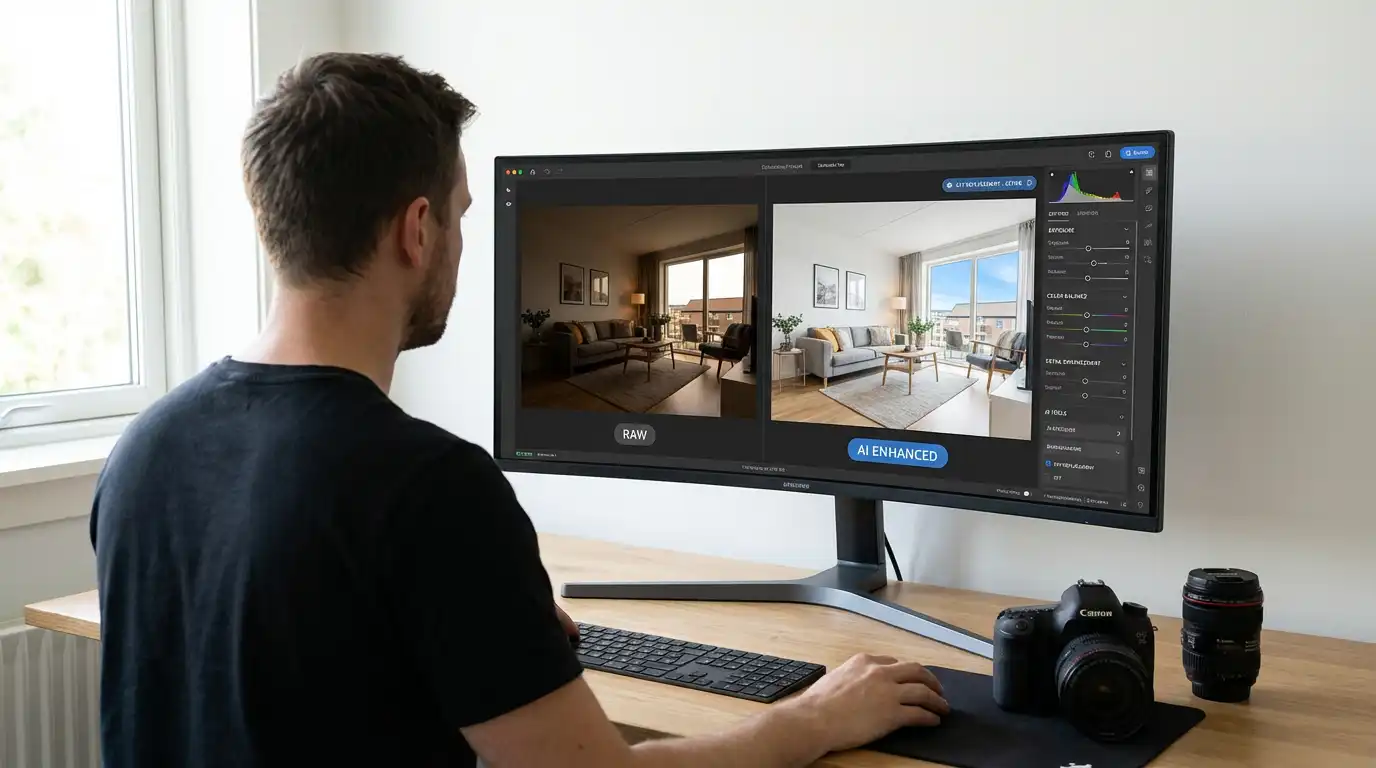
Editing a full real estate listing used to take the better part of a morning. HDR blending, sky replacement, perspective correction, and color grading across 40 to 80 images was a multi-hour process for even experienced photographers. AI has changed that. The best AI real estate photo editing tools now handle most of the technical work automatically, and the gap between AI output and careful manual editing narrows every year.
This guide covers the six best AI real estate photo editing tools in 2026, with honest assessments of what each one actually does well. It also covers the step most photographers skip entirely: converting edited photos into listing videos automatically, without a second vendor or a separate video editing app. Platforms like Amplifiles handle that part of the workflow for photographers who want to deliver more to every client from a single shoot.
Whether you are shooting five properties a week or fifty, the right AI editing workflow changes what is possible for your business.
Editing a full real estate listing used to take the better part of a morning. HDR blending, sky replacement, perspective correction, and color grading across 40 to 80 images was a multi-hour process for even experienced photographers. AI has changed that. The best AI real estate photo editing tools now handle most of the technical work automatically, and the gap between AI output and careful manual editing narrows every year.
This guide covers the six best AI real estate photo editing tools in 2026, with honest assessments of what each one actually does well. It also covers the step most photographers skip entirely: converting edited photos into listing videos automatically, without a second vendor or a separate video editing app. Platforms like Amplifiles handle that part of the workflow for photographers who want to deliver more to every client from a single shoot.
Whether you are shooting five properties a week or fifty, the right AI editing workflow changes what is possible for your business.
What AI Actually Does to Real Estate Photos (And What It Can't)
AI editing tools have improved quickly in the past two years. Understanding where they perform well, and where they fall short, is the first step toward building a workflow that actually saves time.
HDR blending from bracketed exposures is where AI performs best in real estate contexts. Modern tools merge three to five exposures and balance interior light against bright windows with fewer artifacts than older tone-mapping methods. Batch processing is the other major gain. Tools that process 50 to 80 images unattended change the economics of a busy photography business.
Sky replacement has become clean enough that most clients cannot tell the difference. Some MLS boards and state real estate associations require disclosure when listing photos have been digitally enhanced beyond standard color correction and exposure adjustment. Check your local rules before delivering AI-edited skies to clients.
Perspective and lens correction, noise reduction in low-light interiors, and color consistency across a full shoot are all well within what current AI tools handle reliably.
Where AI still falls short: occupied rooms and poor staging are not editing problems. Photo editors will not rearrange furniture, and flames like a lit fireplace or candles often get overexposed or look painted on after AI HDR blending. If the photos are going into a video, Amplifiles can declutter countertops and light the fireplace as part of the animation. Personal editing style also takes time for AI to learn. Some tools require training on hundreds of your previous edits before the output reflects your aesthetic.
The bottom line: AI editing handles repetitive technical work well. Judgment and creative decisions still belong to the photographer.
The 6 Best AI Real Estate Photo Editing Tools in 2026
These tools were evaluated on HDR quality, batch processing reliability, pricing structure, and how well each fits into a professional real estate photography workflow.
1. Imagen AI
Imagen AI is purpose-built for professional photographers. It learns your editing style from your Lightroom catalog and applies that style consistently to new images. For photographers who have spent years building a recognizable look, this is its core advantage. Imagen charges roughly $0.03 to $0.07 per image depending on volume, which stays affordable at scale. It does not handle HDR blending natively, so photographers who shoot bracketed exposures need a separate merge step before sending images to Imagen.
2. Photomatix Pro (AutoHDR)
Photomatix Pro remains the most trusted tool for HDR real estate photography. Its AutoHDR batch mode handles exposure merging with minimal tone mapping artifacts, and the processing pipeline is stable for high-volume workflows. If HDR blending is your biggest post-processing time drain, this is the most direct solution. Licenses start around $99 one-time. For a full breakdown of HDR technique and equipment, see our guide on HDR real estate photography.
3. Pixa by BoxBrownie
Pixa is a managed editing service with AI-assisted workflow. You upload images, select a style profile, and receive edited photos within a few hours. It is closer to outsourced editing than standalone software, which suits photographers who want to remove editing from their workflow entirely rather than just speed it up. Pricing starts at $1.60 per image for standard edits. The per-image cost is higher than pure-software alternatives, but the time savings are total.
4. Nodalview
Nodalview is a European platform used by agents and photographers who want a combined capture-and-edit solution. Its AI editing handles exposure correction and color grading on images taken through their companion app. It works well for brokerages standardizing visual output across a large agent team. For independent photographers using their own camera and lens setups, the workflow is more constrained than the other options here.
5. ON1 Photo RAW
ON1 Photo RAW is a full non-destructive RAW editor with AI-powered masking, sky replacement, and noise reduction built in. It competes directly with Lightroom and is available as a one-time purchase around $99. For photographers who want everything in one application without a subscription, it is a strong option. Batch processing maintains color consistency across a full shoot, which is the main use case for real estate work.
6. Pixelbin
Pixelbin is a cloud-based image transformation platform with API access. It is more technical than the others on this list but relevant for photographers who want to build automated delivery pipelines. AI background removal, upscaling, and color correction are available at per-transformation pricing. Best suited for high-volume operations with the technical resources to integrate a custom workflow.
How to Choose the Right AI Editor
The right tool comes down to two questions: What takes up the most of your editing time, and how technical do you want your workflow to be?
If HDR blending is your primary bottleneck, Photomatix is the direct fix. If you want consistent style application without manual intervention, Imagen AI trains on your existing catalog and applies your aesthetic automatically. If you want to step back from editing entirely, BoxBrownie's Pixa trades per-image cost for complete time elimination. If you want one application for the full RAW editing pipeline without a subscription, ON1 Photo RAW covers everything from culling to delivery.
The comparison below summarizes how each tool fits different workflow needs.
The Full Listing Visual Workflow: AI Photos Then AI Video
Most photographers stop at photo delivery. Fewer than 10% of residential listings include a marketing video, even though video listings generate more buyer inquiries. The bottleneck is not the photos. It is the second step: turning edited photos into a professional video without a videographer or a video editing app.
Amplifiles uses AI to convert edited real estate photos into 1080p listing videos in about 5 minutes. Animating each image costs $1.50, and every image includes one free re-animation. Additional re-animations after that cost $0.50. No filming or video editing required.
Unlike standalone photo editors like Luminar Neo or Photomatix, which deliver finished images and stop there, Amplifiles completes the full visual workflow: once photos are enhanced, its AI automatically assembles them into a branded marketing video ready for MLS, social media, and email.
Real estate photographers can deliver both polished photos and a professional listing video from a single shoot using Amplifiles, a workflow that previously required two separate vendors.
New users get 1,200 free credits to start. For photographers who want to see what the output looks like before committing, the real estate video examples page shows finished listing videos across different property types and styles.
Mistakes That Make AI-Edited Photos Look Fake
AI editing tools produce professional results when used correctly. They produce artificial-looking results when pushed too hard or used for the wrong job. These are the most common mistakes.
Over-saturated sky replacements. AI sky replacement with a clean blue sky looks natural. The same replacement cranked to maximum saturation looks like a screen saver. Match the sky tone and color temperature to the rest of the exterior image.
Using the wrong tool for the job. Imagen AI is excellent at style consistency but is not an HDR tool. Running underexposed interiors through Imagen without first blending bracketed exposures gives you consistently dark photos. Choose tools based on what your raw files actually need, not what the tool does in general.
Ignoring disclosure obligations. Virtual staging from photos and sky replacement are treated differently by different MLS boards. Some require a label like digitally altered or virtually staged on enhanced images. Not knowing the rules in your market is a professional liability. Check before you deliver.
Skipping quality review on batch output. AI batch processing is fast. It also occasionally produces a badly merged HDR or a sky replacement that clips into the roofline. Always spot-check output, especially on complex exteriors or rooms with multiple light sources. For more on shooting settings that reduce these issues at capture, see our guide on real estate photography equipment.
Frequently Asked Questions
Is AI photo editing legal for real estate listings?
AI editing tools are legal for real estate photography. However, certain enhancements like sky replacement, virtual staging, and object removal may require disclosure depending on your MLS board or state real estate commission. Rules vary by market. Check your local MLS guidelines before delivering digitally enhanced listing photos to clients.
Can AI replace a professional real estate photo editor?
AI tools handle most of the repetitive technical work that manual editors do: HDR blending, color correction, perspective correction, and noise reduction. For high-volume photographers, AI replaces the editor for standard listings. Complex shoots, occupied rooms, and creative editing decisions still benefit from human review. Most professional photographers use AI for bulk work and apply manual finishing only where it matters.
What is the best free AI tool for real estate photo editing?
There is no fully featured free option with unlimited professional output. ON1 Photo RAW offers a free trial, and Imagen AI provides a limited number of free edits to test its style-matching. For photographers evaluating tools before committing, free trials are the most practical starting point. The paid options in this guide all start below $100 for one-time licenses or are priced per image at manageable volumes.
How much does AI real estate photo editing cost?
Costs vary by pricing model. Per-image services like Imagen AI run $0.03 to $0.07 per image. Managed services like BoxBrownie's Pixa charge around $1.60 per image. One-time software licenses like Photomatix Pro and ON1 Photo RAW run around $99 each. At 50 images per shoot and five shoots per week, per-image pricing at $0.05 adds up to roughly $65 per week. A $99 software license pays for itself in under two weeks at that volume.
Can I turn my AI-edited photos into listing videos automatically?
Yes. Amplifiles is designed specifically for this workflow. You upload edited photos and the platform animates each image into a 1080p listing video in approximately 5 minutes. Animating each image costs $1.50, and every image comes with one free re-animation. Additional re-animations after that cost $0.50. No filming, no video editing software, and no second vendor required. New accounts include 1,200 free credits. See more on the Amplifiles for photographers page.
AI photo editing tools have made professional-quality real estate photography faster to produce and more consistent at scale. The photographers building the most efficient workflows are also solving the video problem, turning edited photos into listing videos in minutes without adding a second tool or vendor. That is the full opportunity available right now.